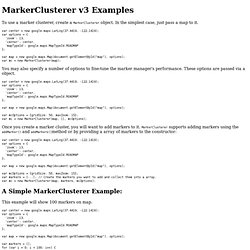
Edit this Fiddle. Markerclusterer.js. MarkerCluster for v3 Documentation: Examples. To use a marker clusterer, create a MarkerClusterer object. In the simplest case, just pass a map to it. You may also specify a number of options to fine-tune the marker manager's performance. These options are passed via a object. Once you create a marker cluster, you will want to add markers to it. MarkerClusterer supports adding markers using the addMarker() and addMarkers()method or by providing a array of markers to the constructor: A Simple MarkerClusterer Example: This example will show 100 markers on map.
View example (simple_example.html) Advanced MarkerClusterer Example: With this example, you can test MarkerClusterer with different max zoom levels, grid size and styles, all the options. View example (advanced_example.html) Speed Test Example This example will compare adding markers with MarkerClusterer to the normal method of adding markers, and display the time for each. View example (speed_test_example.html) Markerclusterer. MarkerClusterer: A Solution to the Too Many Markers Problem. Posted by Xiaoxi Wu, Community Developer Hi, I'm Xiaoxi (Frank) Wu. I'm a software engineer working for Beyondsoft in Beijing China, where I'm currently working on Maps API applications.
While I was learning the Google Maps API, I got a lot of help from the forum and the open-source library, so I've decided to give back to the community with some of my own code. The first library that I'm releasing is MarkerClusterer. It's easy to use - just add your markers to an array, pass that and your map into the MarkerClusterer, and it'll take care of the rest. Var markers = []; for (var i = 0; i < 100; ++i) { var latlng = new GLatLng(data.photos[i].latitude, data.photos[i].longitude); var marker = new GMarker(latlng); markers.push(marker); } var markerCluster = new MarkerClusterer(map, markers); You can also set some options for the MarkerClusterer like the cluster icons and the size of the clusters.