
Development Blog: Stencyl Tower Defense #3: Getting Healthy. This is the third part in the series "Creating a Tower Defense Game".

You should start at part 1 of the tutorial. In the previous posts, I created a very basic Tower Defense Game with wandering enemies and pre-placed towers that can kill enemies. In most TD games, enemies are not killed outright but damaged. In this part, I will introduce the pre-shipped Health Manager and use it to make the towers deal damage. I will also create a new behavior to show visual feedback on damage. The result can be seen here; you can also download it from StencylForge under the name "Publysher - TD Tutorial #3. A Bit of Theory In all TD games that I know of, every time a tower hits an enemy it deals a certain amount of damage. At the same time, most TD games give some kind of visual feedback to indicate the current amount of hitpoints each enemy has. In computer terms, when a tower shoots an enemy, it has to communicate the amount of damage it dealt to the enemy.
The Health Manager. Trystan's blog: roguelike tutorial 04: the player. Alright, let's get a hero so we can explore these caves.

We'll need something to represent our player and eventually monsters. They'll all have an x and y coordinate, a glyph, and a color. Since they will be interacting with the world, they should have a reference to that too. I made the x and y coordinate publicly accessible since they'll be used a lot, we don't need to constrain them or do anything when they change, and I'd rather not have to deal with getters and setters. Getters and setters are almost always a better idea than public fields (especially when using C# properties) but part of software engineering is knowing the rules and part is knowing when to break them. To implement all the different behaviors of all the different creatures, we could use a bunch of flags representing creature traits, or we could use subclassing, but let's use something that's usually more flexible: delegation.
The Weblog Monaco Interview: A Tale of Two Andys. Most of the indie world knows of IGF host and PlayNerd model Andy Schatz, creator of Monaco.

Much less known is Monaco's producer and level designer, Andy Nguyen. Nguyen introduces himself here very candidly as he shares the details of how he quickly proved himself as a rookie to become involved in such a highly anticipated title. The interview also reveals how flexible Schatz is, opening himself up to constructive criticism and help on the IGF winning project that he alone started over two years ago. The story goes that Schatz was primarily looking for testers for Monaco, and Nguyen more than stepped up to the challenge. Nguyen actually asked for an internship opportunity to learn and provide help wherever possible. With no skills to speak, with a finance degree instead of a computer science degree, one may wonder how he got Schatz's attention.
Nguyen describes the callback from Schatz as very surreal. Schatz decided to let Nguyen play Monaco and take notes on his experience. List of game engines. Many tools called game engines are available for game designers to code a game quickly and easily without building from the ground up.
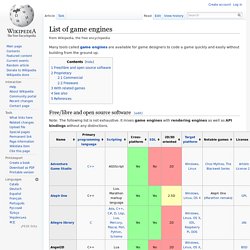
Free/libre and open source software[edit] Note: The following list is not exhaustive. It mixes game engines with rendering engines as well as API bindings without any distinctions. Proprietary[edit] Commercial[edit] Freeware[edit] These engines are available without monetary charge, but without the source code being available under an open-source license. With related games[edit] See also[edit] Puppy Games - Revenge of the Titans. At first they came from the skies.

In the ensuing war, Earth was laid waste, but we had won... But that was just the first strike - now the invasion has landed! Defeat the returning Titan horde in a series of epic ground battles, save the Earth, again, and command the counterstrike against their homeworld! Construct and command your ground defences in a series of increasingly massive battles across the solar system, in our frenetic arcade mash-up of Real Time Strategy and Tower Defence! Take a visit to R&D to discover the latest technology, then build a network of blaster turrets, rocket launchers and laser cannon, explosives, barricades and shield generators, refineries and reactors, and send forth your own droid army to battle the invading alien forces!
Roguelike tutorial 03: scrolling through random caves. Time to work on actual gameplay.

Sort of. Well ... not really. A place for gameplay to happen. A world for our heroes, foes, and treasures. Roguelikes happen somewhere. Since we're talking about tiles, let's have a Tile class. I like using extended ascii characters since AsciiPanel supports code page 437, but if you want to use '#' and ' Now that we have cave walls and floors, we need a World to hold them. And now that we have a world made up of tiles we can add some methods to get details about them.