
iPhoto Library Manager. Version: 4.1.5 Requirements:Mac OS X v10.6.8 and later(Mavericks compatible)iPhoto v8.1.2 and laterMac computer with an Intel Core 2 Duo processor or betterUpgrade FAQRegistration FAQDocumentation iPhoto Library Manager 4.1 available with support for iPhoto 9.5 and Mavericks iPhoto Library Manager allows you to organize your photos among multiple iPhoto libraries, rather than having to store all of your photos in one giant library.
You can browse the photos in all your libraries directly from iPhoto Library Manager, without having to open each library in iPhoto just to see its photos, and search across all your libraries to help track down a particular photo. iPLM also gives you the ability to copy your photos from one library to another, while keeping track of photo metadata that is normally lost when exporting from one library and importing into another. Create and manage multiple libraries Browse and search Copy photos and their metadata Find duplicate photos Merge iPhoto libraries.
Screenshot Grab + Layers - Capture d'écran. Signal for Mac OS X. HTTPS Everywhere. Vidéos Converter. MakeMKV - Make MKV from Blu-ray and DVD. M2TS Converter Vidéos Converter. As a multi-functional conversion software, Emicsoft M2TS Converter for Mac is well-known for two features which make it become the most professional program to deal with multimedia files on Mac OS X.

With the M2TS Converter Mac, users can convert M2TS Mac to video formats (MPEG-4, H.264/MPEG-4 AVC, MOV, 3GP, MKV, FLV, SWF, VOB, MPEG 1/2, WMV, etc.), audio formats (MP3, WMA, WAV, AAC, AC3, M4A, etc.), HD video (HD MPEG-4, HD MOV, HD AVI, DivX HD, XviD HD, HD ASF, MPEG2-PS HD, MPEG2-TS HD, etc.) and popular mobile devices (iPod, iPhone, Apple TV, PSP, PS3, Wii, Zune, Xbox, Gphone, etc.). All supported formats have been classified.
It is believed that you must find the profile you need. Apart from powerful converting function, editing function is another selling point.
Synkron – Folder synchronisation. Mac Synchronization. ChronoSync for Mac OS X Instructions: Click 'Download' and a disk image file will begin downloading to your computer.
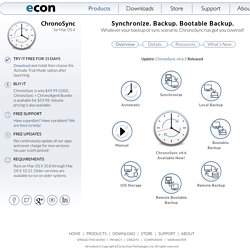
When the download is complete open your Downloads folder in Finder. Double click the file named "CS4_Download.dmg". The disk image will mount and a Finder window will open. The ChronoSync download and online Help are available in English, French, German, and Japanese. The disk image also contains an uninstaller that should be used if you want to completely remove ChronoSync from your system. Synchronize Synchronization makes two sets of files identical to each other. Automatic If you are a set-it-and-forget-it type person, ChronoSync won't let you down. Local Backup A backup creates redundant copies of your files to protect against data loss.
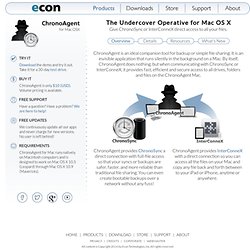
Manual If you're a hands-on type person, ChronoSync is definitely for you. Bootable Backup A bootable backup is a clone of your start up drive. iOS Storage Remote Backup Remote Bootable Backup ChronoSync. ChronoAgent - ChronoSync Add-on. AirDrop®, Apple®, AppleScript®, AppleShare®, Back to My Mac®, Bonjour®, Cocoa®, FileVault®, Finder®, FireWire®, iBooks®, iMac®, iPad®, iPhone®, iPhoto®, iPod®, iTunes®, Keychain®, Mac®, MacBook®, MacBook Air®, MacBook Pro®, Macintosh®, Mac OS®, Mac Pro®, OS X®, Retina®, Safari®, Spotlight® and Time Machine® are trademarks of Apple Inc., registered in the U.S. and other countries.
AirPrint™ is a trademark of Apple Inc. Intel®, Intel Core®, and Xeon® are trademarks of Intel Corp. in the U.S. and other countries. Thunderbolt and the Thunderbolt logo are trademarks of Intel Corporation in the U.S. and/or other countries. IOS is a trademark or registered trademark of Cisco in the U.S. and other countries and is used under license. PowerPC™ and the PowerPC logo™ are trademarks of International Business Machines Corporation, used under license therefrom. UNIX® is a registered trademark of The Open Group. The YouTube logo™ is a trademark of Google Inc.
CAO. Interactive Design. Programming. Coda 2. Good question.

Coda is everything you need to hand-code a website, in one beautiful app. While the pitch is simple, building Coda was anything but. How do you elegantly wrap everything together? RapidWeaver - Easy web programming. Real Studio - Easy Programming. Bureautique. Wordsmith - Next-Generation Word Processor for Mac.
View topic - Scapple Beta - New Users Please Read. EDIT: Scapple is now available for purchase.
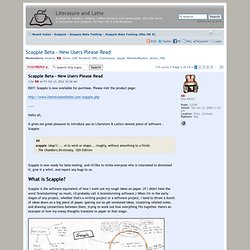
Please visit the product page: Hello all, It gives me great pleasure to introduce you to Literature & Latte's newest piece of software - Scapple. Literature and Latte - Scrivener Writing Software. Tweeks. Dropshelf for Mac. Download Lion Tweaks for Mac - Tweak certain features in OS X 10.7 and 10.8. Tweak certain features in OS X 10.7 and 10.8.
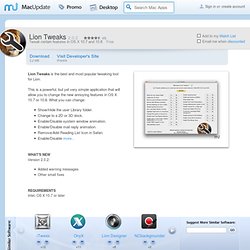
Free Lion Tweaks is the best and most popular tweaking tool for Lion. This is a powerful, but yet very simple application that will allow you to change the new annoying features in OS X 10.7 or 10.8. What you can change: What's New Version 2.0.2: Added warning messages Other small fixes Requirements Intel, OS X 10.7 or later iTweax +12 Free Reveals useful hidden features ... Please login or create a newMacUpdate Member accountto use this feature Watch Lists are available toMacUpdate Desktop MembersUpgrade Now Install with MacUpdate Desktop. Show/Hide the user Library folder.
Freeware - Application State Cleaner - Overview. This software has been discontinued and is no longer maintained. Latest Mac OS X versions are not supported. One of the new features in Mac OS X 10.7 Lion is the "Resume" ability for all applications to save their last state, meaning when you relaunch the app or reboot your Mac, the application will "resume" and reopen again showing all of the windows and data that was last in use. This is a great feature for some apps and situations, but there are also times where you don’t want past app states to reappear.
This application allows you to get rid of the saved state for specific applications. Isolator. Isolator is a small menu bar application that helps you concentrate.
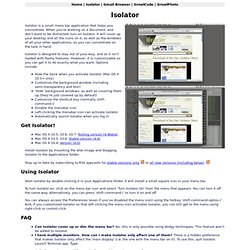
When you're working on a document, and don't want to be distracted, turn on Isolator. It will cover up your desktop and all the icons on it, as well as the windows of all your other applications, so you can concentrate on the task in hand. Isolator is designed to stay out of your way, and so it isn't loaded with flashy features. However, it is customizable so you can get it to do exactly what you want. Options include: SnipEdges - Drag-and-drop snippet manager. HoudahGeo One-stop Geocoding for the Mac; Know where you took that photo Ideal companion for iPhoto'11 & Aperture 3 Places Know where you took that photo. GPS optional. iClip - Presse papier multilples. Why You Need iClip for Your Clipboard Management Do you copy & paste much?

Have you often copied something but when you tried to paste it you realized that you copied over it? Do you ever want to copy multiple items before pasting them somewhere? Doug's Applescripts - Add-on iTunes. Change the settings of hidden iTunes preferences Note: This script has not been updated for iTunes 11.

Several settings* are no longer applicable in iTunes 11. Reviewed as a Macworld Mac Gem and rated 4.0 out 5 Mice. This application will allow you to invoke hidden iTunes preferences: Show "Library" playlist*Changing view setting is global*Allow half-stars in ratingsHide "Ping" buttons*Show/hide arrow links -- to either search the iTunes Store or search your library*Load complete iTunes Store preview before playing*Create playlists for purchased song collections*Play songs while importing or convertingCreate file names with track numberGrid View Search results switch to List View*Option-click zoom button for Mini Player*Disable "elastic" scrolling behavior.