
Secrets of the iOS 7 keyboard. iOS 7 packs a lot of changes: new icons, new app interfaces, and new features, such as Control Center.
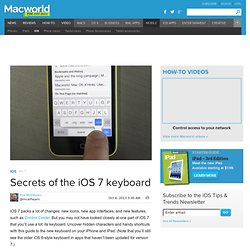
But you may not have looked closely at one part of iOS 7 that you’ll use a lot: its keyboard. Uncover hidden characters and handy shortcuts with this guide to the new keyboard on your iPhone and iPad. (Note that you’ll still see the older iOS 6-style keyboard in apps that haven’t been updated for version 7.) What you see depends on what you need The iOS 7 keyboard displays different keys depending on an app’s function. In Twitter apps, you’ll see a keyboard that includes both the @ and # symbols—the former for Twitter usernames, and the latter for hashtags. Find Web necessities Although the iOS keyboard often anticipates your needs, you’ll probably be surprised to see some buttons missing. Don’t fret; there’s still a .com shortcut, you just need to know where to find it. This shortcut isn’t new, but it’s much more useful now that the direct ‘.com’ button is gone. Uncover hidden characters. iPad helps city PE rates hit highest ever level. THE battle against teenage obesity has taken a major leap forward with PE rates across city high schools soaring to their highest ever levels.

Nearly all Capital secondaries have seen pupils achieve at least two periods of physical activity a week, meeting lofty Scottish Government guidelines and turning the corner on decades of underachievement in school fitness. One of the key tools helping achieve the target are iPad video reports of children’s sporting prowess or technique, which are analysed by experts to encourage the youngsters to strive for better results. This hi-tech method – combined with a post-Olympic, pre-Commonwealth Games bounce – is a key driving factor helping get kids out of the starting blocks.
The new figures show that since June, 96 per cent of high schools have hit national PE targets, contrasting sharply with damning results in 2011 when less than half delivered the required level of training. However, one key development that could be helping is the tablet computer. How To Project Your iPad Screen: 7 Tools Detailed. How To Project Your iPad Screen: 7 Tools Detailed If you’ve flipped your classroom, use modeling extensively as a teaching strategy, love to share student work, use the sync teaching method, or otherwise need to consistently project your iPad screen for students to follow, the above image by Tony Vincent at one of our new favorite iPad resources, learninginhand.com, offers 7 very detailed ways to make it happen.

The chart is well-thought out, including considering which methods allow screen recording, which show your fingers and gestures, which offer free trials, and so on. Note that this image may come in handy if you’re looking to turn your iPad into a document camera. If the image above isn’t high-res enough to read the very tiny writing, you can find the full pdf here. If there are any tools missing in the chart, or considerations not detailed, let us know in the comments, or visit learninginhand.com and share with them!
iPads In The Classroom: The Right Questions You Should Ask. The pressure is on to make sure the education of U.S. students is on track with their global peers.
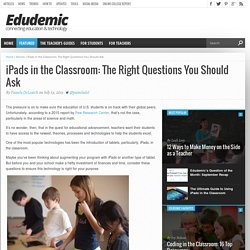
Unfortunately, according to a 2015 report by Pew Research Center, that’s not the case, particularly in the areas of science and math. It’s no wonder, then, that in the quest for educational advancement, teachers want their students to have access to the newest, theories, processes and technologies to help the students excel. One of the most popular technologies has been the introduction of tablets, particularly, iPads, in the classroom. Maybe you’ve been thinking about augmenting your program with iPads or another type of tablet. But before you and your school make a hefty investment of finances and time, consider these questions to ensure this technology is right for your purpose. Educreations - Teach what you know. Learn what you don't. iPad App Evaluation for the Classroom.
EduApps. With tablet computers becoming more popular in schools, allowing greater accessibility to rich content enhancing the teaching and learning in classrooms, we have been compiling a list of apps which educators are using in their settings to help the learning process.

Challenge is More Effective Than Praise at Just Trying To Be Better Than Yesterday. This week I started a Masters level course on Supporting Teacher Learning.

I signed up for a couple of reasons: first of all to develop my mentoring skills and my ability to help develop peer learning networks, something I think is more and more important in the post-Donaldson Report age. Secondly, I had been beginning to question the impact things like Twitter and blogging were having on my practice (has all this time spent on social media made me a better teacher?) And I’m becoming more interested in how teachers improve. Perhaps some fruitful study and discussion of how teachers learn could help me out with some answers.
50 really useful iPad tips and tricks. With great new features like two video cameras, a faster processor and a Retina display, the new iPad is the world's best tablet device.
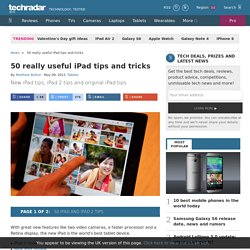
It's also fully capable of running the latest version of Apple's iOS operating system and great apps like iMovie and GarageBand. Here we present 50 really useful iPad tips. We cover everything from customising your Home screen through to getting more from built-in apps like Mail and Safari. 10 best tablet PCs in the world today. How To Capture Ideas Visually With The iPad - By its very design, the iPad promotes consumption.
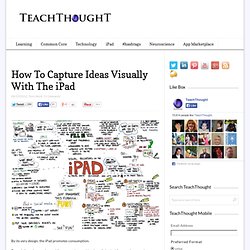
Essentially an interactive mobile screen, the combination of physical form and supporting software-based user interface on Apple’s wunder-tablet suggests watching and listening, enabling you to tear the “monitor” off the desk and take it with you. By lacking a keyboard, input and production aren’t quite as natural. That isn’t necessarily because the iPad can’t accommodate such input, but rather that the software–and our habits as users–haven’t completely caught up with the not-insignificant shift in interface. A More Flexible iPad Classroom Through Apple TV. This content is sponsored by the Teaching & Learning with the iPad Conference November 15-16, 2013 in Raleigh, NC, a 2-day conference dedicated exclusively to better learning with the iPad, coordinated and presented by teachers, for teachers. by David Mahaley, Principal at Franklin Academy High School in North Carolina A More Flexible iPad Classroom Through Apple TV Technology has provided teachers with more tools than ever before to support a rich and personalized learning experience. 1:1 initiatives are commonplace and strategies are surfacing that clearly show how mobile devices can support instruction and learning.
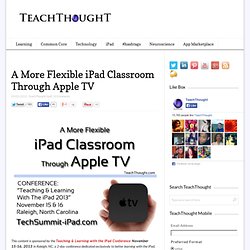
At the Franklin Academy High School, in Wake Forest, North Carolina, teachers and students have access to Apple TV devices to enhance the iPad initiative started over three years ago. The basic operation of the Apple TV involves connecting the device to the existing organization network. Redefining Learning Through Screencasting. Introducing new technology into the classroom, especially iPads, can be overwhelming -- even daunting.
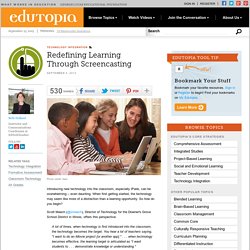
When first getting started, the technology may seem like more of a distraction than a learning opportunity. So how do you begin? Scott Meech (@smeech), Director of Technology for the Downer's Grove School District in Illinois, offers this perspective: A lot of times, when technology is first introduced into the classroom, the technology becomes the target. A Practical Guide For Teachers Who Just Got iPads. 10 Steps To A Successful School iPad Program. 10 Steps To A Successful School iPad Program by Sam Gliksman, Author of iPad in Education for Dummies iPads have quickly become a the hottest commodity in educational technology. Apple reports that schools are purchasing iPads over MacBooks by a ratio of 2:1.
However, the rush to purchase the latest technologies often precedes the careful planning and preparation that’s crucial to their success as educational tools. There’s simply no magic pill – whether it’s the laptop, smartboard, iPad or the next device that comes along in a year or two. iPads in Education. iPads in Education. Digital Storytelling with an iPad. Articles on iPads in Education. Using your iPad as a digital whiteboard - Innovate My School. iPad Playflow at #TMTablet - John. Wednesday 30 October 2013 at 10:22 pm. I went along to the High School of Glasgow this evening for TeachMeet Tablet 2. Work and traffic conspired to make me pretty late and I had missed the first set of presentations, arriving in time for the round tables. At the last minute I had volunteered to organise one of these, on workflow, handing out work and gathering it in on iPads.
I demoed showbie and we had a chat about some edge cases and how these could work. After that we had some more presentations: Using your iPad as a Digital Visualiser / Document Camera. Stage: Interactive Whiteboard and Document Camera is a fantastic app from Belkin International Education with great potential for extending the way you present and prepare material in the classroom, enhancing teaching and learning. You can sketch over live videos, students work, photographs etc. in realtime and record or take snapshots. You can also wirelessly stream content (using Airplay / Airserver) to the whiteboard – so combines the benefits of a document camera with the flexibility and interactivity of an IWB. A more detailed summary is available here and the tutorial video below shows you the potential of the Belkin Stage app – it certainly gets you thinking of lots of different ways it could be put to use in the classroom.
The interface is very simple to use with two menus – one either side (these are fully explained in the video above). It is possible to write on a whiteboard or blackboard background, annotate live video or annotate a photograph. 2. Apple iPad: 10 tips and tricks. One iPad in the classroom? - Ideas for use. One iPad in the classrooom You may be lucky enough to have one iPad in the classroom, but unlucky enough not to have access to a class set.
Here are 10 free ideas to help you and your pupils get the very best out of the one iPad in the classroom. Control your classroom computer: There are many apps that will allow your iPad to become a wireless keyboard and mouse, allowing you to teach from anywhere in the classroom, or give your pupils control of the class computer from their desk. 10 iPad Apps To Record How Students Learn. Editor’s Note: TeacherWithApps is proud to announce TeachThought as a partner to help bring you the very best in app resources and reviews for your 21st century classroom! For all of the analyses of academics, learning models, curriculum, 21st century thinking, assessment, project-based learning, self-directed learning, social media integration, iPads and related technology, and other emerging trends, how students learn is why we’re all here, yes?
And understanding how something happens requires observation as an early step. What’s developing, when and how? Where are the misunderstandings? What is not clear? Creative Apps. The No.1 App for Every Teacher…. Not all apps are created equal. The first version of Explain Everything was good. New iPad Schools in Holland Hope to Revolutionize Education. Think different. Why iPad in education?
I Education Apps Review - I Education Apps Review. Enhancing Topic Work (World War 2) Across the Curriculum Using iPods & iPads. Building Digital Texts on the iPad. Top 8 video communication apps for learning on the iPad. iPad Edu Tweeting. Super Note: Recorder, Notes, Memos. Free. for iPhone 3GS, iPhone 4, iPhone 4S, iPhone 5, iPod touch (3rd generation), iPod touch (4th generation), iPod touch (5th generation) and iPad on the iTunes App Store. 50 really useful iPad tips and tricks. This is how to Use iPad to Enhance Students Reading Skills. iPads SCPS2013. iPad App Evaluation for the Classroom. Using The iPad Photo Stream To Develop Collaborative Learning. As part of an ongoing project at Bellfield Primary School in Hull, year 5 are studying the book Pig Heart Boy by Malorie Blackman.
This week's lesson was based around issues related to animal rights and medical research. Three Free iPad Apps That Teach Kids To Program. 8 Powerful Apps To Help You Create Books On The iPad. Want to self-publish a novel? The iPad and Parental Engagement in Education. Parents have a very different perspective. iPurpose before iPad. Education, learning & technology. A Handful of Free iPad Apps for Creating Videos. Writing for a real audience! Getting to know your iPad.
iPad Research in Schools. Ipads in education. Bookcreatorapp : Book Creator 3.0 is all done... Bring schools to life with Aurasma app. Three student successes with iPads. iPad in the Classroom – Can we make it simpler? Education, learning & technology. Best Use for iPad? Simulating Hard-to-Find Experiences. An interactive Advent Calendar. Inspiring locational writing using Google Street View. iPad.
iPads if used correctly in the classroom can develop children's creativity. 30 Cool Educational iPad Apps for Science Lovers - Creative Can Creative Can. iPads for Education. 10 Educational iPad Apps For A Well-Rounded Elementary Curriculum. iPad App. iPad Archives - TeachThought. Apple for the teacher: Scotland pilots iPads in the classroom. Science Education on the Edge · iPads in Science Education: Apps Students Actually Use. Back to School – Top 5 iPad Apps for Educators.
17 Real-World Ways iPads Are Being Used In Schools. 18 Ways iPads Are Being Used In Classrooms Right Now. iPads in Education. Ask3 – An iPad App for Creating Flipped Video Lessons Your Students Can Actually Respond To. iPads in Education. The iPad and Pedagogy. iTools - Mirror Your iPad Display for Free. Teaching of boys helped by iPads. Phoster for iPhone, iPod touch and iPad on the iTunes App Store. Enable “Kid Mode” on iPad, iPhone, or iPod touch with Guided Access in iOS. Touch App Creator: Creating Powerful Web Apps for Teaching and Assessment. How the iPad Change the Pedagogy of a Design & Technology Project. Education, learning & technology. iPad Classroom Next Term? – 10 Things to Consider. iPad As.... The Top 10 iPad Tips For Teachers.
My iPad journey. 8 Excellent New iPad Apps for Teachers. The 10 Most Useful iPad Accessories For Classrooms. Cageless Thinking: Innovation and Creativity in Education. iPad Activities- Globally Connected Learning Consulting. iPads for Learning - 21 Steps to 1-to-1 Success. Making assessment meaningful. iPads for education. How to use Padlet (and why)