
Configuring incoming email in SharePoint 2010. Today we continue down our journey in setting up our SharePoint 2010 farm, with the focus on configuring incoming email for SharePoint 2010.
When SharePoint 2007 was released, there was a lot of discussion and rumors around Exchange 2007 being the last version of Exchange to provide Public Folder support, and that SharePoint 2007 was going to be it’s alternative. Microsoft quickly changed its stance and continues to support Public folders in Exchange 2010. Outlook 2010 & SharePoint 2010 Integration « Chaya – Digital Zen. How to view a SharePoint Calendar side by side with a personal Outlook Calendar (SharePoint 2010) : Microsoft SharePoint 2010.
Note: The ability to work with multiple calendars when using Outlook enables you to have calendars for specific purposes (ex. one for work and one for your personal life).
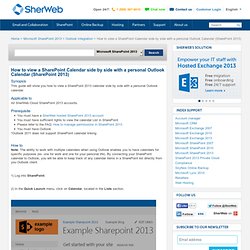
By connecting your SharePoint calendar to Outlook, you will be able to keep track of any calendar items in a SharePoint list directly from you Outlook client. 1) Log into SharePoint. 2) In the Quick Launch menu, click on Calendar, located in the Lists section. 3) Go to Calendar - Connect to Outlook 4) A dialog box will appear, asking you if you want to allow this website to open a program on your computer. Synchronize SharePoint 2010 content with Outlook 2010 - SharePoint Foundation. You can synchronize a SharePoint library, contact list, task list, Project task list and a certain type of SharePoint external list with Microsoft Outlook 2010.
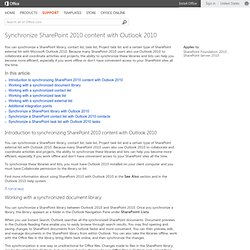
Because many SharePoint 2010 users also use Outlook 2010 to collaborate and coordinate activities and projects, the ability to synchronize these libraries and lists can help you become more efficient, especially if you work offline or don’t have convenient access to your SharePoint sites all the time. In this article Introduction to synchronizing SharePoint 2010 content with Outlook 2010 You can synchronize a SharePoint library, contact list, task list, Project task list and a certain type of SharePoint external list with Outlook 2010.