
Google Buzz Forum - BuzzUsers.com. How to Add HTML Signatures with Images to GMail Email Messages - Did you notice anything special about this screenshot of GMail message ?

Well, it has an embedded animated graphic instead of the plain text signature. GMail has a wonderful rich text editor to compose emails but there are some desirable things that you cannot accomplish in GMail using standard techniques. For example: 1. GMail allows plain text signatures but there's no way to embed HTML signatures with images like the ones you see in Yahoo, Hotmail or Microsoft Outlook email. 2. 3. 4. 5. Now the really good news is that you can do all the above easily with GMail and here's how to do it: To embed an HTML signature with Images in GMail ?
Create an HTML signature snippet using notepad or WYSIWYG editors like Dreamweaver/Frontpage/Golive or online with Geocities/GooglePages/Tripod Lycos. Once you are satisfied with the layout, select the entire portion of the webpage that you want to appear in the GMail signature and drag it to the GMail compose window. I have an illustration here: Gmail, Weather, Beauty on your Ubuntu Desktop. For help, feedback, comments, and other discussions for this tutorial, please visit the official forum.
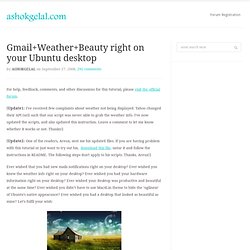
[Update1: I've received few complaints about weather not being displayed. Yahoo changed their API (url) such that our script was never able to grab the weather info. I've now updated the scripts, and also updated this instruction. Leave a comment to let me know whether it works or not. Thanks!] [Update2: One of the readers, Areux, sent me his updated files. Ever wished that you had new mails notifications right on your desktop? I have already talked about how to make your Ubuntu desktop look beautiful and productive. Here I’ve attached all the required files, attached my Conky configuration file and explained how to make your desktop look similar to mine. [Updated] 1. Install Conky: $ sudo apt-get install conky 3. Windows 7 Workarounds. After the poor reception of Windows Vista by customers, Microsoft knew it had to retrench for that system’s successor, Windows 7.

And retrench it did. Windows 7 has entered the market to universally positive reviews from the tech press and customers alike. One reason for the good reviews is that Windows 7 is a more modest upgrade. Another reason is that Windows 7 is a more cohesive and simpler system compared to its predecessor. So, there's no doubt that Windows 7 is a huge success. Taskbar When you look at Windows 7's UI, the most obvious change is the new taskbar, which represents a major functional departure from previous Windows versions. Annoyance: By default, the Windows 7 taskbar displays only a single icon for every shortcut or button, as Figure 1 shows. Figure 1: The default taskbar. Buzz Top - Rating of most popular Buzzers. 52 Google Buzz Tips and Tricks. By admin Wednesday, November 13, 2013 Most of the businesses irrespective of their size or brand use the social networking platforms these days for their brand promotion and other marketing strategies.

Google+ also is one such website which has gained huge popularity over the years. If you are new to the usage of google+, you should know that this is one platform which is not meant just for your personal interests but also can do wonders for your business if done in the right manner. Here we present you a basic Guide to Google+ Business Pages which may help you and your business in reaching new realms. Google+ has a huge impact on the search engines like google. The next step we suggest in our Guide to Google+ Business Pages is that after you are done making a page or setting an account, the next thing that you should do is link your company’s website to this page of google+. The next thing that you need to do is build your circles and add your clients and customers in them. How to search buzz more effectively - some key buzz search codes.
Five Tips to Thrive on Google Buzz — jungleG. 4 Google Buzz Hacks for Users, Developers, and Haters. Yesterday, Google launched their newest social networking service called Google Buzz.

Hooked right into your Gmail inbox, Buzz uses an algorithm to add friends based on those with who you communicate with the most. Within the newly added "Buzz" section of your Gmail, you and your friends can post status updates as you would on Facebook or Twitter, share links and share photos and videos. You can also integrate other services from around the web with Buzz, including Twitter, Picasa, Flickr, YouTube and Google Reader, all automatically updating your Buzz timeline with your latest activity from around the web. After spending a day with Buzz ourselves, we came across a few tips and tricks worth sharing with you, our readers. 5 Google Buzz Tips for the Advanced User. Yesterday, after spending some time with Google's latest social networking service, Google Buzz, we posted a handful of buzz tips and tricks for those wanting to better manage the buzz, play with its APIs or banish it altogether from their Gmail inbox.
