
Chapter 14: Silverlight and SharePoint Integration (Professional SharePoint Branding and User Interface Design) Summary: This chapter discusses Microsoft Silverlight features and tools, how to create a Silverlight Web Part, how to access SharePoint 2010 data by using the Client Object Model, and how to extend Microsoft Visual Studio to create Silverlight solutions.

This article is an excerpt from Professional SharePoint Branding and User Interface Design by Randy Drisgill, John Ross, Jacob J. Sanford, and Paul Stubb, published by Wrox Press (ISBN 978-0-470-58463-7, copyright © 2010 by Wrox, all rights reserved). No part of these chapters may be reproduced, stored in a retrieval system, or transmitted in any form or by any means—electronic, electrostatic, mechanical, photocopying, recording, or otherwise—without the prior written permission of the publisher, except in the case of brief quotations embodied in critical articles or reviews. Contents Download code Silverlight delivers rich user experiences and the tools developers and designers need to rapidly create these experiences. Figure 1. SharePoint: Wiki Bookmarks. Adding JSON Capability to SPServices. Image by superfluity via Flickr For quite a while, I’ve gotten requests to offer some sort of JSON conversion capability in SPServices.
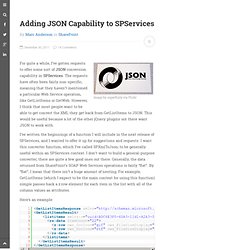
The requests have often been fairly non-specific, meaning that they haven’t mentioned a particular Web Service operation, like GetListItems or GetWeb. However, I think that most people want to be able to get convert the XML they get back from GetListItems to JSON. This would be useful because a lot of the other jQuery plugins out there want JSON to work with. I’ve written the beginnings of a function I will include in the next release of SPServices, and I wanted to offer it up for suggestions and requests. Here’s an example: Once you get past the enclosing “wrapper”, it’s very flat data: just a single element per item. Here’s the function as it stands, and I’ve also made it available on the SPServices site in the latest alpha for v0.7.1. Thanks for Paul Tavares and others for the help and nudging to get me to this point. Like this: Like Loading...
Hi, my name is Joey Wiggs and I’m a developer on the InfoPath team.

In InfoPath 2010, one of the ways in which we've improved our integration with SharePoint Server 2010 is by providing richer capabilities for connecting to and getting data from SharePoint lists. In this post, I will compare SharePoint list data connections in InfoPath 2007 and InfoPath 2010, and discuss the benefits of using the new 2010 data connection type. I will also outline the steps required to upgrade your InfoPath 2007 SharePoint list data connections to the new and improved version.
About SharePoint List Data Connections Let’s start by looking at a scenario when you would use a SharePoint list data connection in an InfoPath form. In Microsoft, when employees run into technical issues, they log a help ticket by filling out an InfoPath form. Instead, we can store the Category names in a separate SharePoint list and pull this information into the form when users are filling it out. Query Fields Sorting results Enjoy!