
Eye Texture in Maya. Enseignement des ARTS PLASTIQUES. ÉVALUATION -Les essentiels : PERRENOUD, Philippe.

L'évaluation des élèves : de la fabrication de l'excellence à la régulation des apprentissages. Bruxelles : De Boeck. 1998. ABERNOT, Yvan. Les méthodes d'évaluation scolaire. Paris : Dunod, 1996. Creating a Demo Reel Tutorial. AVCGI 360. Naruto the Last - Le film - bande annonce - VF - (2015) 11 Creating Realistic hair/hairstyles with Maya's nhair. Character Look Development - RenderMan Community.
Using LM Shaders This tutorial shows how to use the LM Shader System to create stylized skin and clothing for a fully rigged cartoon character, Max.
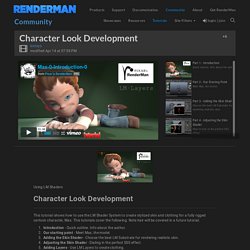
This tutorials cover the following. Note hair will be covered in a future tutorial. Introduction - Quick outline. Info about the author. Includes project files for tutorial. Non-Commercial. RenderMan 20 Now Available!
Highlights of version 20 include a game-changing noise reduction technology that accelerate render times from 2x to 10x. RenderMan 20 also expands the creative choices available to artists and studios through numerous advances in usability including a physical camera, a Visualizer for navigating and inspecting large scenes interactively, expanded shader libraries and presets, and new volume rendering features. Read all about RenderMan 20 ▶ Tutorial: Modeling, Texturing, Shading and Rendering the iPhone in Maya, Part 1-3. Tutorial: Modeling, Texturing, Shading and Rendering the iPhone in Maya, Part 1-2. Tutorial: Modeling, Texturing, Shading and Rendering the iPhone in Maya, Part 1-1.
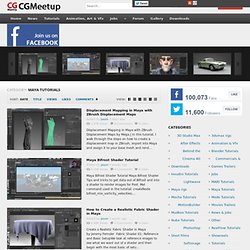
Maya Modeling tutorial- How to model iPhone part 1. How to Create a Generic Walk Cycle in Maya - Part 1. Mastering Brute Force Global Illumination - Maya Tutorial Class. Mastering Advanced Rendering in Vray - Intro to Sampling. Ateliers - Tutoriaux - Didacticiels des lecteurs - FORUM 3DVF - Page : 3. Computer Graphics: Art, 3d, Vfx, Animation, Digital Art, Job, Tutorial. Computer Graphics & Digital Art Community for Artist: Job, Tutorial, Art, Concept Art, Portfolio. Displacement Mapping in Maya with ZBrush Displacement Maps 2.97K Views0 Likes.
Ambient Occlusion And Toon Shader Rendering Tutorial. Maya Controller Techniques - Part 1. 26 05 2013 Micheal 02 gs671 Maya Digital Tutors Animating with Extreme Inbetweens and Smears in Maya 2013. RENDERpasses 101 A. Rendering: Shadow pass. Custom Depth Pass in XSI. By using null objects and a couple of nodes in the render tree, you’ll get an interactive visual representation of the near and far values of your depth pass.
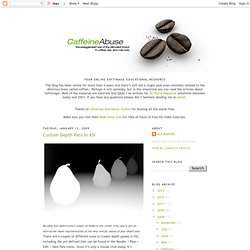
There are a couple of different ways to create depth passes in XSI, including the pre defined that can be found in the Render > Pass > Edit > New Pass menu. Since it’s only a mouse click away, it’s obviously the quickest to create. However, finding the proper values may not be the most intuitive with this setup. Open the scene depth_pass.scn from this issues CD, or create a scene with a couple of object on your own.
Create two Null objects and name them Near and Far. The project files used in this tutorial can be found at: A depth pass is basically a grayscale image of your 3d scene, where the different shades of gray represents different depths. Quick tipBy saving the material as a preset, you can easily create depth passes in future projects within a few mouse clicks. Andrew Klein's Video Tutorials. Watch,Listen and Learn. Tutoriel Autodesk Maya : Les bases. How to Animate a character in Maya « Maya. Maya - Animation Tutorials - Maya Animation - Using blendshapes to animate a blinking eyelid - Swinburne Faculty of Design Tutorials - free video tutorials.
Introduction to Eleven Rig by Claus Ilkjaer. How To Make 3D Animation [Maya Tutorials] In this advance age, software developers are creating useful and full of good features tools for the designers day by day, due to availability of numerous designing tools designers have a number of designing fields, like 2D design, 3D design, websites design, web development and other a large amount of designing fields that I don’t describe here.
![How To Make 3D Animation [Maya Tutorials]](http://cdn.pearltrees.com/s/pic/th/animation-tutorials-tutorial-48048912)
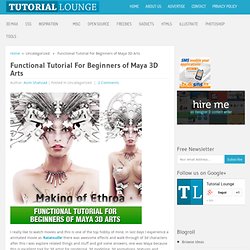
Autodesk Maya is 3D graphic software for designers, maya is mostly use to create 3d video games, 3d TV series or 3d animations, maya 3d tool bring a full of creative features to create creative animation designs, maya 3d tool providing perfect platform to create high quality 3d animations, but to become a master in 3d maya software you should get help for your teacher, maya 3d tutorials is one of the best teacher, you can easily understand this maya 3d tool. Making Of ‘Ronaldo Fenomeno Since Ronaldo announced his retirement, I have been tempted to make a caricature of him. View Tutorial Making Of ‘Wal-Mart 2161. Functional Tutorial For Beginners of Maya 3D Arts I really like to watch movies and this is one of the top hobby of mine, in last days I experience a animated movie as ‘Ratatouille’ there was awesome effects and walk-through of 3d characters after this I was explore related things and stuff and got some answers, one was Maya because this is excellent tool for 3d artist for rendering, 3d modeling, 3d animations, textures and awesome visual effects are belong to this software.
An Introduction To Character Lighting Concepts In Maya In today’s short, but informative tutorial author Pratik Gulati will introduce you to the fundamentals of character lighting using Autodesk Maya. This is a great entry level tutorial for beginners and more advanced users alike. These universal techniques can be applied to any 3D software, so even non Maya users can follow along! Rendering Wireframe Using ToonShader. The Ultimate Collection Of Maya 3D Tutorials. Advertisement Ever wonder how animated films like Ice Age are made?
Maya is the answer. Maya (or Autodesk Maya, having recently been acquired by Autodesk) is powerful 3D modeling, animation, texturing, rendering and visual effects software. Maya was developed for the film industry and is now being used for design, visual effects, games, film, animation, visualization and simulation. The most significant thing that sets it apart from other 3D packages — and the reason it is used so widely in these major industries — is that it is highly customizable. CG Persia. Udemy – Mudbox and 3DS MAX Character Modeling | 1.42 GB Read more...
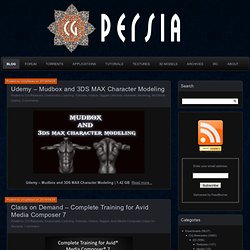
Class on Demand – Complete Training for Avid Media Composer 7 Read more... FilmConvert Pro 2.13 for After Effects & Premiere – Win64 | 86 MB Read more... GraphicRiver – Ultimate Textures Bundle Read more... PeachPit – Filmmaking with Adobe Digital Video Tools and Workflows Read more... Pinnacle Studio Ultimate 17.4.0.309 Multilingual | 2.51 Gb Read more... CSimSoft Trelis Pro v15.0.0 WIN64 | 94 MB Read more... Unity Cookie – 2D Space Shooter | 1.08 GB Read more... Autodesk Building Design Suite Ultimate v2015- XFORCE. 3D - Textures - Tiles - Texture tiles of different materials and for different ranges of Mapping.