
15 Tips to Speed Up Your Website. After seeing some tweets and analyzing the SEOmoz website, I decided to write some tips and tricks that can decrease pages load time as much as possible.

Any search engine wants to provide users a great user experience, just like Google, and a fast site improves overall site quality and increases user satisfaction. Everybody deserves a fast web experience. Some of the following tips are implemented well by SEOmoz, but I will explain them anyway because of their general usefulness. "Experiments demonstrate that increasing web search latency 100 to 400ms reduces the daily number of searches per user by 0.2% to 0.6%. Furthermore, users do fewer searches the longer they are exposed. How To Speed Up WordPress Load Times. I’ll admit it: I’m addicted to speed.
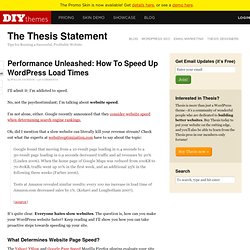
No, not the psychostimulant; I’m talking about website speed. I’m not alone, either. Google recently announced that they consider website speed when determining search engine rankings. Oh, did I mention that a slow website can literally kill your revenue stream? Check out what the experts at websiteoptimization.com have to say about the topic: 12 Insanely Awesome Javascript Effects. Alright, have you ever seen these effects?

Awesome, stunning and cool javascript effect! It's part of the chrome experiment and it's amazing. When I first look at it, I was like, whoa, that couldn't be done with flash few years ago! 23 Examples of jQuery Plugins in Website Design. jQuery plugins can bring your website alive, and the very best part is that you don't need to code them yourself as there are numerous libraries and individual sites offering the code often for free.

Implementing these plugins can create a very professional appearance on any website, and there is sure to be the right style for the project you are working on. In this showcase we bring you a selection of websites that have used jQuery plugins that suit the style of their site and enhance the user experience. 26 Awesome jQuery Plugins in Website Design Zottarella iCarousel is a simple horizontal image slider, with a beautiful look. Chico Web Design jqFancyTransitions is an easy-to-use jQuery plugin for displaying your photos as a slideshow with fancy transition effects. Weluse Here is an example of a beautiful advanced background image slideshow, recreated after the effect as seen on the website from Philadelphia. How to use a Fan Gate on your Iframe Tab to Hide Content until Someone ‘Likes’ Your Facebook Fan Page. Best Practices for a Faster Web App with HTML5.
While good, this article only tells part of the performance story.

View html5rocks.com/features/performance for the whole picture of performance improvements. Introduction Much of HTML5 aims to deliver native browser support for components and techniques that we have achieved through JavaScript libraries thus far. Using these features, when present, can end up delivering a much faster experience for your users. In this tutorial, I won't recap the excellent performance research that you've seen at Yahoo's Exceptional Performance site or Google's Page Speed docs and Let's make the web faster site. 50 Excellent CSS3 Techniques and Tutorials for Beautiful Design. CSS3 has got a huge potential to create very elaborate and complicated details by strictly using CSS and no images.

It can carry out a lot of functions as it is based on motion techniques. Many designers all over the world believe that CSS3 is a technique which has unbelievable potentiality which will be used to create wonderful designs in the years to come. At present, it is not being used varied all over the world due to a number of limitations – obsolete browsers being one of them. Many say that it would be the application of the future as it can improve the efficiency of the workflow by substituting waste workarounds as it was once used in the case of Internet Explorer 6.
In the last few years we have seen many web developers who have talked about CSS (Cascading Style Sheet) and the possible designs it can create with the help of powerful animations. Create an Audio Player in HTML5 & CSS3 Filter Functionality with CSS3. 22 Brilliant and Advanced jQuery Effects to WOW Your Visitors. The jQuery library provides several techniques for adding animation to a web page.

These include simple, standard animations that are frequently used, and the ability to craft sophisticated custom effects. 23 Examples of jQuery Plugins in Website Design. 20+ Demos Showing Advanced jQuery Effects. Just a short while ago, Flash was one of the primary technologies used by web designers to add interactivity to a website. Since the introduction of the iPad, with its lack of the Flash Player, there’s an acceleration in the web development world to use alternative technologies to Flash, such as jQuery, Ajax and others. Although Flash is still a very powerful and useful tool, which works great on many cases, several of the effects that web designers are accustomed to creating in Flash, can be just as easily implemented using jQuery.
Here are 21 online demos that show the power of jQuery for creating advanced effects and interactivity that can rival Flash. 1. Flip! This demo mimics the popular card flip technique which can rotate an element 360 degrees around its own x or y-axis. 2. jQuery Quicksand plugin. Design with PC. Pricing — Squarespace 6. 15 Cool jQuery Effects to Enhance User Experience. Companies wrestling for businesses on the web prefer having appealing websites with rich user interfaces and stunning visual effects. jQuery has simplified the task of presenting dynamic content along with the visual effects.

With jQuery, you can rapidly create advance, feature-rich websites. Now, you can develop standardized, highly responsive web pages using Ajax, create user-friendly forms, and add jQuery to enhance usability and user experience of the visitors. There was a time, when we were just able to categorize images in tables, which were displayed in a new window or pop up with the user’s click; it is over now.
Today, with amazing effects created by jQuery, it is easy to showcase image galleries in many attractive styles. jQuery effects give excellent usability experience to the users. Browsing and viewing contents and image galleries have went through a long journey in their development area. 1. 2. Codrops.