
16 Indispensable Tools to Optimize Photos for the Web. There’s nothing more irritating, when surfing the web, than a website which takes ages to load.

Slow load times are an instant turnoff to visitors and can impact negatively on your site’s traffic and even affect your Google ranking (although not as heavily as some people might have you believe). Optimizing your website’s images will make your site load more quickly, reduce your bandwidth consumption and save you money in the long-run. If you want to compress the size of your image files without affecting image quality, you’re going to need a decent image optimizing tool. Photoshop lets you choose the quality of your images and offers a “Save for Web” function, but that’s not enough. The great tools explored below let you squeeze vital extra kB out of your images, keeping you and your website visitors happy. An Introduction to Photo File Formats - Phototuts+ Better Drop Shadows in Photoshop.
Most real sheets of paper and card are not completely flat, but a standard Photoshop drop shadow can make an object look like its floating in mid air a lot of the time.
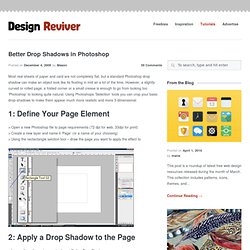
However, a slightly curved or rolled page, a folded corner or a small crease is enough to go from looking too ‘Photoshop’ to looking quite natural. Using Photoshops ‘Selection’ tools you can crop your basic drop-shadows to make them appear much more realistic and more 3 dimensional. > Open a new Photoshop file to page requirements (72 dpi for web, 33dpi for print) > Create a new layer and name it ‘Page’ (or a name of your choosing) > Using the rectactangle selction tool – draw the page you want to apply the effect to > Layers (from the main menu) > Layer Style > Drop Shadow The settings used for this tutorial are; Distance=”4px”, Spread=”0px”, Size=”16px”. Iceland's disruptive volcano.