
Video Advertising Built for Branding.
Broadcast LIVE streaming video. Live & On-Demand Video/Audio - Conferencing - Broadcasting - Community. DVLABS. How to easily convert your video to Flash FLV H264 and host on your site. This guide will explain how to convert any video to a FLV with H264 video and AAC audio and put/host on your site together with a flash web player.
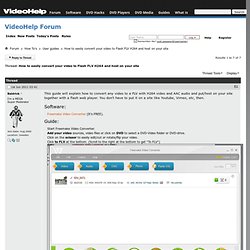
You don't have to put it on a site like Youtube, Vimeo, etc, then. Software: Freemake Video Converter (It's FREE). Guide: Brightcove. VLC: Official site - Free multimedia solutions for all OS! Veoh.
Hulu. Metacafe. USTREAM, You're On. Free LIVE VIDEO Streaming, Online Broadcasts. Create webcasts, video chat, stream videos on the Internet. Live streaming videos, TV shows. YouTube - Broadcast Yourself. Exporting Settings For Youtube Hd Premiere Pro Cs5. FAQ:What are the best settings for YouTube? - Adobe Premiere Pro.
I don't purport this to be the end-all-be-all best option, but I've been quite satisfied with the results when uploading to Youtube using the following settings...
In the Adobe Media Encoder, I choose Windows Media, and instead of using a windows media v9 codec, I have an option for a windows media MPEG4 codec. Set the size to 320 x 240, square pixels. (I'm not at my computer right now, but I believe square pixels was the only choice presented to me.) Set the video quality to the maximum on the quality slider.