
Exemples de macro Visual Basic pour manipuler des tableaux. This article contains sample Microsoft Visual Basic for Applications procedures that you can use to work with several types of arrays.

Microsoft provides programming examples for illustration only, without warranty either expressed or implied. This includes, but is not limited to, the implied warranties of merchantability or fitness for a particular purpose. This article assumes that you are familiar with the programming language that is being demonstrated and with the tools that are used to create and to debug procedures. Microsoft support engineers can help explain the functionality of a particular procedure, but they will not modify these examples to provide added functionality or construct procedures to meet your specific requirements. NOTE: In Visual Basic for Applications procedures, the words after the apostrophe (') are comments.
To Fill an Array and Then Copy It to a Worksheet Open a new workbook and insert a Visual Basic module sheet. Type values on Sheet1 in cells A1:A10. VBA Arrays. If you're writing anything but the most trivial VBA procedures, it is quite likely that you will be using arrays in your VBA code to store data or series of related data.
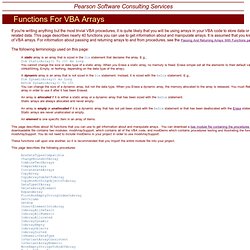
This page describes nearly 40 functions you can use to get information about and manipulate arrays. It is assumed that you know the basics of VBA arrays. For information about passing and returning arrays to and from procedures, see the Passing And Returning Arrays With Functions page. The following terminology used on this page: This page describes about 30 functions that you can use to get information about and manipulate arrays.
These functions call upon one another, so it is recommended that you Import the entire module file into your project. This page describes the following procedures: If you are new VBA (or VB) arrays, but have experience with arrays in other programming languages (e.g., C), you will find that VBA arrays work pretty much the same. Dim Arr(10) As Long declares an array of either 10 or 11 elements. Opening Comma Separate File (CSV) through ADO. CSV files are easy way of storing data apart from XML files.

There are many times we need the data from CSV file to be extracted in a specific format / specific data alone to be extracted. In such cases we can use ADO to extract restricted data using SQL Query The main changes in connection string from using Access to using CSV would be the following : Source=c:\temp\;Extended Properties=""text;HDR=Yes;FMT=Delimited(,)"" Source : Folder where the file exists Extended Properties: Text (denoting Text File), HDR =Yes (If Header is present in the Text File), FMT=Delimited(,) (denoting comma delimiter) The following would be the SQL Query sQuery = "Select * From VBA.csv ORDER BY ID" We have only specified the folder name in the connection string and here we specify the file name (VBA.csv) The following code needs reference to Microsoft ActiveX Data Objects library Sub Open_Sort_CSV() Dim cN As ADODB.Connection '* Connection String Dim RS As ADODB.Recordset '* Record Set On Error GoTo ADO_ERROR cN.Open()