
30 best jQuery tutorials. Advertisement jQuery these days has become talk of the town because of its increasing crave and demand in the designing field. It has captivated attention by its fast and concise JavaScript Library that simplifies, event handling, animating, HTML document traversing and Ajax interactions for speedy web development. jQuery is a lightweight JavaScript library that highlights the interaction between JavaScript and HTML and focuses on write less do more.
It is one booming platform that has captivated the mass with its noteworthy significance in designing field. It has now become essential to keep yourself updated with its excellent usability and example. 1. View tutorial | View Demo 2. View tutorial | View Demo 3. View tutorial | View Demo 4. View tutorial | View Demo 5. View tutorial | View Demo. jQuery: jqGalScroll v2.1 (Photo Gallery) jQuery: jqGalScroll v2.1 (Photo Gallery) jQuery Gallery Scroller (jqGalScroll) takes list of images and creates a smooth scrolling photo gallery scrolling vertically, horizontally, or diagonally.
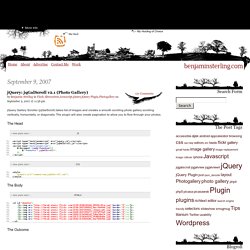
The plugin will also create pagination to allow you to flow through your photos. The Head <script type="text/javascript" src="jquery.js"></script><script type="text/javascript" src="jqGalScroll.js"></script><script type="text/javascript"> $(document).ready(function(){ $("#demoOne").jqGalScroll(); });</script> <style> @import url("common/css/jqGalScroll.css");</style> The Body The Outcome Options Below are a list of options you can pass to the jqGalScroll plugin. ease: null, speed:0, height: 500, width: 500, titleOpacity : .60, direction : 'horizontal' // vertical horizontal diagonal Styling I am in no way a great designer, so the example is very bare, but the follow urls are sites that done a nice job with the plugin: Thanks Download back to beginning of this postback to skip to links.
HTML Course- Photo Album. There are many ways to create a web photo album. One way is to simply insert photos into an HTML page. For more elaborate albums, you can use various applications such as Dreamweaver, Photoshop, iPhoto, or Flash to create albums (often using JavaScript, Flash, and various other technologies or techniques) or use open source libraries. We will use Highslide written in JavaScript by Torstein Hønsi. Highslide Highslide is licensed under a Creative Commons Attribution-NonCommercial 2.5 License . Highslide offers several advantages: Highslide is an open source photo album . It is free for non-commercial use. Highlslide has been well tested with different browers. It is a little more dynamic/attractive than than simply inserting images in an HTML page.
It can integrate into the 'look and feel' of your page. It is easy to use. Example of Highslide Photo Album Photo 1 -click to close image Photo 2 - click image to close Photo 3 - click image to close Photo 4 - click image to close Create photo album.