
Education Sector - Digital Citizenship - netsafe.org.nz. Digital Citizenship in New Zealand Schools The significant changes to technology and the way it is used presents new challenges for schools to create an environment where teachers and students are confident in the safe and secure use of ICT.

The focus of cybersafety has expanded beyond policies and procedures to include discussion, action, and teachable moments in the classroom. Students need to build skills and knowledge to effectively manage cyber challenges themselves, and become confident and successful digital citizens. In response to the changing needs of schools, NetSafe has developed the Learn: Guide: Protect: framework. Click here to read more about Digital Citizenship in New Zealand Schools and the Learn: Guide: Protect: framework Netsafe previously provided cybersafety teaching resources and activities on its site the grid. Digital Citizenship: Resource Roundup. Resources - Cyber Smart. This page is initially to brainstorm any resources we think may be useful to inform us as we develop a Cyber Smart curriculum.

Please add ideas below. Include your thoughts about it as you add the links: High school interactive 'game' teaching smarts A list of legally reusable media that can be used in projects - music, photos, clipart etc CyberSafety talk with lots of links to NZ resources Commonsense media - highly recommended by Russell who attended sessions at ISTE on it This page has been created by Netsafe to help NZ schools understand the new copyright laws iKeepSafe is dedicated to the education of families on how to stay safe online. The curriculum is designed to be interactive, discussion filled and allow students to learn through hands-on and scenario activities. Great videos that won't make you cringe when you show them to your kids (stick figures) An article in the NZ Herald December 2011 about lots of kiwis being caught by a FB scam Here is the link for NZ's own resource Teachers.
Google Digital Literacy Tour. Nine Elements. Nine Themes of Digital Citizenship Digital citizenship can be defined as the norms of appropriate, responsible behavior with regard to technology use. 1.
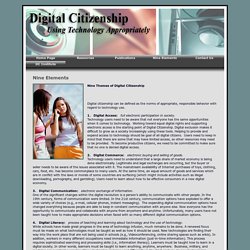
Digital Access: full electronic participation in society. Technology users need to be aware that not everyone has the same opportunities when it comes to technology. Working toward equal digital rights and supporting electronic access is the starting point of Digital Citizenship. 2. 3. 4. 5. 6. 7. 8. The Copyright (Infringing File Sharing) Amendment Act: What schools should know. The wording of the new act says it: “provides rights owners with a special regime for taking enforcement action against people who infringe copyright through file sharing” It is quite specific because it only applies to infringing material (protected by copyright) which is uploaded or downloaded via file sharing applications or networks.

There are two concepts there – first, the material has to be infringing, second the infringing material has to be file shared. What does “infringing” mean? The copyright owner has the exclusive right to copy, play, share , distribute or adapt that work, or to permit anyone else to do it. If anyone else copy’s shares or distributes a copyright protected work, without the permission of the copyright holder, then they are infringing on the owners copyright. The act relates to the uploading or downloading of a piece of work in a file sharing network that infringes the copyright in that work. What is “file sharing”? In the law, file sharing is defined as: NetSafe Training. Legally Reusable Media.