
Comprehensive list of Windows hotkeys. Hotstrings and Auto-replace (similar to AutoText and AutoCorrect) Note: Hotstrings require Windows NT/2000/XP or later.
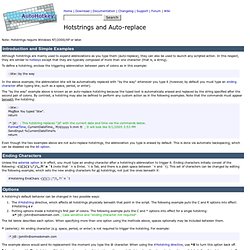
Introduction and Simple Examples Although hotstrings are mainly used to expand abbreviations as you type them (auto-replace), they can also be used to launch any scripted action. In this respect, they are similar to hotkeys except that they are typically composed of more than one character (that is, a string). To define a hotstring, enclose the triggering abbreviation between pairs of colons as in this example: Tutorial: Macro and Hotkey Creation. This brief introduction will help you start scripting your own macros and hotkeys right away.

Tutorial Contents Creating a script Each script is a plain text file containing commands to be executed by the program (AutoHotkey.exe). A script may also contain hotkeys and hotstrings, or even consist entirely of them. However, in the absence of hotkeys and hotstrings, a script will perform its commands sequentially from top to bottom the moment it is launched.