
Free Teaching Resources, Lesson Plans & Worksheets – Promethean Planet. Giving. NewEd. EDUCATION. Education Resources.
Online ebook converter. World Digital Library Home. 200th Activity Book. For 200 years, NOAA has been focused on delivering "science, service, and stewardship.
" Making this happen leads the people of NOAA from the edge of space to the bottom of the ocean. To help you learn more about your world and how NOAA helps you explore, understand, and protect our Earth, we've put together this book with 43 different activities. Download the full activity book or individual activities. FullBooks.com - Thousands of Full-Text Free Books. 150 Free Textbooks: A Meta Collection. Museums. Libraries. WORD! Bibliotheke. Education Online. Practicum. LEARNING. NeWeb Teams. New Practicum. Health ReferencEd. Education Blogs. About Education. Education. Learning Practices & Tips.
Interesting Links. Top 40 Useful Sites To Learn New Skills. The web is a powerful resource that can easily help you learn new skills.

You just have to know where to look. Sure, you can use Google, Yahoo, or Bing to search for sites where you can learn new skills , but I figured I’d save you some time. Here are the top 40 sites I have personally used over the last few years when I want to learn something new. Club Academia. Mondofacto. Bright Tomato Learning. OSCILLATORIUM. Free Technology for Teachers. Flip Book. The Flip Book is designed to allow users to type and illustrate tabbed flip books up to ten pages long.
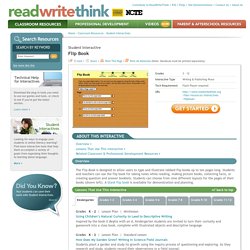
Students and teachers can use the flip book for taking notes while reading, making picture books, collecting facts, or creating question and answer booklets. Students can choose from nine different layouts for the pages of their books (shown left). Notetaker. This hierarchical outlining tool allows students to organize up to five levels of information for reading and writing activities.
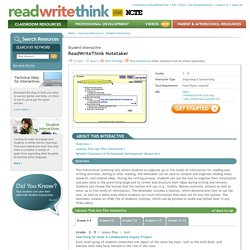
During or after reading, the Notetaker can be used to compile and organize reading notes, research, and related ideas. During the writing process, students can use the tool to organize their information and plan texts in the prewriting stage and to review and structure their ideas during writing and revision. Students can choose the format that the outline will use (e.g., bullets, Roman numerals, letters) as well as enter up to five levels of information. The Notetaker includes a tutorial, which demonstrates how to use the tool, as well as a Notes area where students can track information that does not fit into the outline.
The Notetaker creates an HTML file of students' outlines, which can be printed or saved and edited later in any HTML editor. Story Map. The Story Map interactive includes a set of graphic organizers designed to assist teachers and students in prewriting and postreading activities.
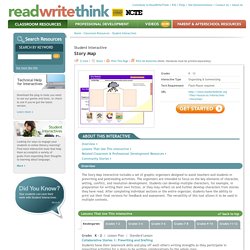
The organizers are intended to focus on the key elements of character, setting, conflict, and resolution development. Students can develop multiple characters, for example, in preparation for writing their own fiction, or they may reflect on and further develop characters from stories they have read. After completing individual sections or the entire organizer, students have the ability to print out their final versions for feedback and assessment. The versatility of this tool allows it to be used in multiple contexts. Grades K – 2 | Lesson Plan | Standard Lesson. Bubbl.us mapa. The 23 Best Game-Based Education Resources for 2014. Edudemic has covered game-based learning and gamification in the classroom on numerous occasions in the past.
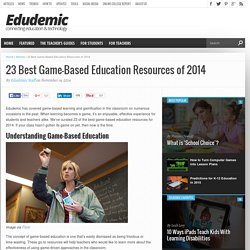
When learning becomes a game, it’s an enjoyable, effective experience for students and teachers alike. We’ve curated 23 of the best game-based education resources for 2014. If your class hasn’t gotten its game on yet, then now is the time. Understanding Game-Based Education Image via Flickr. Game-Based Learning: Resource Roundup. Visual learning and outlining in the classroom. Visual thinking is a learning style where the learner better understands and retains information when ideas, words and concepts are associated with images.
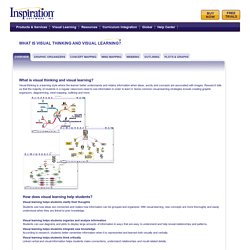
Research tells us that the majority of students in a regular classroom need to see information in order to learn it. Some common visual learning strategies include creating graphic organizers, diagramming, mind mapping, outlining and more. 7 differences between mind map and Learning Map. There is no difference, you are going to say.
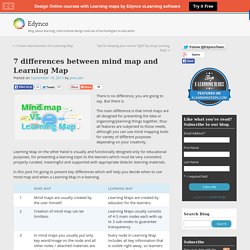
But there is. The main difference is that mind maps are all designed for presenting the idea or organizing/planning things together, thus all features are subjected to those needs, although you can use mind mapping tools for variety of different purposes depending on your creativity. Learning Map on the other hand is visually and functionally designed only for educational purposes, for presenting a learning topic to the learners which must be very consistent, properly curated, meaningful and supported with appropriate didactic learning materials.
Blog about learning, instructional design and use of technologies in education. E-learning software based on mind mapping » Edynco. The Unlimited plan » Edynco. 1.

How does the billing system work? Subscription billing period which you have chosen starts on the day you pay for your subscription. Thereafter you will be billed on the same day every year in case you choose to auto- renew your subscription at the end of the billing period. 2. Simple Visual Bookmarking for Educators.
Beautiful web-based timeline software. Create timelines, share them on the web. Science. Interactive Science Revision - Games and Activities. World History : HyperHistory. Internet History Sourcebooks Project. Internet History Sourcebooks Project Paul Halsall, Editor Last Modified: Dec 11 | linked pages may have been updated more recently The Internet History Sourcebooks Project is a collection of public domain and copy-permitted historical texts presented cleanly (without advertising or excessive layout) for educational use. 1.
W3Fools – A W3Schools Intervention. W3Schools Online Web Tutorials. Free Online Courses. University of the People – The world’s first tuition-free online university. Coursera.org.
Academic Video Lectures. Admissions – Eastern Mennonite University. Free Engineering Video Lecture courses. Panacea University - Home. Technophilia: Get a free college education online. Physics and neurobio.pdf. Free video lectures,Free Animations, Free Lecture Notes, Free Online Tests, Free Lecture Presentations.
Rainbows - Free Physics Video Lecture. Top 10 Universities With Free Courses Online. #1 UC Berkeley Ranked as the #1 public school in the United States, Berkeley offers podcasts and webcasts of amazing professors lecturing. Collaboration and learning - for educators by educators. Instructional Sites. SAPERE - Home. Individuals, Institutions and Organizations Committed to Quality Online Education. Free Technology for Teachers. Tree of Life lesson plans and worksheets. Animals, Plant, and Life Science. Science Education.
Microbial Life - Educational Resources. Teaching and learning about the diversity, ecology and evolution of the microbial world; discover the connections between microbial life, the history of the earth and our dependence on micro-organisms. The expansive Sunset Lake of the Black Sand Basin is one of the largest thermal bodies of water in Yellowstone National Park. Book Summaries, Test Preparation & Homework Help. The Best Language Tools for Geeks. Open Culture. 10 free collaboration tools for journalists. Two heads are often better than one when it comes to working creatively. Here are ten tools and apps that help journalists to collaborate with others. 1. Stroome Online video editing platform Stroome allows you to work with others to edit footage. The start-up was awarded $200,000 of funding when it was named as one of 12 winners of the Knight News Challenge last year.
800+ COLLABORATION SITES BOOKMARKED. Open Course Ware Consortium. ENCHANTED LEARNING HOME PAGE. Educreations.