
Blank & Bare WordPress HTML5 Frameworks. How To Easily Edit Your WordPress Theme Design With The Firebug Firefox Addon. Written by Robyn-Dale Samuda in As bloggers, we aim to provide unique user experiences for all our visitors online through the use of the best blog designs and templates we can find.
Although there are thousands of free and premium themes available, there comes a time when we want something specifically suited to our taste as well as our readers’ without hiring a developer. The ability to customize your own blog theme is an invaluable skill and will save you lots of time and money in the long-run; and through the use of a tool like the Firebug Firefox Add-on, making simple and advanced customizations are easier than ever. Designing a blog with html5. This article is an edited version of two articles published by Opera Web Evangelist, Bruce Lawson, reproduced with permission.

All rights reserved. Much of HTML 5′s feature set involves JavaScript APIs that make it easier to develop interactive web pages but there are a slew of new elements that allow you extra semantics in your conventional Web 1.0 pages. In order to investigate these, let’s look at marking up a blog. Firstly what we’ll do is use the header, footer, and nav elements to mark up the broad structure of the page.
We’ll make the blog comments form much smarter by using the new data types and built-in validation available in HTML 5-aware browsers. Then we’ll do some work on the guts of the page, using HTML 5’s article elements to better mark up blog posts and comments and show how to use the section elements to better structure accessible hierarchical headings on sites that are CMS-driven. So take the phone of the hook, and make a cup of tea and we’ll get started. A 1000-Hour Head Start: Introducing The _s Theme.
Have you checked out the Toolbox theme?

Up until recently it was the starter theme we used to build free and premium themes on WordPress.com. Toolbox was (and is!) A great theme, but it could be better. Anatomy of an HTML5 Wordpress theme. A simple set of templates for any project. The Ultimate Guide to Launching a WordPress-Powered Blog - TentBlogger. Spiderman is awesome!
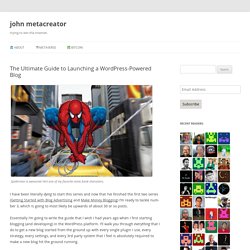
He’s one of my favorite comic book characters. I have been literally dying to start this series and now that I’ve finished the first two series (Getting Started with Blog Advertising and Make Money Blogging) I’m ready to tackle number 3, which is going to most likely be upwards of about 30 or so posts. Essentially I’m going to write the guide that I wish I had years ago when I first starting blogging (and developing) in the WordPress platform. I’ll walk you through everything that I do to get a new blog started from the ground up with every single plugin I use, every strategy, every settings, and every 3rd party system that I feel is absolutely required to make a new blog hit the ground running. No stone will be left unturned: I will essentially give you my unique formula for creating a new blog from Day 1. This blog post will serve as the landing page for all of the posts in the series like I’ve done before. Makes texting and talking free.
Ubuntu Vibes. The Linux Alternative Project. Learn How to Make a Website. Logo Design » Design Festival. 10 New Plugins for WordPress 3.0. Meteor Slides Meteor Slides makes it simple to manage a slide show with WordPress by adding a custom post type for slides.

The slides are managed as featured images through the media library; they will automatically be cropped to the dimensions specified on the settings page. Optionally, each slide can link to any Post, Page, or external URL of your choice. Meteor Slides is easy to use, but the options should offer enough flexibility to use the slide show in many different ways. Plugin Homepage Front-End Editor. 25 Steps to Launching Your Blog and Making $100+ A Month in 30 Days. Okay, £100 may not sound like much, but few blogs make even that paltry amount.

If you want to make money with your blog, follow the steps outlined below. You’ll be well on your way to making a cool £100 (or more) every month within 30 days. First Things First 1. Choose Your Blog System There are hosted systems, like Blogger, TypePad, and WordPress.com, but I don’t recommend them. 2. 3. 4. Learning WordPress: Most Useful Tips and Tutorials - Smashing Magazine. Here you can check out the most popular articles related to WordPress that have been published recently on Smashing Magazine.
Ten Things Every WordPress Plugin Developer Should Know Plugins are a major part of why WordPress powers millions of blogs and websites around the world. The ability to extend WordPress to meet just about any need is a powerful motivator for choosing WordPress over other alternatives. Having written several plugins myself, I’ve come to learn many (but certainly not all) of the ins-and-outs of WordPress plugin development, and this article is a culmination of the things I think every WordPress plugin developer should know. Oh, and keep in mind everything you see here is compatible with WordPress 3.0+.
15-Step Checklist To Creating The Perfect WordPress Website. Advertisement There is no doubt that WordPress is the best content management system (CMS) for your website.
Sure, countless CMS’ are available, ranging from open-source to paid, and you’ll hear evangelists on all sides swearing that their choice is the best. But Drupal, Joomla or any other CMS doesn’t hold a candle to WordPress for its ease of use, security and reliability. It’s no wonder that Web developers have built over 50 million websites on its sturdy back, or that so many designers would never dream of using anything else. For the sake of this article, let’s agree that WordPress is the way to go, no looking back. Choose A Domain. 10 Tips To Optimize Your WordPress Theme. The beauty of WordPress is in how easy it is to adapt for different tasks.
One can extend it with just a couple of lines of code. In this post, we’ll review 10 shortcode snippets that will tweak and optimize your WordPress theme. You can add all of these code snippets to the functions.php file in your WordPress theme. Limit The Excerpt’s Word Count One thing that can go wrong in WordPress magazine themes is when users include too many words before the more tag. How to Change / Shorten Excerpt Length in WordPress. Most index pages, archive pages in WordPress display excerpts of 55 words.

How can you change, or shorten excerpt length (or even increase it) easily. Advertisements If you look inside your WordPress theme index.php or archive.php, you will find this excerpt tag coming beneath the post title, which displays post excerpt in the front page or archives, category pages. It will display 55 words by default and then end abruptly with [...]. 35 WordPress Tips and Tricks You Must Know. The Ultimate Guide to Launching a WordPress-Powered Blog. WordPress SEO and Blog Marketing Tips. How do I move WordPress from a subdirectory to the root directory? How to change WordPress default FROM email address. Wordpress excerpts on the home page.