
Configurator: Using Volume Purchase Program (VPP) Redemption Codes. Apple Configurator can install free apps from the iTunes Store and enterprise apps that have embedded provisioning profiles.

It can only install paid apps from the iTunes Store when you import a spreadsheet of valid Volume Purchase Program (VPP) redemption codes downloaded from the VPP portal by a registered VPP program facilitator or authorized purchaser. The Volume Purchase Program is only available to eligible education and business users in certain countries. For information about the Apple Volume Purchase Program for Education, see The Apple Volume Purchase Program. For information about the Apple Volume Purchase Program for Business, see App Store Volume Purchasing for Business. If you are not eligible for a Volume Purchase Program, you cannot use Apple Configurator to install paid apps from the App Store, but you can still use all other functions of Apple Configurator. Configurator Help. Configurator: Backing up and restoring data. Learn how to back up your Apple Configurator data.
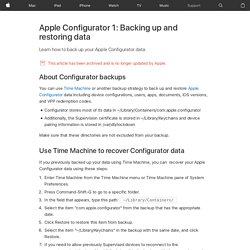
This article has been archived and is no longer updated by Apple. About Configurator backups You can use Time Machine or another backup strategy to back up and restore Apple Configurator data including device configurations, users, apps, documents, iOS versions, and VPP redemption codes. Configurator stores most of its data in ~/Library/Containers/com.apple.configuratorAdditionally, the Supervision certificate is stored in ~/Library/Keychains and device pairing information is stored in /var/db/lockdown Make sure that these directories are not excluded from your backup.