
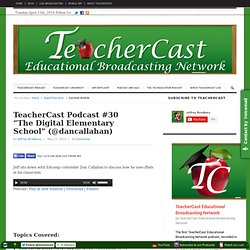
Carry A Photo Booth In Your Pocket For Free With Photoautomat. iPAD IN EDUCATION. EdApps.ca. Podcast #30 "The Digital Elementary School" TeacherCast Podcast #30 “The Digital Elementary School” (@dancallahan)
Facilitation Friday #22: Conversation Detours, Not Roadblocks. Two of the more frequently heard statements (either in reality or in some participants' minds) in strategic planning or idea generation sessions are: We've always done it this way.
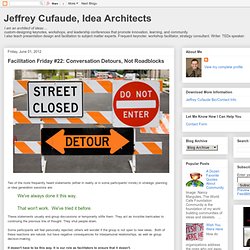
That won't work. We've tried it before. These statements usually end group discussions or temporarily stifle them. They act as invisible barricades to continuing the previous line of thought. Making Electronic (and other) Music on the iPad 2. Image attribution on Flickr Up to now I haven’t been convinced by the Ipad 1 or 2 as being able to do anything but be a pretty browsing machine.
All that changed in the last week. I bought an Alesis IO Dock from West End Production to see if it was viable to make the music for the TeachMeet film I am beginning to spec out. 12 Ways To Use Google Search In School, By Degree Of Difficulty. Sunday, May 6, 2012 8:15 am, Posted by | Updates Topics: , , , , , , I’ve been completely obsessed with Google’s new mini-site devoted to finding better ways to incorporate proper web searches into the classroom.
Dubbed ‘ Search Education ,’Google’s new site has an array of lesson plans, videos (check a sample out below), concept maps, and other tools designed to help any educator properly integrate Google. This is just the logical next step for the search (and basically everything else) behemoth as Google pushes its way into the classroom. As part of Search Education, Google has shared a bunch of lesson plans that are organized by degree of difficulty. Useful Tips For iPad. iPad Art. iPads in education. iPad for Teaching & Learning. Ipads in class. iPad Classroom. iPad intergartion. Ipad in the classroom. #edpad. 17 Free YouTube Tools Every Teacher should Know about. 50ways.wikispaces. iPad/iPod Apps by Subject Area & Grade Level. A Lesson at the Zoo: Enhancing Field Trips with iPads. Recently I hosted 20 teachers in my school district at the zoo for an afternoon.
The idea was to explore how we might use iPads during a field trip. It was certainly an exciting form of professional development. Instead of sitting at a desk and listening to someone like me talk about what you could do, we just went out and did it! Teachers had a lot of fun, and many ideas were shared. Below are some of the activities that we (I co-hosted the afternoon with a colleague, Diane) gave to the teachers, as well as some ideas that came to mind throughout the afternoon.
Some of the best experiences we give our students happen during field trips; the zoo, a museum, nature walk, etc. For many schools, a day or two at the zoo is The big field trip of the year. Public Service Announcement From Students To Teachers. The flip: Turning a classroom upside down. Roshan, her AP Calculus teacher at the private Bullis School in Potomac, told students that they would be learning their lessons at home with help from videos and other materials that she had made, and then would do “homework” problems in class.

Roshan had “flipped” her class — a trend in teaching and classroom management that has been adopted by thousands of teachers across the country for a variety of different subjects. It is a reimagination of life in a classroom. 5 Personal Learning Networks (PLNs) for Educators. Professional development and networking are vital in any field, and that’s especially true for educators. Whether it’s coming up with fresh ideas for lesson plans and classroom activities, seeking mentorship and support from veteran educators, or cultivating resources for technology integration or for meeting state standards, teachers need one another’s expertise. 80+ Google Forms for the Classroom. If you're new here, you may want to subscribe to my weekly newsletter.
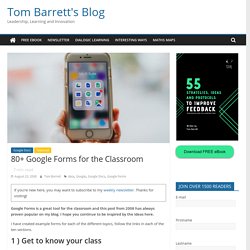
Thanks for visiting! Google Forms is a great tool for the classroom and this post from 2008 has always proven popular on my blog. I hope you continue to be inspired by the ideas here. I have created example forms for each of the different topics, follow the links in each of the ten sections. ITWT. It may be possible to restore access to this site by following these instructions for clearing your dns cache. The IP address has changed. There has been a server misconfiguration.
The site may have been moved to a different server. : Although this site is running cPanel, WebHost Manager, and Apache software it almost certainly has no other connection to cPanel Inc. or the Apache Group. Pinterest as a learning tool: Do the two compute? Pinterest, the latest addition to hybrid forms of social networking, hosts a platform where users can 'pin' their favourite images to share with the world.
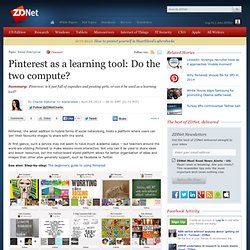
At first glance, such a service may not seem to have much academic value -- but teachers around the world are utilizing Pinterest to make lessons more interactive. Not only can it be used to share ideas and lesson resources, but the notice-board styled platform allows for better organisation of ideas and images than other sites generally support, such as Facebook or Twitter. Creating Assignments That Work for Digital Learning Environments. Assignments | Viewpoint Creating Assignments That Work for Digital Learning Environments Teachers who spend time actually thinking through assignments that align with the learning outcomes of a course are the most effective at assessing the learning that has taken place.
Now, however, even the most creative teachers are being stretched like never before in regards to creating assignments that work in technology-rich learning environments. While evaluating learning in the purest sense might never really be possible given the scope of variables, new technologies are making it more achievable than ever before. When assignments are creative and applied and, most of all, relevant, so that all learning styles and aspects of course content can be integrated, students are usually more positive about their performance. 50 resources for iPad use in the classroom. The transition to the more extensive use of technology in classrooms across the West has resulted in the integration of bring your own device (BYOD) schemes, equipping students with netbooks and tablet computers, and lessons that use social media & online services.
Gesture-based technology is on the rise; according to the latest NMC Horizon Report, gesture-based technological models will become more readily integrated as a method of learning within the next few years. The iPhone, iPad, Nintendo Wii and Microsoft Xbox 360 Kinect technology are examples of these kinds of developments, and in particular, resources for Apple products in education are becoming widely available online. For teachers, some of which are just beginning to use tablets and mobile devices in class, these resources can be invaluable in promoting more interactive classrooms and understanding how best to use and control such products.
EdApps.ca. The Essence of Connected Learning. Free Resources From All My Books. How to Grade on an iPad. 40 STEM iPad Apps for Kids (Science, Technology, Engineering, Math) Public Service Announcement From Students To Teachers. Students Speak About SJSD Project Connect. 20 Apps in 20 Minutes Ipad Edition. Lisajohnson2007 « techchef4u. Given a few weeks off from work, I find myself fighting the summer battle between personal todo lists and keeping up with blogging and technology trends.
Oftentimes, it is just easier to compose another blog entry (as I have quite the running and growing list of topics) rather than shift gears and begin sorting and uploading photographs for another scrap-booking project. That is why I was elated at the premise of melding the two loves. There have been quite a few digital album deals I have had to pass on due to insufficient time to locate, assemble, and upload images to a site and then organize said images into a digital album (not much on the auto-fill option as I am a bit of a perfectionist). Wheretostartwithwikisandblogs.wikispaces. Get your brand new Wikispaces Classroom now and do "back to school" in style. guest Join | Help | Sign In Where to Start with Wikis and Blogs Home guest| Join | Help | Sign In What does a Class. iPad for Teaching & Learning. Cool Websites - 21st Century School Teacher. Apptivities. Apple iBooks 2 Textbook official Presentation.
Word Dynamo - Free Study Guides, Quizzes, Games, and Flashcards. Voicethread. I just started playing with Voicethread. (Also see this wiki dedicated to Voicethread in education It is a fun way of sharing photos and collaborating online. I know some teachers are using it for language development, e.g. in LOTE. They upload an image as a prompt, then ask students to leave comments in a language other than English. The teacher can then listen to all the comments and comment back to the students…very interactive and cool! Voicethread Getting Started, using it in class etc. Examples of VoiceThread in the classroom. TCEA 2012 Convention and Exposition. iPads in Education Daily. 3 Ways To Get iPads in Your Classroom. 20 Apps in 20 Minutes Ipad Edition. Lisajohnson2007 « techchef4u.
"The 3R's" Using iPad in Reading. iPad in Literacy: Using iPad in the Classroom. iPad a Solid Education Tool, Study Reports. More and more schools are jumping on the digital bandwagon and adopting iPads for daily use in the classroom. Apple’s education-related announcements yesterday will no doubt bolster the trend, making faculty tools and student textbooks more engaging and accessible. iPad in Education. Teach with your ipad. Gallery View. iPad Apps. How do I get Apps to this device? Or If you are new to the mobile world, what is an App? App or an application is a program that can be installed on to the device.
The app will have an icon associated with it. Ipadsammy. The Awesome Highlighter >> Highlight text on web pages. WordItOut - Generate word clouds (and make custom gifts) Arcademic Skill Builders: Online Educational Games.
Lesson Pathways: Building Paths for Online Learning. Khan Academy. Woodlands Junior School, Tonbridge, Kent UK. Primary School Games - Fun Curriculum Games. BrainPOP - Animated Educational Site for Kids - Science, Social Studies, English, Math, Arts. E-Learning for Kids.
Welcome To Professor Garfield. FunBrain.com - The Internet's #1 Education Site for K-8 Kids and Teachers. Online Reading. Learning Games For Kids. Grade Level Help at Internet 4 Classrooms. 47 Interesting Ways* to use an iPad in the Classroom. Creating forms : Forms - Google Docs Help. Les formulaires Google sont très pratiques pour planifier des événements, publier un sondage, soumettre des élèves à une interrogation écrite ou recueillir facilement toutes sortes d'informations. Il est possible de lier un formulaire Google à une feuille de calcul Google. Si une feuille de calcul est liée au formulaire, les réponses sont automatiquement ajoutées à la feuille de calcul.
Dans le cas contraire, les utilisateurs peuvent les afficher dans la page "Résumé des réponses", accessible à partir du menu "Réponses". Vous pouvez créer un formulaire à partir de Google Drive ou de n'importe quelle feuille de calcul existante. Créer un formulaire à partir de Google Drive : Cliquez sur le bouton rouge Créer, puis sur Formulaire.
Online Science. Online Math.