
How to Build a Kick-Butt CSS3 Mega Drop-Down Menu. Often used on e-commerce or large scale websites, mega menus are becoming more and more popular, as they offer an effective solution to displaying a lot of content while keeping a clean layout.
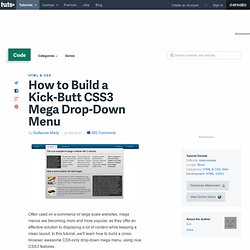
In this tutorial, we'll learn how to build a cross-browser, awesome CSS-only drop-down mega menu, using nice CSS3 features. Step 1: Building the Navigation Bar Let's begin with a basic menu, built with an unordered list and some basic CSS styling. Creating the Menu Container We'll now apply some basic CSS styling. Now, let's see how we can improve it with some CSS3 features. For rounded corners, the syntax will be : For the background, we'll use gradients and a fallback color for older browsers. The first line applies a simple background color (for older browsers); the second and third lines create a gradient from the top to the bottom using two colors : #0272a7 and #013953.
We can now add a darker border and polish the design with a "fake" inset border created with the "box-shadow" feature. HTML Part.
Sliders. Making CSS Edits in WordPress. When you first get your hands on your first self-hosted WordPress site, you will likely be exploring themes like crazy.

And no doubt you’ll find one that is very close to what you want, but you might want to change a few things up with the way it looks. That’s where you’re going to want to make CSS edits in WordPress. What is CSS? CSS stands for Cascading Style Sheet, and web design these days centres around these special files. They dictate how every element on the page should look, from the fonts used, to the color and size of every element. The basics of CSS Loading order CSS files should be loaded in the head of a web page. Now, there is an importance to the order in which stylesheets and rules are loaded, which is where creating a child theme is useful.
Structure and rules A CSS file consists solely of a whole load of rulesets, and maybe some comments (marked by /* before the comment and */ after the comment). There are two different kinds of selectors: IDs and classes. 70+ Fresh WordPress Site Designs for Inspiration. Many of you should know that instantShift is proudly powered by WordPress, as a Blogging and CMS tool.

If you are in search of good CMS or a web tool for your projects, we strongly recommend WordPress to you. WordPress is a great tool, and best thing is FREE! Now days Creative Designs is one of the key aspects for improving your website’s traffic and pagerank. Getting a site featured in some of the popular WordPress/CSS galleries can bring thousands of visitors and many valuable inbound links with excellent SEO benefits.
It’s always hard to think in right direction and even harder to find right inspiration. In this designs showcase we trying to present you exemplary design trends, new practices, creative ideas and designer’s skills. You may be interested in the following modern trends related articles as well. Please feel free to join us and you are always welcome to share your thoughts even if you have more reference links related to other trends that our readers may like. Laweb Shop qwota. How to highlight authors comments & replies.