
ComF5®: Get the eMarketEngine™ today! Current TV: Official Site. USTREAM, You're On. Free LIVE VIDEO Streaming, Online Broadcasts. Create webcasts, video chat, stream videos on the Internet. Live streaming videos, TV shows. Ad server solution for publishers, advertisers & networks. YuMe Video Ad Platform & Network. CamStudio - Free Screen Recording Software. Screencasting. Streaming live video broadcasts for everyone. The End of Slideshows. Screen Recorder, Desktop Recorder to Record Screen to Video.
Why Choose Wondershare DemoCreator DemoCreator is a powerful yet simple screen recorder program which allows you to capture desktop activities and create video tutorials, demonstrations and presentations without any programming skills.
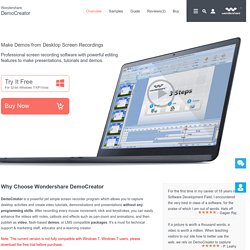
After recording every mouse movement, click and keystrokes, you can easily enhance the videos with notes, callouts and effects such as pan-zoom and animations, and then publish as video, flash-based demos, or LMS compatible packages. It's a must for technical support & marketing staff, educator and e-learning creator. Note: The current version is not fully compatible with Windows 7. Windows 7 users, please download the free trial before purchase. Flexible Recording Settings Record any area of desktop: Custom size, Application & Full screen. Screencast. A screencast is a digital recording of computer screen output, also known as a video screen capture, often containing audio narration.
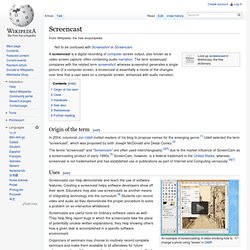
The term screencast compares with the related term screenshot; whereas screenshot generates a single picture of a computer screen, a screencast is essentially a movie of the changes over time that a user sees on a computer screen, enhanced with audio narration. Origin of the term[edit] In 2004, columnist Jon Udell invited readers of his blog to propose names for the emerging genre.[1] Udell selected the term "screencast", which was proposed by both Joseph McDonald and Deeje Cooley.[2] The terms "screencast" and "Screencam" are often used interchangeably,[3][4] due to the market influence of ScreenCam as a screencasting product of early 1990s.[5] ScreenCam, however, is a federal trademark in the United States, whereas screencast is not trademarked and has established use in publications as part of Internet and Computing vernacular.[6][7] Uses[edit]
12 Screencasting Tools For Creating Video Tutorials. Ever wondered how people show you so clearly what is happening on their computer, like in the Photoshop Video Tutorials we shared with you?
Thanks to screencasting software, anyone can do it. So what's stopping you now from making your own how-to videos? Try out one of these 12 tools and get to making your first video! Free AviScreen - As the name would imply, this capture program records the video into AVI files, but can also do BMP photos. CamStudio.org - An open source program for capturing your on-screen video and audio as AVI files. Copernicus - A free program for Macs that focuses heavily on making quick and speedy films by recording the video to your RAM for quicker access. ScreenToaster - Online screen recorder. Capture screencasts instantly. SkyRoom v1 Software Small & Medium Business. Create screencasts and screen recordings the easy way. Record screen activity real time capture desktop video screen recorder software. Record screen activities in real-time to quickly and easily create your own screencasts, demos, tutorials, software simulations and videos for the Internet without any programming language necessary.
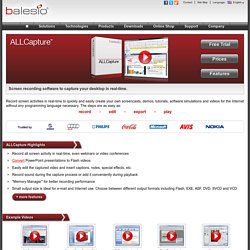
The steps are as easy as: record edit export play ALLCapture Highlights Record all screen activity in real-time, even webinars or video conferences Convert PowerPoint presentations to Flash videos Easily edit the captured video and insert captions, notes, special effects, etc. Record sound during the capture process or add it conveniently during playback "Memory Manager" for better recording performance Small output size is ideal for e-mail and Internet use. Example Videos ALLCapture in actionTime: 1:13 Convert PowerPoint to FlashTime: 1:50 FILEminimizer in actionTime: 0:36 TurboDemo in actionTime: 1:10 Gimp tutorialTime: 0:15 View more videos ALLCapture Screenshots ALLCapture Enterprise: offers additional features for all professional users and companies.
Add visuals to your online conversations. How to Master Screencasts in Seven Steps. Making screencasts (also known as "video tutorials") is already easy, and becomes easier with better tools and broadband proliferation.
However, no tech is complete without a human who dives in, does experiments, and discerns best practices from the results. I've made over 200 video tutorials, mostly for the virtual world of Second Life, and I've also done tutorials for stuff like YouTube and Sony Vegas. If a picture's a 1,000 words, then a video is… a LOT more. Through such experience, these are tips 'n' tricks I'm sure you'll find practical and applicable to your further forays into the video fields: 1. No, you don't need a degree. In the first place, you don't need an expensive mic. George Lucas was spot on when he reckoned: "Sound is 50 percent of the moviegoing experience, and I've always believed audiences are moved and excited by what they hear in my movies at least as much as by what they see.
" One significant step up is immersing yourself into the world of audio plugins. 1. 2. 3.