
Inno Setup. Setup Wizard IDE (Dark) Inno Setup is a free installer for Windows programs by Jordan Russell and Martijn Laan.
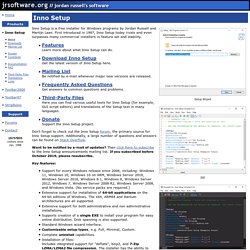
First introduced in 1997, Inno Setup today rivals and even surpasses many commercial installers in feature set and stability. FeaturesLearn more about what Inno Setup can do. Download Inno SetupGet the latest version of Inno Setup here. Don't forget to check out the Inno Setup forum, the primary source for Inno Setup support. Want to be notified by e-mail of updates? Key features: Support for every Windows release since 2006, including: Windows 10, Windows 10 on ARM, Windows Server 2019, Windows Server 2016, Windows 8.1, Windows 8, Windows Server 2012, Windows 7, Windows Server 2008 R2, Windows Server 2008, and Windows Vista. Is it really free of charge, even for commercial use? Yes, it may be used completely free of charge, even when deploying commercial applications. (Note: "Completely free of charge" must not be confused with "completely free". Simplifying the WPF TreeView by Using the ViewModel Pattern. Download the source code (requires Visual Studio 2008) - 28.6 KB Introduction This article explores how to use the ViewModel pattern to make it easier to work with the TreeView control in WPF.
Along the way, we examine why people often have difficulty with the WPF TreeView, what a ViewModel is, and two demo applications that show how to combine a TreeView with a ViewModel. One of the demos shows how to create a searchable TreeView, the other demonstrates how to implement lazy-loading (a.k.a. load-on-demand). Background of TreeView The TreeView control in WPF has gained an undeserved bad reputation. In Window Forms, it is very easy to use the TreeView control because it is dead simple. In contrast, the WPF TreeView is extremely flexible, inherently supports UI virtualization (i.e., TreeViewItems are created on-demand), allows for full visual customization, and has full support for data binding. Background of ViewModel This makes it easier to create a user interface (UI) for the application. Improving WPF Mouse Wheel Processing. Contents Introduction Windows Presentation Foundation (aka WPF) is an outstanding graphical framework for creating modern and attractive applications in .NET.

Presently it lacks decent support for mouse wheels such as horizontal, smooth and nested scrolls as well as the high-resolution mode. The WPF Mouse Wheel Library (MWLib) I will present here aims to go beyond those limitations with a minimal effort on your behalf. It is written in C# and compiled with .NET 3.5 Service Pack 1 Client Profile (packaged with Windows 7). Roadmap For those eager to get their hands dirty before eventually resuming reading, we’ll begin with a quick-start guide. Quick Start For people who want to immediately benefit from MWLib please: Download the library provided at the top of this article, include it in your solution and reference it in your project. ...then you're done!
If you are in a hurry but still want to see MWLib in action, have a look at “After” demo application and play with it. Background WPF Issues.