
Make Your Images Interactive - ThingLink. The Capacity of an iPod Visualized as Vinyl.
Using Social Media. Cell Phones. Chart Makers. Infographs. 100+ examples of use of social media for learning. EmailShare 0EmailShare Note: this page dates back to 2011.
More up to date information is to be found in my Social Learning Handbook 2014. Here are over 100 ways that different social technologies (and tools) are being used by learning professionals worldwide – compiled from the comments of those who have contributed to the Top 100 Tools for Learning 2009 activity. Blogging. Screenbird. Games at Miniclip.com - Play Free Online Games. Games at Miniclip.
Popcorn Maker. Create and design your own graphs and charts online. Google-Moderator-white-paper.pdf. Free Html Contact Form Generator - 123ContactForm. Free iPad Apps to Teach Current Events. My students use their iPads as creators every day, whether they are recording their thoughts, using virtual tools or publishing authentic assessments.
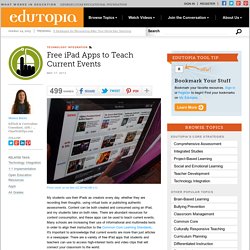
Content can be both created and consumed using an iPad, and my students take on both roles. There are abundant resources for content consumption, and these apps can be used to teach current events. Many schools are increasing their use of informational and multimedia texts in order to align their instruction to the Common Core Learning Standards. It's important to acknowledge that current events are more than just articles in a newspaper. There are a variety of free iPad apps that students and teachers can use to access high-interest texts and video clips that will connect your classroom to the world. Watchup This app is in my top ten for personal use, and it has a clear place in your classroom. SnagFilms. The Ultimate Social Network Job Searching Guide. Sudy Bharadwaj is a co-founder and the CEO of Jackalope Jobs, a web-based platform that combines search, social networking, and the overall user’s experience to provide relevant job openings.

Learn how Sudy and Jackalope Jobs obsess over job seekers by connecting with them on, LinkedIn and Twitter. A recent study by Right Management revealed that more than 46,000 individuals selected networking as the most effective way to find a new job — the fifth year in a row networking has topped the list. The study data proves once again that, in the highly competitive job search, it’s who you know and who knows you that leads to successful employment. Job seekers understand the importance of networking. They read up on job search experts’ tips for networking events, order hundreds of business cards and then hit local industry events like a job search Tasmanian devil, chatting up every professional and jotting down names of new connections to request on LinkedIn when returning home. MP4 FLV 3GP AVI MKV DVD Android Html5. Any Video Converter is designed with no limitations and zero costs.
It lets you effortlessly convert any video files to any format for FREE! Supported video inputs: MP4, MPEG, VOB, WMV, 3GP, 3G2, MKV, MOD, M2TS, RMVB, AVI, MOV, FLV, F4V, DVR-MS, TOD, DV, MXF, OGG, WEBM, any 4K video format and more. Glogster EDU - 21st century multimedia tool for educators, teachers and students. Official Google Docs Blog. Educational Technology and Mobile Learning. 8 Great Free Templates to Make your Presentations more Engaging. Creating PowerPoint presentations is not only about assembling data and sharing it into slides, the secret of presentations lies in the way this data is constructed and presented to the reader.
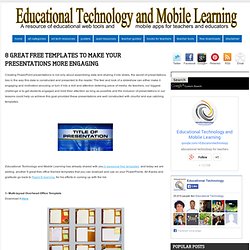
The feel and look of a slideshow can either make it engaging and motivation-arousing or turn it into a dull and attention deterring piece of media. As teachers, our biggest challenge is to get students engaged and hold their attention as long as possible and the inclusion of presentations in our lessons could help us achieve this goal provided these presentations are well constructed with clourful and eye catching templates. 14 Free and Simple Digital Media Tools. Digital Tools Wavosaur Wavosaur audio editor.
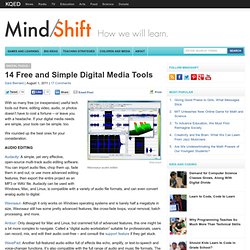
Making videos with VoiceOver. 2013-01-31_1641 - TammyHegler. Ipad. iPad Lessons. By Blackboard is a free learning management system for K12 and Higher Ed Instructors enabling blended & eLearning. JotForm · Easiest Form Builder. Paper Rater: Free Online Grammar Checker, Proofreader, and More. Fake websites, Spoof websites, science spoofs, commercial fake sites. Introduction to fake websites Librarians and educators need to be able to illustrate to students and users alike that websites cannot always be trusted to provide truthful and accurate data.
This page provides examples of websites that are full of lies, inaccuracies or false information - either for amusement or for more worrying reasons. The list does not include phishing sites however; these are intended to fool a person into believing that they are visiting a legitimate bank site for example; there are already plenty of links to these online already. Fake websites - scientific and commercial All of the following websites are, to the best of my knowledge fake sites, spoof sites or parodies of 'real' sites. Sites are arranged in subject groupings, with what I consider to be the most credible examples at the top; hopefully this will help when you come to choose examples for yourself or students. This page contains examples of scientific and commercial sites. Dihydrogen Monoxide Genochoice.
Evaluating Web Pages: Techniques to Apply & Questions to Ask. 1.
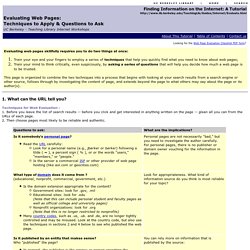
What can the URL tell you? Techniques for Web Evaluation : 1. Before you leave the list of search results -- before you click and get interested in anything written on the page -- glean all you can from the URLs of each page. 2. 2. 1. INSTRUCTIONS for Truncating back a URL: In the top Location Box, delete the end characters of the URL stopping just before each / (leave the slash). Continue this process, one slash (/) at a time, until you reach the first single / which is preceded by the domain name portion. 3. Check the date on all the pages on the site. 3. 1.