
jQuery Background Test. jQuery & CSS Example – Dropdown Menu. Dropdown menus and menu bars have been heavily used since the early days of graphical user interfaces.
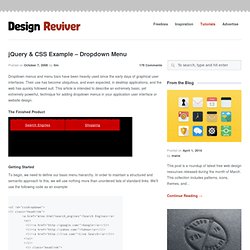
Their use has become ubiquitous, and even expected, in desktop applications, and the web has quickly followed suit. This article is intended to describe an extremely basic, yet extremely powerful, technique for adding dropdown menus in your application user interface or website design. The Finished Product Getting Started To begin, we need to define our basic menu hierarchy. <ul id="cssdropdown"><li class="headlink"><a href="mine.html? You should see something like this: Creating Dropdown Lists With our semantic HTML and link structure written out, we can proceed to apply some basic hover techniques that are included in CSS.
We can use CSS to hide the child unordered lists by default, and show them with the :hover pseudo-class, like so: The Issue with Internet Explorer Unfortunately, while the :hover pseudo-class may be elegant, it does not work in Internet Explorer. jQuery Examples – Horizontal Accordion. Up until now I have always used Scriptaculous / Prototype for any Java Script animation and effects, but lately I’ve heard a lot of good things about jQuery.
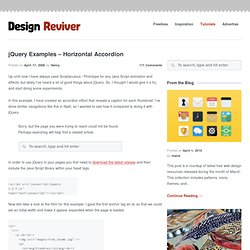
So, I thought I would give it a try, and start doing some experiments. In this example, I have created an accordion effect that reveals a caption for each thumbnail. I’ve done similar navigations like this in flash, so I wanted to see how it compared to doing it with jQuery. In order to use jQuery in your pages you first need to download the latest release and then include the Java Script library within your head tags.
Now lets take a look at the html for this example. jQuery Tutorials for Designers. This article contains 10 visual tutorials intended for web designers and newbies on how to apply Javascript effects with jQuery.
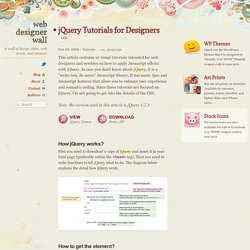
In case you don't know about jQuery, it is a "write less, do more" Javascript library. It has many Ajax and Javascript features that allow you to enhance user experience and semantic coding. Since these tutorials are focused on jQuery, I'm not going to get into the details of the CSS. Note: the version used in this article is jQuery 1.2.3 View jQuery Demos Download Demo ZIP How jQuery works? First you need to download a copy of jQuery and insert it in your html page (preferably within the <head> tag). Fonction val. Récupère le contenu de l'attribut "value" du premier élement de la sélection.Faites attention quand vous utilisez cette fonction pour récupérer la valeur d'élements de formulaire de type select multiple parce qu'ils peuvent recevoir un tableau de valeurs.

Animated Ajax Record Deletion Using jQuery. I'm a huge fan of WordPress' method of individual article deletion.

You click the delete link, the menu item animates red, and the item disappears. Here's how to achieve that functionality with jQuery JavaScript. The PHP - Content & Header The following snippet goes at the top of the page: if(isset($_GET['delete'])) { $result = mysql_query('DELETE FROM my_table WHERE item_id = '. The following is used to display the records: Animated Navigation w/ jQuery & CSS. Bien débuter avec la conception de plugins jQuery. L’un des sujets récurents de ce blog est la création de plugins jQuery.
Ces plugins sont toujours construit selon le même principe. Je ne peux malheureusement pas répéter les mêmes explications à longueur d’articles pour ne pas les rendre encore plus longs et répétitifs. Pourtant, je ne peux pas non plus aborder la conception d’un plugin sans en développer les bases. Cet article aborde, une bonne fois pour toutes, le B-A BA du développement orienté jQuery. Les plugins jQuery permettent d’agencer le code afin qu’il soit rapidement et facilement réutilisé. $('div, #id, .class').myPlugin(); Le plugin myPlugin() s’appliquera à tous les éléments précisés par le sélecteur, ici les div, l’élement portant l’identifiant id ou la classe .class. jQuery Ajax tutorials, jQuery UI examples and more! - The Ultimate jQuery List.
Gauge.js (javascript programmable gauge) <form name="lst" id="lst" method="post" action=".. gauge.js 1.4 allows you to add gauges (with shading and reflection) to your webpages.
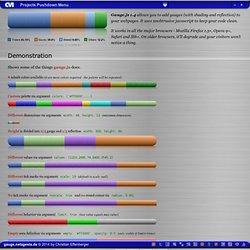
It uses unobtrusive javascript to keep your code clean. It works in all the major browsers - Mozilla Firefox 1.5+, Opera 9+, Safari and IE6+. On older browsers, it'll degrade and your visitors won't notice a thing. The Internet Explorer implementation has a limitation of a maximum of 14 values for reasons that are inherent in the used vml fill parameter "colors". Because of Operas different behavior (in comparison with gecko and webkit) when using "globalCompositeOperation", the presentation differs. Superfish - Suckerfish on 'roids.
60 modèles de navigation commentés des bonnes pratiques d’ergonomie, de référencement et d’accessibilité. Superfish - Suckerfish on 'roids.