
Downloads. OpenVPN 2.3.3 -- released on 2014.04.09 (Change Log) This release contains a number of bug fixes, small enhancements and changes aimed at improving long-term compatibility with newer OpenVPN versions.

Windows installer I001 is also bundled with an updated OpenVPN-GUI and more importantly includes OpenSSL 1.0.1g that fixes the very serious heartbleed vulnerability (OpenVPN-specifics here). Windows installer I002 fixes a few easy-rsa issues, most notably Trac ticket #287. All Windows users of OpenVPN 2.3-rc2-I001 through OpenVPN 2.3.2-I003 should upgrade their installations immediately. If you find a bug in this release, please file a bug report to our Trac bug tracker. Instructions for verifying the signatures are available here. This release is also available in our own software repositories for Debian and Ubuntu, Supported architectures are i386 and amd64. Note that easy-rsa is no longer bundled with OpenVPN source code archives.
GUI for Windows. If you already have a working installation of OpenVPN, you can use the "Application only" link below to download the OpenVPN GUI executable alone.
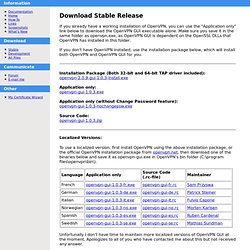
Make sure you save it in the same folder as openvpn.exe, as OpenVPN GUI is dependent on the OpenSSL DLLs that OpenVPN has installed in this folder. If you don't have OpenVPN installed, use the installation package below, which will install both OpenVPN and OpenVPN GUI for you. Installation Package (Both 32-bit and 64-bit TAP driver included): openvpn-2.0.9-gui-1.0.3-install.exe Application only: openvpn-gui-1.0.3.exe Application only (without Change Password feature): openvpn-gui-1.0.3-nochangepsw.exe Source Code: openvpn-gui-1.0.3.zip Localized Versions: To use a localized version, first install OpenVPN using the above installation package, or the official OpenVPN installation package from openvpn.net, then download one of the binaries below and save it as openvpn-gui.exe in OpenVPN's bin folder (C:\program files\openvpn\bin\). Key Finder Programs - Top 13 Free Product Key Finder Programs - 1.

Belarc Advisor Belarc Advisor is the standard when it comes to system information software. I've been using this program for many, many years. One small aspect of Belarc Advisor is its ability to extract product keys for many software programs, including the one for Windows. Advantages include display of information in your browser window, no adware/toolbars to worry about, and an extensive list of other important computer data. Finds Keys for Operating Systems: Windows 10, Windows 8 & 8.1, Windows 7, Windows Vista, Windows Server 2012/2008/2003, Windows XP, Windows 2000, Windows NT, Windows ME, Windows 98, and Windows 95. Finds Keys for Other Software: Microsoft Office 2013, 2010, (plus all previous versions), Microsoft enterprise products, most programs from Adobe, Nero, Corel, and more, as well as keys for popular video games.
Belarc Advisor v8.5 Review and Free Download Please try Belarc Advisor for your software and Windows key finding needs before any other program.