
Become Master of Text Effects With 40 Adobe Fireworks Tutorials. Adobe Fireworks is a bitmap and vector graphics editor.

It is aimed at web designers for rapidly creating website prototypes and application interfaces. It is designed to integrate easily with other former Macromedia products, such as Dreamweaver and Flash. While Fireworks CS5 packs a lot of new features, it is still possible to achieve completion of these tutorials listed below. From my own experience, it’s hard to get started learning this program because you will face some obstacles. But take your time and be patient and you will master Fireworks in no time. 1. 3D Water Text Effect in Photoshop CS5 In this tutorial you will learn how to create realistic water text effect in Fireworks CS5. 2. Make your text look better with floral effect. 3. Create realistic looking Palm Pre icon in Fireworks. 4. Create the new Apple Cinema Display 24 the easy way. 5.
Learn how to use one of the best functions in Fireworks – QuickMask. 6. Learn how to create this amazing effect you see in the image. 50 Excellent Adobe After Effects Tutorials - Noupe Design Blog. Jan 07 2010 This post presents a round-up of Adobe After Effects Tutorials for your visual effects and motion graphics-related work.

After Effects is getting popular as the industry of Computer Graphics and Digital Motion is growing. With After Effects, you have choice to generate dynamic and expressive motion graphics with truly stunning visual effects — very easily and quickly. So here is the list of Adobe After Effects Tutorials. We hope that it will be helpful for you! After Effects Tutorials Glass OrbsIn this tutorial you will learn how to use After Effects to create shiny glass orbs in 3D and Create a spherical and reflection map from images. Jumbotron ColumnIn this extended tutorial learn how to identify the field order of footage and interpret it collectly; create a realistic Jumbotron-style look using CC Ball Action, Glow, Levels and Curves; turn the jumbotron into a 3D column mounted on grungy wire mesh using Zaxwerks 3D Layer Warps.
77 Ultimate Round-Up of Adobe After Effects Tutorials. The Computer Graphics & Digital Motion Industry is once again on its historical growth trend.
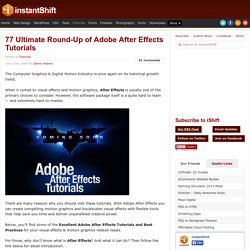
When it comes to visual effects and motion graphics, After Effects is usually one of the primary choices to consider. However, the software package itself is a quite hard to learn — and extremely hard to master. There are many reasons why you should visit these tutorials. With Adobe After Effects you can create compelling motion graphics and blockbuster visual effects with flexible tools that help save you time and deliver unparalleled creative power. Below, you’ll find some of the Excellent Adobe After Effects Tutorials and Best Practices for your visual effects & motion graphics related needs. For those, who don’t know what is After Effects? The next generation, representing two decades of excellence. In this presentation, we present to you a Ultimate Round-Up of Excellent Adobe After Effects Tutorials and Best Practices for igniting your creativity.
Round-Up of Adobe After Effects Tutorials. Animated Handwriting in After Effects Layers Magazine.