
Blog Tip: Mobilize Your Blog (Part 1) Overcast and cloudy, or rather, "Mostly Cloudy," is the forecast that I pray for as I squint into my iPhone weather app at 5:30 every morning.
But, just my luck, I usually get "Sunny" or "Partly Cloudy", which usually turns out to be "Mostly Sunny". Oh, but not so today, my friends. Today I got "Rain" --- glorious afternoon rain! Ok, ok, the perfect day would have been a day without precipitation, but I'll take what I can get. Breanna rose / for bloggers : facebook apps guide. After I gave my facebook a good overhaul last week, several people asked me me how to do it.
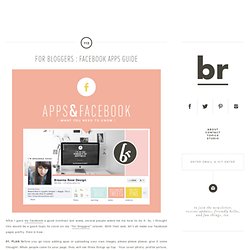
So, I thought this would be a good topic to cover on my “for bloggers” column. With that said, let’s all make our facebook pages pretty. Here is how : 01. PLAN Before you go crazy adding apps or uploading your own images, please please please, give it some thought. . * The sizes for all your space goes like this : Cover photo, 851 x 315 pixels. 02 ADD APPS Now it’s time for the fun part – apps.
. • TWITTER I used this app. . • BLOG FEED This app via NetworkedBlogs is great for grabbing posts from your blog and housing them on facebook, too. . * Please do note that the above app was free when this tutorial was written, but I’ve received numerous notes that you now have to pay. . • PINTEREST The pinterest app, in contrast to others, is really really easy to set up. Happy-Go-Lucky: Create and Share - Blogging Tips and Tutorials.
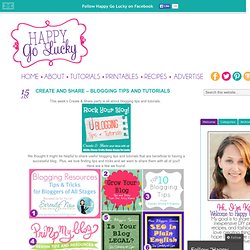
This week’s Create & Share party is all about blogging tips and tutorials.
Blogging Basics: 11 Blogging for Profit Posts! Jessica brought us 11 weeks of Blogging For Profit posts and I must say it has certainly helped me!
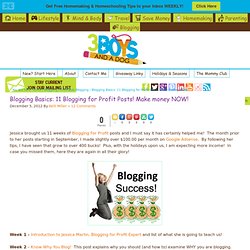
The month prior to her posts starting in September, I made slightly over $100.00 per month on Google Adsense. By following her tips, I have seen that grow to over 400 bucks! Plus, with the holidays upon us, I am expecting more income! In case you missed them, here they are again in all their glory! Week 1 - Introduction to Jessica Martin, Blogging for Profit Expert and list of what she is going to teach us!
Blogging 101. 80+ Blogging Tips & Tricks. 15 Pinterest Boards for Blogging Tips & AdviceBlogging With Kids. I actually find these blogging and social media Pinterest boards few and far between.
It seems every blogger has one in their boards, but often they’re close to empty. Three of My Favorite Blogging Resources at A New Kind of Normal. I’ve mentioned a thousand couple of times how excited I am about going to Bloggy Bootcamp in Atlanta in October but have I told you that I’m also now registered for my second blog conference?!
That’s right! I’m registered for Type-A Parent Conference 2012! The conference isn’t until next June but I got a steal on the ticket thanks to Super-Early Bird pricing! The best part is the location! Just an hour away from the lovely place I call home! Search, Social & Mobile Marketing SecretsThe Marketing Agents. Serendipity and Spice: Best of 2012 #8 - Legal Stuff for Bloggers. This week’s New Blogger Series is… Legal Stuff Yup, believe it or not there are some legal necessities to get out of the way- who knew that being a blogger could bring about legal issues- I didn’t realize until this week that you could be sued!
SCARY!! Or so she says...: Blogging. Or so she says...: My Top 10 Blogging Tips for Beginners. Blog Tip of the Day. Posted on September 13, 2012 Everyone always talks about how important social media is to building any kind of brand these days, from a Fortune 500 company to a fresh, new lifestyle blog.
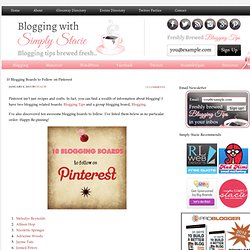
The reality though, is that for many of us (me completely and 100% included), it’s extraoardinarily difficult to manage a comprehensive social media program when you’re working, or have a family, or just want to have a life. I mean, major corporations have entire teams of people whose sole job is to monitor Twitter. 10 Blogging Boards to Follow on Pinterest - Blogging with Simply Stacie. Blogging with Simply Stacie Blogging Tips Brewed Fresh 10 Blogging Boards to Follow on Pinterest January 6, 2013 by stacie · 15 Comments Pinterest isn’t just recipes and crafts.
How to Make a Blogging Media Kit (With Examples!) What Every Blogger Want You To Know. How to format blog posts. Welcome to the Mom Blog Money Blog Series!
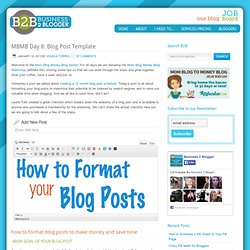
For 30 days we are following the Mom Blog Money Blog Workshop (affiliate link) sharing some tips so that we can work through the steps and grow together. Grab your coffee, have a seat, and join us. Yesterday’s post we talked about creating a 12 month blog post schedule. Today’s post is all about formatting your blog posts to maximize their potential to be indexed by search engines and to save you valuable time when blogging.
And we all like to save time, don’t we? Laurie Turk created a great checklist which breaks down the anatomy of a blog post and is available to anyone who purchases a membership for the workshop. The Best Blogging Course You Will Ever Take - Blogging with Simply Stacie. Last year I took MomComm’s Content Brew course and it was well worth it. I’m still using her tips and the content calendar to plan posts and I found it really helped me get focused and organized. MomComm has opened up registration for another session of Content Brew! If you need direction in creating fresh, exciting content, then this is the class for you. Space usually fills up quick so don’t want too long before registering.
Blogging Archives - Blogging with Simply Stacie. Buy the Book. Need New Blog Topics? Here’s 10 Ways to Find Them! When you’ve been blogging for a while, it can get to a point where it’s hard to come up with new topics to blog about. It can seem as if you’ve covered everything imaginable. However, there are always new developments in any industry or niche that you can write about and there are always fun new things that you can do with your loyal blog readers. Panic at the Dashboard! Finding Blog Topics. You know you need to update your blog. You’ve opened your browser, you’ve opened up your blogging platform, and now the cursor is staring at you accusingly, flashing that annoying flash on white… What the hell do you write about?
Now, I’m not talking about writer’s block. Writer’s block is when you know what you should blog about but the words won’t come. We’ve written plenty about writer’s block here at MomCrunch; there are things you can do to tackle that beast. How to Convert Pinterest Visitors to Subscribers. Interact! 7 blog layout tips to engage your reader - The Flourishing Abode.
Why is it that we blog? Why not just write in a journal? The specific answers may vary, but in the end it all comes down to the audience – the readers. Maybe you want to make people laugh, maybe you want to offer people help, maybe you want to share stories, maybe you want to draw traffic to make money. It’s all variations on a theme: finding readers. Because if we didn’t want readers, we would just write in in a private journal. And as in all the previous posts in this blog redesign series, my friend Lori’s blog, “In My Kitchen, In My Life” will serve as the example where I’ll be making these changes. Comments are like candy for a blogger. Join Reachli for the easiest way to market your visual content across the web. Is My Blog a Business? And Why Does it Matter? - Mazuma blog. Why did you start your blog? The reasons probably range from “For fun.” to “To make some money.”
Unfortunately, the reason you started the blog doesn’t matter when it comes to whether old Uncle Sam considers it a business. There are technically two ways your blog, or any home based hobby, becomes a business. First: Without consulting you, and without your consent, the IRS designates your activity as a business if you have a “reasonable expectation to earn a profit”. For a little more clarity on how that is defined, ask yourself these questions: Add a Pinterest Mouseover Button to Your Blog Images. Follow Kevin and Amanda on Pinterest. Have you noticed this trend on blogs lately? This is a new feature I’ve seen popping up everywhere. Inward Facing Girl - A Design-Obsessed Mom Who Writes A Lot - Clip Art Resources (For Blogs!) Design resources / How to add a "Pin It" Mouseover Button to your blog photos. Watercolor Social Media Icons for Blog & Web by 17thAvenueDesigns.
Primp My Blog: How to Add Social Media Buttons to Your Sidebar. Pantone Colour of the Year Social Media Icons : Noisette Academy. New free icon set: Retro! Carrie Loves. 25 Ideas for Blog Topics. Blogging Tips. Type: Social Media Icons. Freebies. I'm kind of a nerd. Okay, that's a lie. Blog Tips Part Two: The techy behind the scenes stuff - learn. Blogging Tips Part Two: The techy behind the scenes mumbo jumbo. How to Get Sponsors for Your Blog - learn. Do You Overuse "Of"? Today's topic is nixing the horrid "of. " How to Use the Word "Of" Almost everyone has a few bad writing habits. They're often the kind of thing experts or even your friends can point to and say "Yup, I know who wrote that. " Brand Identity + Graphic Design. Content Marketing and Copywriting Articles. 3 Reasons Why You Should Be a Formulaic Blogger.
Start your own home based business - Being an Agent - Technical Requirements. Home Business Equipment LiveOps does not provide any equipment to set up your home business. Independent contractors who support our clients must maintain their own computer, software, telephone and telephone service. Telephone Service Requirements: A landline telephone SEPARATE from your home phone Long distance service is not necessary Call waiting, voicemail and all other features must be disabled The LiveOps platform supports the following telephone service options: Corded landline service Digital telephone from AT&T Uverse, Verizon FIOS and Comcast Digital Voice The LiveOps platform does NOT support the following: Voice-over IP phone services (e.g.
Telephone & Headset Requirement: A corded telephone (no wireless telephones) A corded headset compatible with your corded telephone (no wireless headsets) Computer Requirements: Additional Recommendations Computer System configured in accordance with Microsoft's recommendations as outlined on their “Protect Your PC Web Site.” Sell $20,000 Worth of Your Next Ebook. How to Market & Sell Your Ebook — Everything you need to know about making money with ePublishing. 10 Free Blogging eBooks That Should Be Paid. 279days.pdf (application/pdf Object) 7 Free Useful eBooks That Every Blogger Should Read. How to Use WordPress: Tips & Tricks. My Favorite Plugins. How To Check Spelling and Grammar Without Spell Check. Why I Turned Down a Book Deal (And the Lessons I Learned), Part 6. Blogging Resources All Bloggers Should Have. Blog Tips to Help You Make Money Blogging - ProBlogger.
2 Tips for Commenting on Limited Time. How to Make Money Blogging: 10 Ways to Build & Increase Your Readership (Part 3) » How To Start Offering Giveaways On Your Blog.