
Raging Menace - MenuMeters. MenuMeters cannot be used on 10.11 El Capitan, please see "System Requirements" below.
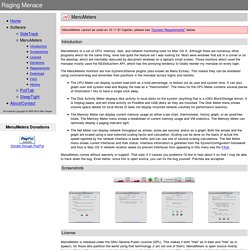
Introduction MenuMeters is a set of CPU, memory, disk, and network monitoring tools for Mac OS X. Although there are numerous other programs which do the same thing, none had quite the feature set I was looking for. Most were windows that sat in a corner or on the desktop, which are inevitably obscured by document windows on a laptop's small screen. Those monitors which used the menubar mostly used the NSStatusItem API, which has the annoying tendency to totally reorder my menubar on every login. The MenuMeters monitors are true SystemUIServer plugins (also known as Menu Extras). The CPU Meter can display system load both as a total percentage, or broken out as user and system time.
MenuMeters comes without warranty or support. Screenshots License MenuMeters is released under the GNU General Public License (GPL). See the "GNU General Public License.rtf" file for full license terms. ∞labs · Afloat. Secrets. Growl. Perian - The swiss-army knife of QuickTime® components. HandBrake. Many Tricks · Witch. Witch 3 now lets you assign Command-Tab and Shift-Command-Tab (or Command-`) as the Witch activation keys.

Set up in this manner, Witch replaces the Command-Tab application switcher. Witch 3 also mimics some of the Command-Tab switcher's functionality. When you press H (hide) or Q (quit) with Witch active, the action occurs immediately, as it does with Command-Tab. Witch adds more useful when-active keystrokes, too: M to minimize a window, Z to zoom it to full screen, and W to close it. In addition, A and Shift-A will jump by application (instead of moving window-by-window), J and K will move the selection down and up (as in vi), T and B (or Home and End) will jump to the top or bottom of the panel. Press F to show the currently-selected document in a Finder window.
Press P (or Space Bar) to pop up a preview image, even when previews are disabled. Finally, press Comma while the Witch panel is visible to open Witch's settings—just like in most any other Mac OS X application. Irradiated Software - Cinch. Cinch Window managementat its simplest Cinch allows you to precisely resize a window simply by dragging to the left, right, or top screen edge.

What Is Cinch? Cinch gives you simple, mouse-driven window management by defining the left, right, and top edges of your screen as 'hot zones'. Drag a window until the mouse cursor enters one of these zones then drop the window to have it cinch into place. If you prefer a keyboard-centric approach to window management, you might also take a look at SizeUp. Tips & Tricks Drag windows by the title bar for best results.Cinch works best with single monitor systems as the edge between monitors is difficult to cinch to, but it can be done. To change back to the default delay, follow these steps: Synkron - Folder synchronisation. Sofortbild - Mac Tethered Shooting.
Hawk Wings - Plug-ins for Apple Mail. Time Machine: Setup on and restore from a NAS device - Mac OS X. This hint explained how to set up a network attached storage (NAS) device as a Time Machine backup.

To make this process easier, I've created an AppleScript that makes the creation and setup a one-step process -- just drag and drop your mounted NAS onto the following AppleScript to ready the drive for Time Machine use. ...