
Audacious 3.3 alpha. Conky (software) Conky has gained a strong following among many Linux and BSD enthusiasts, and was hailed as "one of the best maintained, and definitely one of the most useful, programs in the world of open source" in Linux Magazine.[9] It comes pre-configured in the default installation of Pinguy OS[10] and CrunchBang Linux.[11] Conky is a fork of torsmo, a system monitor that is no longer maintained.[12] Torsmo, however, continues to be used in systems where applications that use minimal resources are preferred.

Damn Small Linux, for example, runs torsmo in its desktop root window on the default installation of its Live CD.[13] Conky derives its name from a character in the Canadian television programme Trailer Park Boys.[1] Xmonad/Using xmonad in Gnome. XMonad 1 Introduction Xmonad makes an excellent drop-in replacement for Gnome's default window manager (metacity) giving you a slick tiling window manager.

This guide will help you set up Gnome to use XMonad >= 0.9. TODO: Anyone willing to clean up this page and move out of date suggestions to a `Gnome-X.X or older page' will be entered into a drawing to win a free logApplet and taffybar installation. ;-)
Top 5 Bit Torrent Clients for Ubuntu. Applications for Ubuntu/Linux are not at all in short supply.

But picking the best from the rest is not an easy thing to do. 25 Things I did After Installing Ubuntu 12.04 LTS "Precise Pangolin" Ubuntu 12.04 LTS "Precise Pangolin" is proving everyone wrong.
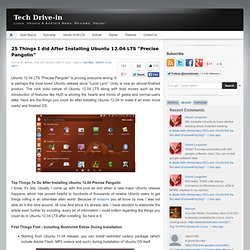
It is perhaps the most loved Ubuntu release since "Lucid Lynx". Unity is now an almost-finished product. The rock solid nature of Ubuntu 12.04 LTS along with bold moves such as the introduction of features like HUD is winning the hearts and minds of geeks and normal-users alike. Unity - What Application Indicators are available. 6 Great Free, Open-Source Games to Fetch After Installing Ubuntu. Battle for Wesnoth Battle for Wesnoth, or BfW for short, is a popular turn-based strategy game which takes place in a fantasy universe and has support for singleplayer and multiplayer, official campaigns (and more available to download), hotseat games.

The game comes by default with 6 factions and takes place over hexagons, each player deploying his army and trying to kill his opponent. Wesnoth can be highly modded via WML (Wesnoth Markup Language), and the add-ons server includes many more maps, factions, eras and campaigns. Beside for the usual mode which allows up to 9 players to battle against each other or forming teams, there are also the rumble maps (very small maps), or the survival ones, or the multiplayer campaigns or role playing maps.
There is also an unofficial ladder available. Wesnoth is really an awesome, complete game, with a great community, great online playing, music themes, map editor, a great helping system, and much, much more. sudo apt-get install wesnoth Download. How To Backup Ubuntu 11.10 Using Déjà Dup. Four Hidden Tools in Scribus. Scribus is a powerful tool, but its menus are poorly laid-out.
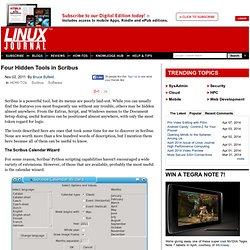
While you can usually find the features you most frequently use without any trouble, others may be hidden almost anywhere. From the Extras, Script, and Windows menus to the Document Setup dialog, useful features can be positioned almost anywhere, with only the most token regard for logic. The tools described here are ones that took some time for me to discover in Scribus. None are worth more than a few hundred words of description, but I mention them here because all of them can be useful to know. The Scribus Calendar Wizard For some reason, Scribus' Python scripting capabilities haven't encouraged a wide variety of extensions.
As packaged in most distributions, the calendar wizard is available from Script -> Scribus Scripts. To produce a calendar, select the language and the layout options, the year, and the months to include (there's a check box if you want the entire year). Replace Colors Adding Barcodes Sections. Get Tomahawk... Things To Tweak After Installing Ubuntu 11.10 Oneiric Ocelot. Update: for Ubuntu 12.04, see: Things To Tweak After Installing Ubuntu 12.04 Precise Pangolin.

Kororaa 16 Beta Released. By Susan Linton - Nov. 29, 2011Comments (0) Chris Smart recently announced that Kororaa 16 Beta has been released.

Kororaa is a Fedora-based distribution aimed at making everyday desktop computing a bit easier straight out of the box. Version 15 was released in September followed by an update in October. Kororaa 16 will offer the latest in annoying desktop environments as well as all the goodies Kororaa usually brings. GNOME 3 with customizations and KDE with custom layouts begin the adventure. GNOME Shell Extensions. Everything Ubuntu. Daily. Sublime Text: The text editor you'll fall in love with. Web Upd8: Ubuntu / Linux blog: Ubuntu PPAs By WebUpd8. We have set up a few PPAs (Personal Package Archive) so that Ubuntu users can easily install some applications which are either not yet available in the Ubuntu repositories or the Ubuntu repositories only provide an old version.
Check out the latest WebUpd8 PPAs news / latest uploads @ So far, these PPAs are available: Oracle Java JDK 6/7/8 Installer PPA - - easily install the latest Oracle Java JDK 7 (automatically downloads and installs Oracle JDK). Update: now the PPA also has Oracle JDK6 and JDK8 packages.