
Building a single page app with Backbone.js, underscore.js and jQuery. Overview We've been finding ourselves building more and more JS heavy apps here at &yet.
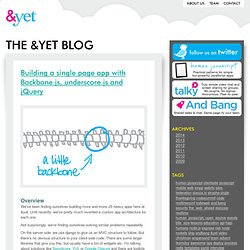
Until recently, we've pretty much invented a custom app architecture for each one. Not surprisingly, we're finding ourselves solving similar problems repeatedly. On the server side, we use django to give us an MVC structure to follow. But there's no obvious structure to your client-side code. But for those of us who want to lovingly craft the UI exactly how we want them in the JavaScript we know and love, and yet crave quick lightweight solutions, those toolkits feel like overkill.
Building Single-Page Applications Using jQuery And ColdFusion With Ben Nadel (Video Presentation) jQuery BlockUI Plugin (v2) The jQuery BlockUI Plugin lets you simulate synchronous behavior when using AJAX, without locking the browser[1].

When activated, it will prevent user activity with the page (or part of the page) until it is deactivated. BlockUI adds elements to the DOM to give it both the appearance and behavior of blocking user interaction. Usage is very simple; to block user activity for the page: jQuery DataTables Plugin Meets C# - Zack Owens. Over the weekend, I was doing some work on the internal CMS we use over at eagleenvision.net and I wanted to scrap my custom table implementation for a table system that would use JSON to return data rather than have the data be statically allocated on the page.
Basically I wanted to have the ability to refresh, etc for editing purposes. Nivo Slider - The Most Awesome jQuery Image Slider. Beautiful transition effects Nivo Slider offers 16 transition effects ranging from slicing and sliding, to fading and folding, making your galleries interactive and fun.

No coding skills needed Create a beautiful experience when playing your gallery of images without any advanced coding. Include the image slider in your posts and pages using a simple shortcode. Automatic image cropping Nivo Slider crops and resizes images to a specified size, so you don’t have to do it manually for each image. Responsive and mobile ready The generated image sliders are completely responsive.
Everyone loves Nivo! Time to make the best of your website’s’ image galleries. Pre-built slider themes You can choose the style of your sliders from the awesome pre-built themes. Create sliders from categories or galleries Besides the classic image sliders, Nivo allows you to choose between Category and Gallery sliders. Post types support Create carousels Join 471,039 happy customers and get access to 30+ premium products. jQuery 1.4 cheat sheet. jQueryPad. Using jQuery & JSONP for cross-domain AJAX with WCF services - Jason Kelly's blog.
SmartTools jQueryLoader for SharePoint. Disabling Right Click (context menu) with jQuery. 8 Useful jQuery Calendar, Date Picker and Time Formatting Plugins that You Should Know jQuery is one of the most popular Javascript library.

It’s easy to use, flexible, and most of all there’s a lot of jQuery tutorials and plugins available out. They are making the creation of dynamic effects and web controls easier. jQuery has become one of the most used JavaScript libraries today an... jPoint - jQuery for SharePoint forms, lists, webparts, and webservices. Charles Lee : Using the JQuery dialog widget in a custom SharePoint web part. If you have played around with the dialog widget in JQuery UI you may have noticed a couple of things. Like a lot of JavaScript libraries it messes with the DOM (Document Object Model) at what might be unexpected times and therefore it does not play well with SharePoint. It breaks the web part verb menu (the 'edit' drop down menu) Actually it (like a lot of the JQuery UI widgets) is an incredibly powerful tool to your client side arsenal, and as long as you adhere to some best practice it will work perfectly happily within SharePoint, or any other ASP.Net site.
Low impact text changing in SharePoint with jQuery - Fear and Loathing. Mike Smith over at Tech Training Notes had a nice simple post a few weeks back on changing the default text displayed at the bottom of stock web parts in SharePoint.

For example discussion boards show this text when it's blank: "There are no items to show in this view of the "Test" discussion board. To create a new item, click "New" above. That's great but what if the "New" link isn't avaiable (if you turn off the full toolbar and put a discussion list on a page this would happen). Or what if you don't like calling it a discussion board (for various reasons) and want to say forum. jQuery - Checkbox manipulation. 5 easy tips on how to improve code performance with huge data sets in jQuery. Monday, February 09, 2009 Sitting on jQuery's support mailing list I noticed that developers use jQuery with huge data sets and their code becomes very slow. Examples would be generating very long tables with a lot of rows using AJAX to get JSON data.
43,439 reasons to use append() correctly. The .append() method is perhaps the most misused of all jQuery methods.

While an extremely useful and easy method to work with, it dramatically affects the performance of your page. When misused, the .append() method can cripple your JavaScript code's performance. When used well, it'll keep your script humming along. Here is a typical example of append misuse: JavaScript: var arr = reallyLongArray;$.each(arr,function(count,item){var newTd = $('<td></td>').html(item).attr('name','pieTD'); var newTr = $('<tr></tr>');}); SmartTools for SharePoint - Release: SmartTools v4.0. Currier's Blog: SharePoint Web Services. Catalin’s Zeroes and Ones » Blog Archive » Calling SharePoint web services using jQuery. This blog publishes each week a programming challenge they think would appropriate for a programming job interview.

In my opinion most of them aren’t very well suited for a job interview but this isn’t the subject of my post. The aim of my post is to solve this week challenge. This week question is: Your input:List of points in a 2D space. If you draw lines between one point to the next one, a closed polygon is created (can be either concave or convex).A single point in a 2D space.You need to determine whether the given point is inside or outside the given polygon.[...]Provide the most efficient and simple algorithm. Glimmer - Lab - MIX Online. Glimmer: a jQuery Interactive Design Tool is a prototype from the Mix Online Labs which makes jQuery accessible through a visual tool.

The objective for Glimmer is pretty simple: to enable the power of jQuery through an interactive design surface. If jQuery is the "write less, do more” JavaScript library, then Glimmer is the “write none, do more” jQuery design tool. Recursive object merge with $.extend() « MENINMAC. jQuery Library for SharePoint Web Services - Home. jQuery Plugin: Scroll to Top - Ph.Creative Blog. Buu Nguyens Blog » Blog Archive » ASP.NET MVC ... Inspired by the work of Emad Ibrahim, I set out to develop a validation library for ASP.NET MVC.

Besides trying to meet the same objectives as Emad Ibrahim’s library, i.e. model-based validation, integration with the jQuery validation plugin, and little or no duplication between client-side and server-side validation, these are the differences of my library: Built for MS Validation Application Block. (Emad Ibrahim’s library targets Castle’s validation framework. Check out his library if you need this feature.)Allow users to specify the properties to be included in a server-side validation. This is useful in situation in which you use part of the model in some pages (e.g. How does it work? Now, whenever this entity is populated with form posted values, you can perform server-side validation by invoking the Validate() extension method on the entity. The above code will perform validation on the entity given its validation attributes.
Let’s see the result of the server-side validation: ASP.NET MVC Validation Library - Release: ASP.N... Using jQuery to directly call ASP.NET AJAX page methods. Note: This post is part of a long-running series of posts covering the union of jQuery and ASP.NET: jQuery for the ASP.NET Developer. Topics in this series range all the way from using jQuery to enhance UpdatePanels to using jQuery up to completely manage rendering and interaction in the browser with ASP.NET only acting as a backend API. If the post you're viewing now is something that interests you, be sure to check out the rest of the posts in this series.
When it comes to lightweight client-side communication, I’ve noticed that many of you prefer ASP.NET AJAX’s page methods to full ASMX web services. In fact, page methods came up in the very first comment on my article about using jQuery to consume ASMX web services. Given their popularity, I’d like to give them their due attention. In this post, I will clarify exactly what is and isn’t necessary in order to use page methods. An Introduction to jQuery - Part 1: The Client Side. By Rick Strahl www.west-wind.com/weblog Ok, I admit it. For many, many years I hated JavaScript. I hated writing JavaScript code, and even more I hated the pain that goes along with dealing with different browsers using reams of script code. I still hate the same problems today, but thanks to a recently gained better understanding of JavaScript and a small JavaScript client library called jQuery I'm no longer dreading the days when I have to write client centric Ajax script code.
I started out as a JavaScript neophyte and stayed that way for a long time. Sure I used JS here and there for validation and few simple manipulation tasks, but it wasn’t until a few years ago when Ajax surfaced to even take a more serious interest. Using jQuery with ASP.NET: Part 2 - Making Ajax... By Rick Strahl www.west-wind.com/weblog In the first part of this article series I introduced jQuery’s functionality and how it provides a rich client side programming model. Dynamically create ASP.NET user control using JQuery and JSON enabled Ajax Web Service - Sanjeev Agarwal. Webtoolkit4.me. jQuery Ajax tutorials, jQuery UI examples and m...
PimenTech-scripts : jquery.jfra... Use jQuery - Showcase of sites that use jQuery.