
12 Absolutely and Insanely Essential Utilities For Programmers. In every era in recent times there has been one profession that for a short while you could enter without formal training.

Autodidacts in the 19th century could read the law without recourse to formal education (see Abe Lincoln). In the early 20th century it was aviation. For a short while in the 1980s and early 1990s, it was computing, thanks to the release of the Apple IIe, the IBM PC and the Mac. Were it not for that Window® of opportunity, I hate to think what would have become of me. (Hey buddy, can you spare a dime?) As much as I continue to love to code 30 years later, there are a few aspects I hate: Doing a mundane task more than onceNot remembering how i fixed this problem in the pastLosing work to crashed disks or stupid irreversible revisionsNot being able to find subtle text differences in files.
Hence, my 12 essential utilities…. Before We Begin. Certification. Today I managed to pass EPiServer 6 Certification.

The most difficult part is preparing to the exam. The problem is lack of information about the test. Here are two useful posts about EPiServer 5 Certification: EPiServer CMS 5 Certified Developer and How to become a EPiServer Ceritified Developer which are still valid for version 6. So, to help the others who are going to take the exam I decided to write the third note. First of all, be prepared that 30% of the questions are not related to development (install/upgrade sites, admin/editor UI, languages etc.). Ajax to Validate Forms. There’s two types of validation: Simple, server-independent validation, i.e. checking email address are the right format, password and confirm password matches, etc.Server-based validation, with can be delivered with a page refresh, or live (as this tutorial will explain), i.e. for checking whether a username is taken.
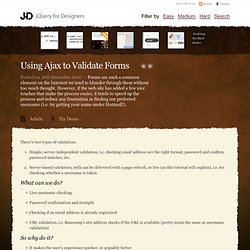
What can we do? Live username checkingPassword confirmation and strengthChecking if an email address is already registeredURL validation, i.e. Basecamp’s site address checks if the URL is available (pretty much the same as username validation) So why do it? It makes the user’s experience quicker, or arguably betterIt’s not much extra work to put in place (explained below) Examples in the wild. Extension Methods (C# Programming Guide) Extension methods enable you to "add" methods to existing types without creating a new derived type, recompiling, or otherwise modifying the original type.

Extension methods are a special kind of static method, but they are called as if they were instance methods on the extended type. For client code written in C# and Visual Basic, there is no apparent difference between calling an extension method and the methods that are actually defined in a type. The most common extension methods are the LINQ standard query operators that add query functionality to the existing System.Collections.IEnumerable and System.Collections.Generic.IEnumerable<T> types. To use the standard query operators, first bring them into scope with a using System.Linq directive. Then any type that implements IEnumerable<T> appears to have instance methods such as GroupBy, OrderBy, Average, and so on. The following example shows how to call the standard query operator OrderBy method on an array of integers. Getting your data out of the data controls - Unhandled Exception. After you've created a layout with a data control of your choice and eventually bound them to some datasource, you almost always want to get that data back out of them(and why wouldn't you, its your data).

One thing you'll learn about developing asp.net webpages is that its like petting a porcupine (yikes). If you go with the flow, you probably won't get stuck, but the moment you try to go against the grain you end up with a hand full of thorns. Most of the data controls have events ending in ing and ed e.g. RowUpdating, RowUpdated etc. In most of the event handlers of the ing events it is easy to get the values from the event args. private void OnGridViewRowUpdating(object sender, GridViewUpdateEventArgs e) { Checking All CheckBoxes in a GridView. By Scott Mitchell Introduction A common website user interface pattern is a list of items with a checkbox in each row.

The archetypical example is the web-based email client, which allows a series of messages to be selected by checking that email's checkbox. Once one or more emails have been selected, the user can apply some group action on those selected messages, such as deleting them, marking them read, or moving them to a different folder. In addition to having the ability to check each record, one at a time, many such user interfaces also provide a "check all" checkbox in the header row. Creating such a user interface with ASP.NET 2.0's GridView control is quite possible, and is the focus of this article. Building the Foundation: Creating a GridView with a CheckBox in Each Row. Post-back i ASP.NET och jQuery BlockUI plugin. DateTime.ToString() Patterns. Patterns & practices: App Arch Guide 2.0 Knowledge Base.