
Simple Sound Playing. COMP 1671 Fall 2011. About This Course This course will cover introductory programming concepts including control structures, lists, classes/objects, and object-oriented programming.

Implementation of solutions will be in Processing and Java using the Processing (www.processing.org) IDE. The goal is to learn fundamental programming concepts using 2D games and media as project assignments. The course will start with using the Scratch (www.scratch.mit.edu) environment to quickly learn fundamental concepts. Course Meeting Times Section 1: JGH 318, Tue/Thu from 10:00 AM to 11:45.
Section 2: JGH 316, Tue/Thu from 12:00 PM to 1:45. Required Resources Laptop (Mac or Windows) that can run Processing Install Scratch ( www.scratch.mit.edu ) Install Processing ( www.processing.org ) Textbook: There is no required book, there will be notes online, but the first book will be very useful. Grading Final Exam The final is scheduled by the University for Tuesday Nov 22 during normal class time.
Late Assignments Missed Labs. Sound in Processing – Interaction Umeå Wiki. Sound in Processing We got introduced to a sound library called Minim and played around with how to play sound effects and full mp3-files.

Some more info on the library can be found here This is an example of using a shorter sound effect import ddf.minim.*; Minim minim; AudioSample kick; void setup(){ size(640, 480); // always start Minim before you do anything with it minim = new Minim(this); // load Balloon.wav from the data folder, with a 512 sample buffer kick = minim.loadSample("Balloon.wav");} void draw(){ //nothing to actually draw} void keyPressed(){ if ( key == 'k' ) { kick.trigger(); }} void stop(){ // always close Minim audio classes when you are done with them kick.close(); minim.stop(); //super.stop();} This is an example of playing an entire mp3 My example for the game with keyboard input: How can a totally logical computer generate a random number. Code.compartmental. Processing.js. Basic Syntax A brief look at the structure of a Processing sketch reveals how easy it is to program interactive visualizations.
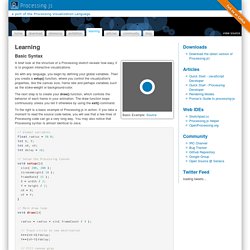
As with any language, you begin by defining your global variables. Then you create a setup() function, where you control the visualization's properties, like the canvas size, frame rate and perhaps variables such as the stoke-weight or background-color. The next step is to create your draw() function, which controls the behavior of each frame in your animation. The draw function loops continuously unless you tell it otherwise by using the exit() command.
To the right is a basic example of Processing.js in action. Adding interactivity to your visualization is incredibly simple. Processing.js also tracks a range of pre-defined variables like key, which stores the value of the last key pressed; or mouseX and mouseY, which store the last recorded position of the mouse pointer. Using Processing There are two ways of implementing processing. First Method Needed files: