
How to Create PDFs in Google Drive in Three Steps. Forms - Kern Kelley. Google Form Templates If you are logged into your Google Account, these form templates will automatically copy into your Google Docs Dashboard.
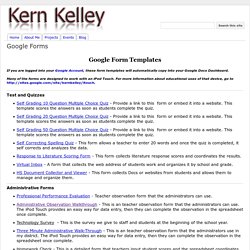
Many of the forms are designed to work with an iPod Touch. For more information about educational uses of that device, go to Test and Quizzes Self Grading 10 Question Multiple Choice Quiz - Provide a link to this form or embed it into a website. Administrative Forms Professional Performance Evaluation - Teacher observation form that the administrators can use. 5,000 new stock images in Google Drive, thanks to you. Going Google in Your School. Google Drive and Docs for Teachers 2012. 8 Great Free Technology Posters to Hang in your Classroom. So you want to start your next school year with a great new look for your classroom ?.
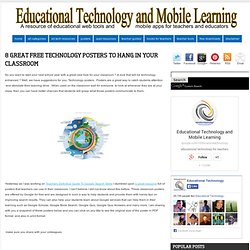
A look that will be technology enhanced ? Well, we have suggestions for you: Technology posters . Posters are a great way to catch students attention and stimulate their learning drive . When used on the classroom wall for everyone to look at whenever they are at your class, then you can have better chances that students will grasp what those posters communicate to them. 47 Page Guide to Google Sites for Teachers. Killing the FUD & dispelling the myths around GAFE. In schools, all you need is web. Posted by Vidya Nagarajan, Product Manager, Chromebooks for Education (Cross-posted from the Official Google Blog.)

While students in the northern hemisphere say goodbye to each other and another school year, we’re in sunny San Diego meeting with thousands of educators and administrators at the International Society for Technology in Education (ISTE) conference. While on break from teaching, these folks are here to teach others how they’re bringing innovation into their classrooms—a lot of which centers around the web. While the web was developed well before today’s students were born, it’s come a long way even since a year ago. Today you can access the web on any device, use the web offline and take advantage of amazing graphics. It’s been really amazing to see how the web is impacting schools. How To Unlock Google Drive's App Potential For Music, Image Editing, And More. For the past seven years, the Obama White House has made it a priority to spread entrepreneurship around the world, culminating this past week with the U.S.

-sponsored Global Entrepreneurship Summit in Silicon Valley. In an exclusive interview with Fast Company, conducted over email, Secretary of State John Kerry talks about how spreading entrepreneurship helps the U.S. achieve its foreign policy goals and which global hubs Americans should keep an eye on. Fast Company: One doesn’t usually associate "entrepreneurship" with the State Department and U.S. diplomacy: What’s the connection? Secretary Kerry: Economic policy and foreign policy are two sides of the same coin. It is why I have made economic prosperity an integral part of my foreign policy agenda and why we have invested heavily in events like the Global Entrepreneurship Summit. How does spreading entrepreneurship overseas help the U.S. become more secure? There are a lot of promising places to watch. Google for Teachers II - Free 33 Page Guide. ePortfolios - Overview - ePortfolios with GoogleApps. What is an ePortfolio?
An ePortfolio (electronic portfolio) is an electronic collection of evidence that shows your learning journey over time. Portfolios can relate to specific academic fields or your lifelong learning. Evidence may include writing samples, photos, videos, research projects, observations by mentors and peers, and/or reflective thinking. The key aspect of an eportfolio is your reflection on the evidence, such as why it was chosen and what you learned from the process of developing your eportfolio. (Adapted from Philippa Butler’s “Review of the Literature on Portfolios and Eportfolios” (2006), page 2.) An ePortfolio is not a specific software package, but more a combination of process (a series of activities) and product (the end result of the ePortfolio process).
The real value of an e-portfolio is in the reflection and learning that is documented therein, not just the collection of work. " The e-portfolio is the central .and common point for the student experience. Google for Educators: The Best Features for Busy Teachers. Among all the links and downloads out there, it can be hard for teachers to know which ones work best.
Google has made it easier by creating Google for Educators, which compiles some of the search engine's most useful features in one place. Whether you're teaching Spanish or social studies, mathematics or music, there's a free Google feature that will make your lessons more dynamic and your projects more organized. The lively, informative website offers step-by-step visual tours and even videos to help you get set up. Below are some of the most useful features that the site has to offer. Google Search Google Search is at the heart of it all. Making the Most of Google Docs: Tips & Lesson Ideas.
Since attending the Google Teacher Academy in April, I have been trying to learn as much as possible about each Google application.
The result? Templates for Student Projects - uTeach With Technology. Google+ Hangouts Get Apps, Including SlideShare and Diagram Tools. Google Docs for Teachers - A Free eBook. About the 'Calendar Address' - Google Calendar Help. A 'Calendar Address' is the public address for your calendar.

50 Little-Known Ways Google Docs Can Help In Education. 5 Ways To Be A Better Public Speaker 7.16K Views 0 Likes If you've been asked to speak at a conference or host a seminar, you may be shaking in your boots. Not only is the thought of speaking in public nerve-wracking, but being in charge of a seminar that no one wants to at... My 10 Favorite Learnist Boards Of The Year 2.66K Views 0 Likes I wanted to take a moment and share my favorite Learnist boards from the past year.