
Turn the iPad® into a Knowledge Creation resource with Inspiration® Maps. Buy Now Free Trials Products & Services Inspiration (Mac/Windows) Inspiration Maps (iPad/iPhone) Kidspiration (Mac/Windows) Kidspiration Maps (iPad) Webspiration Classroom (Web/Chromebooks) WebspirationPRO (Web/Chromebooks) Visual Learning Overview Graphic Organizers Concept Mapping Mind Mapping Webbing Outlining Plots & Graphs Resources Getting Started Training Scripts For Parents State Standards Research Blog Curriculum Integration Inspiration Kidspiration Webspiration Classroom InspireData Lesson Plans Common Core Special Needs Inspired Learning Community Global Help Center.
The 1 IPad Classroom: Episode 21 « Techchef4u. DonateApps.org ~ Donate Apps To Schools. Apps in Education. Sometimes we intimidate people because the lists we create are just too big.
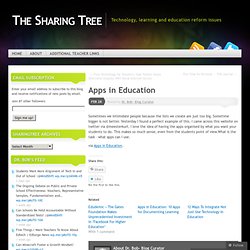
Sometime bigger is not better. Yesterday I found a perfect example of this. I came across this website on twitter via @meesterkurt. I love the idea of having the apps organised by what you want your students to do. This makes so much sense, even from the students point of view.What is the task – what apps can I use. via Apps in Education. Like this: Like Loading... Bob’s has focused his expertise in technology integration in the K-12 community and teacher education. Writing iPad Inspired Lessons. iPad As.... iPads have exploded throughout schools and classrooms.
Their flexibility, versatility, and mobility make them a phenomenal learning tool. As teachers seek ways to integrate these devices, we recommend focusing on specific learning goals that promote critical-thinking, creativity, collaboration, and the creation of student-centric learning environments. In other words, begin with..... BHS iPad Apps. Reflection App for the Mac OS and the iOS device. Reflector is a useful application that allows you to mirror your iPad 2 and newer or the iPhone 4s or the iPad Mini, to your desktop using AirPlay mirroring on either a Mac or a Windows machine.
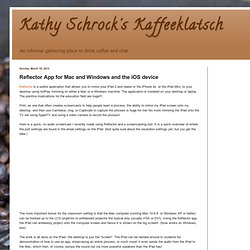
The application is installed on your desktop or laptop. The positive implications for the education field are huge!!! First, as one that often creates screencasts to help people learn a process, the ability to mirror my iPad screen onto my desktop, and then use Camtasia, Jing, or Captivate to capture the process is huge for me!
No more mirroring the iPad onto the TV set using AppleTV and using a video camera to record the process! Here is a quick, no audio screencast I recently made using Reflector and a screencasting tool. The more important bonus for the classroom setting is that the Mac computer (running Mac 10.6.8 or Windows XP or better) can be hooked up to the LCD projector or whiteboard projector the typical way (usually VGA or DVI). 39 Sites For Using iPads in the Classroom. Pages - Menu This Blog Linked From Here Sites to Follow Friday, October 7, 2011 39 Sites For Using iPads in the Classroom How Much Did Steve Jobs Change the World?

5 Great iPad Apps For Early Childhood Teachers10 iPad Apps Everyone Should Have- from PC Magazine10 Must Have iPad Apps for Students and Teachers10 Ways to Use iPads in Your Classroom40 iPad Apps Librarians Love40 Most Awesome iPad Apps for Science Students50+ iPad Apps By a Geography Teacher62 Interesting Ways to Use an iPad in the Classroom100 Incredibly Useful and Free iPad AppsBest Academic Reference Apps for the iPad- some $$, some freeA Day in the Life of the iPad ClassroomThe Debate Over iPads in EducationDigital Storytelling with the iPad Posted by Julie Greller at 7:24 AM Labels: ipads, ipads in the classroom, using ipads in the classroom Newer PostOlder PostHome.
Blogs: Mary Beth Hertz. 14 Ways to Use Garageband in the Classroom. Garageband is a great app that I think any student or teacher using an iPad should consider buying.

It is a multi-track audio editing app that is as robust as you will ever need (unless of course you teach audio production). Later this week I will be posting a new page full of Garageband resources for teachers, students and learning. For now, you can get your brain juices flowing by reading the list below, watching the embeded ‘how to’ videos, and then go start playing with Garageband yourself!
Download Garageband from iTunes here. 13 Ways To Use iMovie In The Classroom. Is there an app for that?

Well, chances are there are dozens of apps for anything you want to do, but sometimes you find one app that is robust enough to have multiples uses for you and your students. For me, iMovie is that app. I find myself using it for everything from slow motion videography to documentation, to presentations and everything in-between. Below are 13 ways that I have used iMovie (or have heard of others using iMovie) with students to enhance learning.
Documentation: Use the camera and microphone to record student work and performances. Peer Feedback: Use video as a great medium to get students to begin to provide each other with feedback. Self Reflection: Students learning to be self aware and provide self-feedback is one of the most effective things we can teach our students. Creating Movies: Youtube is the most popular and powerful search engine for kids, it is how they communicate. Professional Growth: Even as teachers, we can be using iMovie to learn. Syded. i4t.cmswiki.wikispaces. Budget storage for iPads. Top Charts - iPad - United States - Education.