
How To Develop for the Cloud in Visual Studio 2010 - Windows Azure. Windows Azure Development: Get started building cloud applications. Community - Technical Blogs. Regular Expression Tutorial - Learn How to Use Regular Expressions. This tutorial teaches you all you need to know to be able to craft powerful time-saving regular expressions.
It starts with the most basic concepts, so that you can follow this tutorial even if you know nothing at all about regular expressions yet. The tutorial doesn't stop there. It also explains how a regular expression engine works on the inside, and alert you at the consequences. This helps you to quickly understand why a particular regex does not do what you initially expected. It will save you lots of guesswork and head scratching when you need to write more complex regexes. What Regular Expressions Are Exactly - Terminology Basically, a regular expression is a pattern describing a certain amount of text. This first example is actually a perfectly valid regex. \b[A-Z0-9._%+-]+@[A-Z0-9.-]+\. With the above regular expression pattern, you can search through a text file to find email addresses, or verify if a given string looks like an email address.
How Browsers Work: Behind the scenes of modern web browsers. Web browsers are the most widely used software.

In this primer, I will explain how they work behind the scenes. We will see what happens when you type google.com in the address bar until you see the Google page on the browser screen. The browsers we will talk about There are five major browsers used on desktop today: Chrome, Internet Explorer, Firefox, Safari and Opera. On mobile, the main browsers are Android Browser, iPhone, Opera Mini and Opera Mobile, UC Browser, the Nokia S40/S60 browsers and Chrome–all of which, except for the Opera browsers, are based on WebKit.
The browser's main functionality The main function of a browser is to present the web resource you choose, by requesting it from the server and displaying it in the browser window. DOM Enlightenment - Exploring the relationship between JavaScript and the modern HTML DOM. Walkthrough: Creating a New Data-tier Application Project. In this walkthrough, you create and configure a data-tier application (DAC) project, add objects, then build and deploy the DAC to a test instance of the SQL Server Database Engine.

Tasks illustrated in this walkthrough include: Software Project Plan. At 15 I set my heart upon learning.

At 30 I established myself (in accordance with ritual). TS: Windows Applications Development with Microsoft .NET Framework 4. Developing Web Applications with Microsoft Visual Studio 2010. After completing this module, students will be able to: Describe the underlying architecture of ASP.NET 4.0.Identify new features in ASP.NET 4.0.Describe the components of the MVC framework.Describe the structure of an MVC application.Describe the life cycle of a Web Forms page.Describe the life cycle of an MVC page.Describe the differences between the life cycle of a Web Forms page and an MVC page Explain the different types of web applications and their characteristics.

Choose the correct design based on the on business requirements, utilizing Web Forms and MVC based. Ultra-Fast ASP.NET 4.5, 2nd Edition. Book Description Ultra-Fast ASP.NET 4.5 presents a practical approach to building fast and scalable web sites using ASP.NET and SQL Server.

In addition to a wealth of tips, tricks and secrets, you’ll find advice and code examples for all tiers of your application, including the client, caching, IIS 7.5, ASP.NET 4.5, threads, session state, SQL Server 2012 (otherwise known as Denali), Analysis Services, infrastructure and operations. By applying author Rick Kiessig’s ultra-fast approach to your projects, you’ll squeeze every last ounce of performance out of your code and infrastructure—giving your site unrivaled speed. Beginning T-SQL 2012, 2nd Edition. Book Description Beginning T-SQL 2012 is the first step toward learning the T-SQL language that underlies Microsoft’s SQL Server database engine.

T-SQL is essential in writing SQL statements to get data into and out of a database. T-SQL is the foundation for business logic embedded in the database in the form of stored procedures and functions. Beginning T-SQL 2012 starts you on the path to mastering T-SQL, with an emphasis on best practices and sound coding techniques. Beginning T-SQL 2012 begins with an introduction to databases, normalization, and to SQL Server Management Studio. Imparts best practices for writing T-SQLHelps you avoid common errorsShows how to write scalable code for good performance. Introduction to JOINs – Basic of JOINs. The launch of Gandhinagar SQL Server User Group was a tremendous, astonishing success!
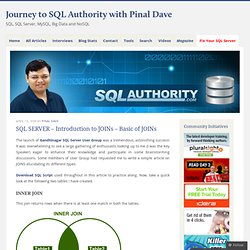
It was overwhelming to see a large gathering of enthusiasts looking up to me (I was the Key Speaker) eager to enhance their knowledge and participate in some brainstorming discussions. Some members of User Group had requested me to write a simple article on JOINS elucidating its different types. Download SQL Script used throughout in this article to practice along. Now, take a quick look at the following two tables I have created. The Self Join – Inner Join and Outer Join. Self Join has always been an note-worthy case.

It is interesting to ask questions on self join in a room full of developers. I often ask – if there are three kind of joins, i.e.- Inner Join, Outer Join and Cross Join; what type of join is Self Join? The usual answer is that it is an Inner Join. In fact, it can be classified under any type of join.