
NoobSlide - mootools. Smooth Vertical or Horizontal Page Scrolling with jQuery. In this tutorial we will create a simple smooth scrolling effect with jQuery.
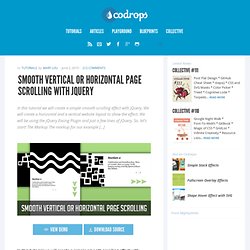
We will create a horizontal and a vertical website layout to show the effect. We will be using the jQuery Easing Plugin and just a few lines of jQuery. So, let’s start! The Markup The markup for our example […] The Local Wisdom Blog. CSS-Tricks. » Slicing Spritemaps and Parallax Scrolling on the HTML5 Canvas. In this example we will look at slicing images with the drawImage() method of a 2d canvas context.
We’ll use two images that are larger than the canvas to create a parallax scrolling effect that is common in 2d games and also another image as a spritemap consisting of three sprites to show how to slice out and draw individual sprites. I made this example as simple as possible to keep from cluttering up the key concepts of slicing and drawing pieces of images on the canvas. It only moves in one direction by pressing the right arrow key on your keyboard. What you need to run this An HTML5 friendly browser. Hospedagem ilimitada [Brasilserv.com] Servidor de hospedagem estável.
Agência Digital. HTML5 Rocks - A resource for open web HTML5 developers.