
Optimizing WordPress for Search Engines. By Matt Alexander So, you have this amazing WordPress site, but for some reason the search engines just don’t show you much love.
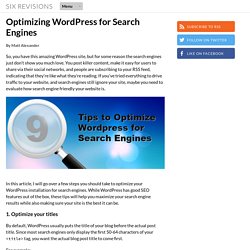
You post killer content, make it easy for users to share via their social networks, and people are subscribing to your RSS feed, indicating that they’re like what they’re reading. If you’ve tried everything to drive traffic to your website, and search engines still ignore your site, maybe you need to evaluate how search engine friendly your website is. In this article, I will go over a few steps you should take to optimize your WordPress installation for search engines. While WordPress has good SEO features out of the box, these tips will help you maximize your search engine results while also making sure your site is the best it can be. 1. By default, WordPress usually puts the title of your blog before the actual post title. For example: Tips for Making WordPress Friendly to Search Engines - YourSiteName.com is better than: 1. 2. 2. 3.
Rather than /%postname%/ Wordpress Web Optimization: 15 Tips And Plugins To Monitor, Spee. As a famous open source and feature-rich blogging platfom, WordPress requires a stable and good hosting environment.

There are a few recommended hosting providers listed on the WordPress official website. These hosting providers meet the minimum system requirements of WordPress. However, there are a lot of potential providers that meet the requirements. WPWebHost and Exabytes are among the great WordPress hosting providers. Bloggers can actually optimize their blogs to consume less server usages and less bandwidth. Besides installing the plugin, you can tweak your theme and remove the unnecessary features so that your WordPress system consumes less resource and load faster. In this article, we are going to look into 15 different plugins and tips to optimize your WordPress site. WordPress Plugins To Monitor, Cache And Speed Up Your Blog 1. WP System Health can display basic server info and WordPress PHP memory usages. 2. 3. WP super Cache is a well-known caching plugin for WordPress. Legal Guide for Bloggers. Whether you're a newly minted blogger or a relative old-timer, you've been seeing more and more stories pop up every day about bloggers getting in trouble for what they post.
Like all journalists and publishers, bloggers sometimes publish information that other people don't want published. You might, for example, publish something that someone considers defamatory, republish an AP news story that's under copyright, or write a lengthy piece detailing the alleged crimes of a candidate for public office. The difference between you and the reporter at your local newspaper is that in many cases, you may not have the benefit of training or resources to help you determine whether what you're doing is legal.
And on top of that, sometimes knowing the law doesn't help - in many cases it was written for traditional journalists, and the courts haven't yet decided how it applies to bloggers. But here's the important part: None of this should stop you from blogging.