
Built-in Charting Controls (VS 2010 and .NET 4 Series) [In addition to blogging, I am also now using Twitter for quick updates and to share links.
Follow me at: twitter.com/scottgu] This is the fifteenth in a series of blog posts I’m doing on the upcoming VS 2010 and .NET 4 release. How to get the asp:chart working in ASP.NET 4 (IIS 7) Today I decided to move from my old friend Dundas Chart to the newly-integrated ASP.NET 4.0 chart.
As Scott Guthrie writes in his blog: "You can use this control without having to register or wire-up any configuration file entries. All of the charting control configuration is now pre-registered with ASP.NET 4 (meaning nothing has to be added to an application’s web.config file for them to work). This enables you to maintain very clean and minimal Web.config files. " What followed was a day of misery and Google searching for answers. In fact, Visual Studio gave me this error: Using Microsoft's Chart Controls In An ASP.NET Application: Getting Started. By Scott Mitchell Introduction A picture is worth a 1,000 words...
This adage rings especially true when it comes to reporting. Charts summarize and illuminate patterns in data in a way that long tables of numbers simply cannot. Web developers have long searched for ways to express numerical data in a graphical format; until recently, doing so required the use of an open source or third-party charting or reporting package or some homegrown technique using HTML, GDI+, or some other technology. The Microsoft Chart Controls are an encompassing set of charts for WinForms and ASP.NET applications. While the Microsoft Chart Controls have some rough edges, their cost (free), number of chart types, and array of supported charting features make them an excellent choice for adding charts to an ASP.NET web application. Downloading and Installing the Microsoft Chart Controls The files to download follow:
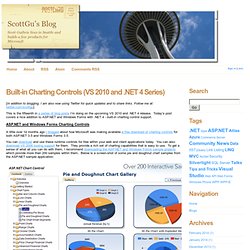
New ASP.NET Charting Control: <asp:chart runat="server"/> Microsoft recently released a cool new ASP.NET server control - <asp:chart /> - that can be used for free with ASP.NET 3.5 to enable rich browser-based charting scenarios: Once installed the <asp:chart/> control shows up under the "Data" tab on the Toolbox, and can be easily declared on any ASP.NET page as a standard server control: <asp:chart /> supports a rich assortment of chart options - including pie, area, range, point, circular, accumulation, data distribution, ajax interactive, doughnut, and more.
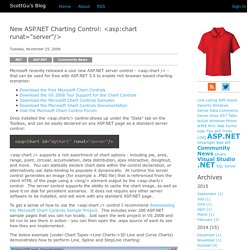
You can statically declare chart data within the control declaration, or alternatively use data-binding to populate it dynamically. At runtime the server control generates an image (for example a .PNG file) that is referenced from the client HTML of the page using a <img/> element output by the <asp:chart/> control. The server control supports the ability to cache the chart image, as well as save it on disk for persistent scenarios. Hope this helps, Scott. Entity Framework and ASP.NET – Getting Started Part 1. The Contoso University sample web application demonstrates how to create ASP.NET Web Forms applications using the Entity Framework 4.0 and Visual Studio 2010.
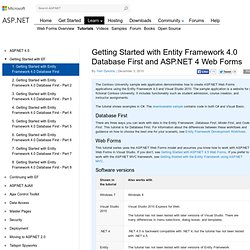
The sample application is a website for a fictional Contoso University. It includes functionality such as student admission, course creation, and instructor assignments. The tutorial shows examples in C#. The downloadable sample contains code in both C# and Visual Basic. Database First There are three ways you can work with data in the Entity Framework: Database First, Model First, and Code First. Web Forms This tutorial series uses the ASP.NET Web Forms model and assumes you know how to work with ASP.NET Web Forms in Visual Studio. Software versions Questions If you have questions that are not directly related to the tutorial, you can post them to the ASP.NET Entity Framework forum, the Entity Framework and LINQ to Entities forum, or StackOverflow.com.
Overview Users can view and update student, course, and instructor information. Continuing with EF.