
Parenting in the Digital Age. How to make iPad kids film better. It’s about time I add another post about my actual teaching practice and how my kids use iPads. One set of iPad skills that interests all the kids and gives them something fun to do is professional film making tricks. This would work well with students from the age of 10 to 16. The lesson is divided in 2 : Sound (Sound effects / Dubbing / voiceovers)Camera work (Steady-cam / multi views per moment) The requirements in general are that at least one student in 4 has the iMovie app or equivalent (There are free movie editing apps but they sometimes limit to 30 seconds export – check the App store). I then take them through some remarkable facts in film making that they might never have considered.
Foley – Dubbing – Voiceover One of the difficulties when filming with iPads is that the microphone is too small and too far from the actor or subject to record it properly. The Art of noise making is called Foley, which you will see in the credits of every film. Like this: Like Loading... Related. 50 Of The Best Resources For iPads In Education.
The 20+ Apps To Know About In 2013. Education got a lot more mobile in 2012 as in-school iPad initiatives , the iPhone 5 launch and online learning providers in general made classroom experiences more interesting—and don’t expect to see teaching head back to desktop PC’s in 2013. In fact, as MOOCs and hybrid programs continue to evolve, mobile should have an ever more significant role to play. Looking back at some of 2012′s most significant app launches and updates, Education Dive assembled a list of a few of the best apps on iOS and Android devices that we think educators should know about for 2013.
Some of these are already out in the wild, and some are still twinkles in their developers’ eyes. All of 23 of them stand to be important, however, in the new year: 1. Spin is bringing interactive learning into the 21st century—the TogetherLearn mobile app allows online learners to virtually recreate traditional classroom elements. 2. 3. 50 Apps In 50 Minutes LACUE. 30hands Mobile is a fun and innovative storytelling app that allows students, teachers and anyone with creativity to easily create stories or presentations based on photos, images or slides using a smart phone or tablet.
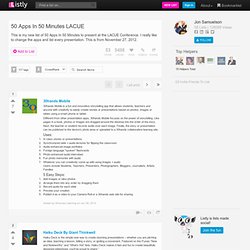
Different from other presentation apps, 30hands Mobile focuses on the power of storytelling. Like pages in a book, photos or images are dragged around the desktop into the order of the story. Next, the teacher or student records audio over each image. Finally, the story or presentation can be published to the device’s photo area or uploaded to a 30hands collaborative learning site. Rover Flash Browser for iPad. Mobile Apps | News iSwiFTER Releases Rover Flash Browser for iPad In an effort to enable Flash-based content for iPads, iSWiFTER Learn has developed a new browser app, called Rover, specifically designed for educators and students that offers both pre-selected learning content and filtered web browsing.
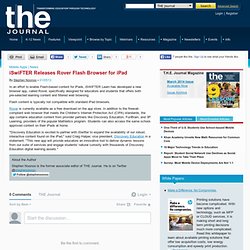
Flash content is typically not compatible with standard iPad browsers. Rover is currently available as a free download on the app store. In addition to the firewall-compliant web browser that meets the Children's Internet Protection Act (CIPA) standards, the app contains education content from provider partners like Discovery Education, FunBrain, and 3P Learning, providers of the popular Mathletics program.
"Discovery Education is excited to partner with iSwifter to expand the availability of our robust, interactive content found on the iPad," said Craig Halper, vice president, Discovery Education in a statement. The iPad and Maths – Are we there yet? Pt 1. My last two posts on iPads and good teaching have focused on teaching and learning writing.
Now I’m moving on to my favorite subject as a teacher – Mathematics. I love Maths – both learning and teaching it. For those who don’t know me ( which is obviously most of you reading ), I am a Primary ( Elementary ) School teacher but I have spent most of my 25 year teaching career also tutoring High School Maths on the side, supporting many children who have missed out on understanding important Mathematics concepts. Math-tastic iVocabulary. After taking a look at the 8th Math Benchmark Exam and perusing the student data, a few things became abundantly clear: Much of the test involved vocabulary AND successful problem-solving was based on the knowledge of that vocabulary and the ability to assimilate the given terms and information in order to draw an object, produce a table, or complete a graph.
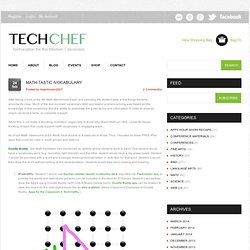
While this is not really a shocking revelation (especially to those who teach Math as I did), I instantly began thinking of apps that could support math vocabulary in engaging ways. All of our Math classrooms at Ed White have access to a class set of iPods. Thus, I focused on three FREE iPod apps that could be used in small groups and stations. Doodle Buddy: The Math Facilitator had mentioned an activity where students work in pairs. One student would have a vocabulary word (e.g. isosceles right triangle) and the other student would have a dry erase board. Kid Safe Browsers for iPad and iPhone. By Natalie Parents know that it’s not safe to allow children unrestricted access to the internet.
You wouldn’t let little Jimmy run around all willy-nilly in a strange city and you surely wouldn’t allow anything of the sort in cyberspace, right? The issues with internet access and children come in many forms. Your child may be young enough that they accidentally stumble upon inappropriate content ranging from nudity to foul language, leaving you to explain the human anatomy at a much sooner time than you had imagined. Introducing School-Wide Digital Citizenship Practices with iPads. An elementary school in our district recently got 30 iPads and asked for some advice implementing them with students and teachers.
In addition to suggesting some starter apps, I recommended that we have conversations with kids around the appropriate use of these devices. While almost every child has used an iPad, iPod Touch, or iPhone, the exciting learning opportunities these mobile, Internet-connected, media creation devices create also open the door to new challenges. 10 Most Stylish iPad RSS Readers. Opting for Shopify as an ecommerce platform and page builder has its advantages.

Not only does Shopify offer a full online store with advanced marketing tools at an affordable monthly rate, but the themes and apps for designing and extending your store are often free or rather inexpensive. We often recommend premium themes from Shopify due to their extra features and more intuitive designs, but there are also plenty of free Shopify themes to build modern, sleek ecommerce stores without the hassle or the extra cost. Continue reading Best Free Shopify Themes for a Sleek, Affordable Design in 2021 Finding the best WooCommerce themes takes patience and testing to locate the right features and appearance for your brand. However, there's what seems like a never-ending collection of WooCommerce themes online, making it rather difficult to see them all and identify the options that may work.
iPad 2 as a serious writing machine (how-to) I knew when I bought the iPad 2 a while back that it would provide a number of uses for me, but I quickly discovered it fills more important roles in my work than I believed it would.
One of those, a key for me, is as a serious system to use for a lot of the writing I do in my work. I write 3,000 words most days for all of the projects I have going on, and the iPad 2 has stepped up to handle a lot of the task quite nicely. I wrote about using the iPad 2 for writing a while back, and contantly receive questions about how I use it in this role. The best way to deal with those questions is to detail how I use the tablet as a writing machine on a daily basis. iPads and Tablets in Education. Take the iPad Challenge - Stone Soup. How to Turn Your Tablet into an Awesome, Productivity-Boosting Second Screen. AirPlay Mirroring to a Mac (no Apple TV required) Update: Reflection has been renamed Reflector.

It is available for Macintosh and for Windows PCs. Projecting Your iPad Wirelessly - Without an Apple TV. Important update: May 6, 2012 - Mirror to your Windows PC as well Shortly after the release of Relection a second mirroring solution called AirPlay was released - available at Reflection and Airplay both allow mirroring of an iOS device to a Mac.

Many site members had asked about a solution that would allow mirroring to a Windows PC. In its latest update, Airplay has now added a version that will allow mirroring to a PC as well. When iOS 5 was released many of us were thrilled with its ability to allow projection (mirroring) of your iPad to a projector using Airplay and Apple TV. iPad Document Camera Stand. Justand's education price is $89 and volume pricing is available. Justin tells me much of the price is for raw materials.
The stand is made from large thick sheet of aluminum and has a 40 pound torque hinge. Of course, if you don't already have an iPad, the Justand document camera solution can be over $600. A third generation iPad will make a better document camera than an iPad 2 because the newer iPad has a much better camera. At $89, Justand is cheaper than most document cameras. Instead of using the standard camera app, I would suggest using the CamDraw app (99¢) to draw on top of the live image from iPad's camera.
Create your own iPad keyboard for less than $10! One of the more common complaints among iPad users is that the keyboard is awkward to use. Apple offers a wireless keyboard solution at the prohibitive price of about $70 plus shipping but you can actually create your own simple iPad keyboard for less than $10. You need two simple components: iPad Keyboard NOT an Issue For Students. One Keyboard For Your Computer Or iPhone. Do you like the idea of using a keyboard with your iPhone or other iOS device? Matias has come out with a new keyboard called One Keyboard which allows you to connect to your Mac or PC, and iPhone all at the same time.
You can easily switch between the two with the push of a button on the One Keyboard. No more fumbling around with Bluetooth connections using your device settings. There are three models to choose from: the Slim One Keyboard, the Standard One Keyboard and the Tactile One Keyboard. The Slim One Keyboard is small, slim and the iPhone or iPod touch sits on a dock off to the side on the “Minirizer.” The Standard One Keyboard is larger and provides s a dock for the iPhone or iPod touch right on the keyboard itself. Finally, the granddaddy of them all is the $199.95 Tactile One Keyboard. Dictate Thoughts and Ideas to Your iPad with PaperPort Notes. PaperPort Notes is a brand new app for the iPad, brought to you from Nuance, the company responsible for the popular Dragon dictation software. This new note taking app incorporates Nuance’s Dragon voice recognition, allowing you to take notes just by speaking into the app. Quick List: iPad Resources For The Classroom.
iPod Touch & iPad Resources. The Top 20 iPhone And iPad Apps of 2011. Editor’s note: Contributor Brad Spirrison is the managing editor of mobile app discovery services Appolicious, AndroidApps.com and AppVee. With this post, he continues an annual tradition of picking the best iOS apps of the year. It’s telling that Apple chose an app that debuted more than 14 months ago, Instagram, as its “iPhone App of the Year” for 2011. This should not imply that there was a shortage of quality and groundbreaking apps released this year. Ipad Apps for Teachers. Teachers Guide on The Use of iPad in education. Internet Catalogue. My Pinterest iPad boards. Mobile Learning. Langwitches Blog. The conversation about visible thinking in Math started with one of our teachers at Graded, The American School of São Paulo, Adam Hancock, wanting to know how he could incorporate having students’ use their blogfolios in Math class.
It seemed natural to have students write for Humanities (Language Arts and Social Studies), but writing did not seem part of what Middle School Math was about. How could “blogging” go beyond taking a digital image of a Math problem on paper or a quiz and writing about ”how the student felt about solving the problem or passing the test?” Or ask themselves what they could have done better?
One of the first steps was to bring more “language” into the Math classroom. On Sarah's iPad. Appcessories. Buying Guide: iPad cases. 14 iPad cases for your child with special needs. How to Clean Your iPad Screen - A One Minute Video Lesson. iPad Cart Management - Downloading and Syncing with Apple Configurator - HCSMobile. Creative APP-titude: iPad Multimedia Tools for Creativitity.
Could Doceri be the IWB killer? iPad Multimedia Tools. Keynote can do much more than simple slides with text and images! In this hands on session, we’ll explore new tools that let you draw, annotate, animate, audio record, and make videos. We’ll look at how students are using these tools to create animations, digital storytelling, clipart, and more.
iPad AND iPod Resources and Lessons. iPad Resources - Paul's E-Learning Resources. 20 Essential iPad Websites. 8 Free Resources on The Use of iPad in Education. Best interactive iPad books of 2011 for kids of all ages - iPhone app recommendations - Lisa Caplan. Load Up Your iPad with a Massive Library of Over 38,000 Free eBooks. 6 interactive book apps to get your kids excited about reading. Reading on the iPad for the Little Ones. Teaching Large Classes with an iPad » IPAD Activities Examples. iPad Apps. Learning and Teaching with iPads. Teaching and Learning: Using iPads in the Classroom. Teaching Kids with iPads – Part 1 of 5. iPads in the Classroom. Sample Lessons - iPad in Education. iPad Lessons. A Day in the Life of Elementary Flat Stanley. iPad classroom examples.
iPads in the Classroom. Journey with an iPad. How iPads have already made our school better (and most people don't even have one yet) iPads in a Junior Classroom. Using iPads in the Primary Grades. Great apps for teaching and classroom management. iPad Resources. Teach with your ipad. Integrating Technology in Education. How to Design a Beautiful iPad Lesson: Katie Lately: iPad Lesson Plans. Using Show Me to Create Lessons on iPads - Guest Post. 8 Burning Questions About iPads in Class (Answered!) iBuild iPad Lessons: TCEA 2012. WallaceHighSchool's Channel. Only 1 iPad in the Classroom? iPad As....use to address specific goals. Educreations For Assessment. iPads Making assessment meaningful. Lesson ideas. 68 Interesting Ways to use an iPad in the Classroom.
App Learning Tasks By Brad Wilson www.21innovate.com. Ncsa-ipads - Handouts. The iPad as RTI Intervention Toolkit. iPad Apps for Kids with LD « Smart Kids With LD. Apps for Literacy Support. Using iPads With Mixed-Ability Students, Teachers Must 'Give Up Some Control'
Evaluating iPad Use.