
background preloader

Technology

Facebook Twitter

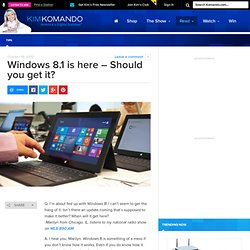
Windows 8.1 is here - Should you get it? Q. I’m about fed up with Windows 8! I can’t seem to get the hang of it. Isn’t there an update coming that’s supposed to make it better? When will it get here? -Marilyn from Chicago, IL, listens to my national radio show on WLS 890 AM A. I hear you, Marilyn. That’s why I wrote this tip for people who hate Windows 8. Fortunately, your wait is over. This update is Microsoft’s attempt to fix the problems users have complained about for a whole year. While it isn’t perfect, it is a must-have update for anyone with Windows 8. Predictably, some of the options you’ll love in 8.1 aren’t turned on out of the box. Let’s start with updating from Windows 8; it isn’t hard. Windows 8.1's best new features in pictures. Easily delete unwanted Web accounts like Facebook, Hotmail, Dropbox and more. Can a smartphone replace your computer? Q. My old computer is on the way out, but instead of buying a new one I thought maybe I could just use a smartphone.
What do you think? -John from Springfield, IL, listens to my national radio show on WMAY 970 AM A. Today’s smartphones are small, powerful computers that fit in your pocket, John. You can use them to do a lot of the same things you do on your PC, including Web browsing, email and watching video. The same is true for tablets. If you think about it, a modern smartphone can actually do a lot more than your old computer. So replacing your computer with a smartphone is a no-brainer right? While smartphones can do many of the same things your computer does, it isn’t quite the same experience. Web browsing on a smartphone is a mixed bag. Light browsing is generally fast and easy, but you won’t be opening dozens of sites at once. How to download streaming media and watch it anywhere, anytime. Subscribing to Hulu Plus or Netflix is a great deal—until you find yourself on a less-than-perfect Internet connection. Perversely, your streaming media library is most valuable in places where you can’t access the Internet: Watching a movie or burning through episodes of your favorite TV show is the best way to get through a long plane trip, a car ride, or a vacation in the middle of nowhere.

Luckily, you can use third-party software and a few tricks to download streaming video from Amazon, Hulu, and Netflix. Now you can watch your entertainment on your terms, even in places where your cherished Amazon Prime account is inaccessible. Bottling the Amazon Prime Instant Video stream At first blush Amazon appears to offer an easy option with its downloadable Unbox Player, but the fine print renders Amazon’s own tool almost useless for practical purposes. I rented a movie on Amazon to test whether Unbox could indeed download files for later. Jumping through hoops to save Hulu video. Samsung Galaxy S4. With the Galaxy S4, Samsung clinches its goal of global smartphone domination. The supercharged Android 4.2 Jelly Bean device may look like a toy compared with the stunning HTC One and the dapper iPhone 5 . But taken together, its blazing quad-core processor, colorful 5-inch HD screen, sharp-shooting 13-megapixel camera, and mile-high stack of software extras make the Galaxy S4 the most powerful superphone anywhere in the world.
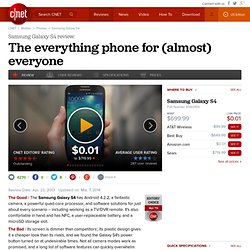
What does the Galaxy S4 have? A better question is: what doesn't it have? It's true: most of the GS4's featurettes aren't essential -- and some aren't even very useful, like the camera's Eraser mode, which I never got to work, a subpar optical reader, and a translation tool that just duplicates what Google Translate already does. So, if you want a lovingly crafted statement phone that barely strays from Android's core offering, then buy the HTC One, which also has double the internal storage for about the same price. Design and build So do I like the new design? Ubuntu-based smartphones officially coming in October | PCWorld. Mark your calendars Ubuntu fans: Canonical, provider of the popular open-source operating system, officially announced smartphones running a mobile version of the OS will be available to consumers in October.
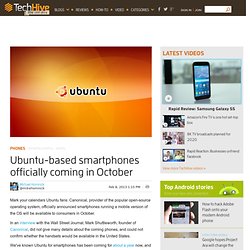
In an interview with the Wall Street Journal, Mark Shuttleworth, founder of Canonical, did not give many details about the coming phones, and could not confirm whether the handsets would be available in the United States. We've known Ubuntu for smartphones has been coming for about a year now, and owners of a Galaxy Nexus will be able to download a copy of the OS at the end of this month. This, however, is the first official news we've had about the release of real Ubuntu hardware. One big hurdle Ubuntu for smartphones will need to overcome is the availability of apps, something the operating system's project team is apparently aware of.

The ultimate Android tethering guide. Tethering: It's one of the most convenient features your smartphone has, yet carriers insist on restricting it. Tethering most often refers to using your smartphone as a mobile hotspot. In other words, it lets you connect to the Internet on your laptop, tablet, or Wi-Fi enabled device, using your phone's data connection.

Tethering is very useful if you happen to be in an area that has no free Wi-Fi and you need to do your computing on a device other than your phone. [Related: How to tether your iPhone] Carriers don't really want you to use this oh-so-convenient option, because users who tether are more likely to use a lot of data. After all, it's much easier to use data when you're browsing on a laptop or a tablet, than when you're limited to your smartphone's tiny screen. Tethering on your carrier Verizon This doesn't mean that all tethering on Verizon is free, though? Here's how much it costs to tether on AT&T: If you have a grandfathered-in unlimited data plan, tethering is not an option? Can You Trust Your Browser With Your Passwords? Having your Web browser remember your passwords and/or credit card details can be convenient, but it poses some security risks.
How much of a risk depends on which browser you’re using, whether you sync with other devices, and whether you’re using any of the browser's extra security features. Here are the main vulnerabilities in some of the most popular browsers—Internet Explorer, Google Chrome, and Mozilla Firefox—and ways you can protect against those weak spots. Common Security Risks The biggest problem with having your browser save your passwords involves prying eyes. As you’ve may have noticed, banking sites—and many others that deal with highly sensitive information—don’t let your browser save your password. Some browsers let you (or, potentially, thieves) view a list of your saved login credentials, including the site, username, and password. Internet Explorer 9 Internet Explorer 9 offers the most basic password-saving functionality of the three browsers we’re covering.

Firefox 14. 2 Services That Help Protect Public Wi-Fi Users. If you're using your computer away from your home network -- whether in a coffee shop, at the airport or in a hotel room -- chances are pretty good that your wireless network (even your wired network in a hotel room) is unsecure. Tools like Firesheep and Reaver can easily be used by hackers to find out personal information from Wi-Fi users on the same Wi-Fi network -- you may think that the guy three tables over is just checking his email, but he could be stealing your credit-card information or passwords. While many mobile workers likely have a VPN client to secure their wireless connection while on the road, there's still the issue of people using their own personal computers for work, or for the times when the mobile worker forgets to connect to the work VPN (trust me, many times when I'm traveling I forget to connect to the VPN if I just want to Web surf).
EVENT: Network World BYOD Seminar -- Philadelphia -- Sept. 27 To continue reading, register here to become an Insider. How to Use Your Android Tablet as a Secondary Display. If you own an Android tablet, you probably get most of your real work done on a desktop or laptop PC, and use your tablet primarily for casual Web browsing and content consumption. But you can use your tablet to improve your productivity, too.
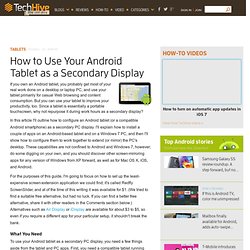
Since a tablet is essentially a portable touchscreen, why not repurpose it during work hours as a secondary display? In this article I'll outline how to configure an Android tablet (or a compatible Android smartphone) as a secondary PC display. I'll explain how to install a couple of apps on an Android-based tablet and on a Windows 7 PC, and then I'll show how to configure them to work together to extend (or mirror) the PC's desktop. These capabilities are not confined to Android and Windows 7, however; do some digging on your own, and you should discover other screen-mirroring apps for any version of Windows from XP forward, as well as for Mac OS X, iOS, and Android.

What You Need Install the Tablet App, and Give Your Tablet a Name A Few Drawbacks. How to Fix Your Wi-Fi Network: 7 Tips. Wireless Internet networks afford us the luxury of browsing the Web cable-free, but a connection that relies on radio waves is subject to failure due to interference, signal range limits, hardware problems, and operator error. With that in mind, we've put together a quick guide to the most common Wi-Fi troubles and how to fix them. If you're struggling with your Wi-Fi network at home or in the office, read on to discover a few different ways to troubleshoot your Wi-Fi woes and restore your wireless network.

Check Your Laptop for a Wi-Fi Button or Switch Having trouble connecting to Wi-Fi in your favorite coffee shop or airport lounge? The problem might be right under your fingertips. Reboot Your Computer and Your Wireless Router If you still can't connect a computer or device, reboot it. Change the Wi-Fi Channel on the Router Most Wi-Fi routers and devices use the 2.4GHz radio band, which has 11 channels in the United States. Check and Reposition the Wireless Router. 25 Awesome Gadgets for $50 or Less. 10 Ways to Get the Most From Your Wi-Fi-Only Tablet. Much to the chagrin (and much against the ill wishes) of wireless carriers such as AT&T, Verizon, Sprint, and T-Mobile, people are buying Wi-Fi-only tablets. In fact, some studies have shown that in 2011 up to 90 percent of all tablets sold in the United States relied on Wi-Fi, rather than on 3G or 4G LTE. Today's Wi-Fi-focused tablets include the Wi-Fi only version of the Apple iPad, the Amazon Kindle Fire, the Asus Transformer Pad Infinity, the Google Nexus 7, and the Samsung Galaxy Tab, to mention a few.
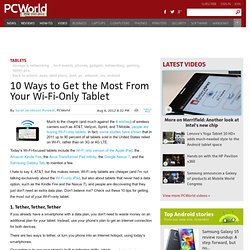
I hate to say it, AT&T, but this makes sense: Wi-Fi only tablets are cheaper (and I'm not talking exclusively about the Wi-Fi-only iPad, but also about tablets that never had a data option, such as the Kindle Fire and the Nexus 7), and people are discovering that they just don't need an extra data plan. Don't believe me? Check out these 10 tips for getting the most out of your Wi-Fi-only tablet. 1. The only problem with tethering is that carriers do their utmost to discourage it. 2.