
(127) Activar AutoCAD 2020 /64-bits [Español - ingles] Descargar y Activar Adobe Illustrator CC 2019. MEGA. Bitrix24 Free CRM Collaboration Project Management - Aplicaciones en Google Play. Bitrix24 is a social intranet, a unified work space for your company.
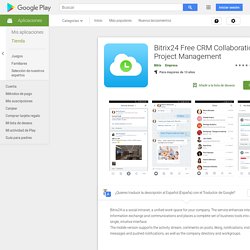
The service enhances internal information exchange and communications and places a complete set of business tools into a single, intuitive interface. The mobile version supports the activity stream, comments on posts, liking, notifications, instant messages and pushed notifications, as well as the company directory and workgroups. To deploy the mobile version on your device, enter the address of your Bitrix24, your login or email and password. What is Bitrix24? Imagine a place where all of your business communication and information is neatly collected, easily managed, and accessible at any time. Icons provided free by Bitrix24 es una intranet social, un espacio de trabajo unificado para su empresa. Para implementar la versión móvil de su dispositivo, introduzca la dirección de su Bitrix24, su nombre de usuario o correo electrónico y contraseña. ¿Cuál es Bitrix24? Los iconos proporcionan de por. Timeline.
How to start a side project: 21 pro tips: Advice from other industry pros. Every designer should have a side project.
But whether you're developing a world-changing startup, an enterprise to eventually replace your day job, or just something fun, you’ll inevitably be sacrificing your spare time. So it's important to make those precious hours count. How? Here's a series of tips to help you on your mission. 01. It’s tempting to keep adding features and details to your project because you want it to be perfect from day one. It's important not to overcomplicate on your first iteration. Focus on your first version, and worry about all the problems that might occur if you’re successful once they're closer to being a reality. 02.
Above all, your side project should be about something you're passionate about. If you're looking for an opportunity to eventually break from your day job and generate income, don’t let this dampen your passion and guide all your decisions. 03. Choose something familiar and develop more expertise in it. Be More Productive. Maybe you - like me - get invigorated by setting new goals.
But if we're going to achieve them and make progress on what's most important, we have to clear the decks. We have to figure out which goals are most essential, what tasks we can let go of, and how to triage and prioritize effectively. Over the past five years, I've written extensively about productivity, time management, and goal setting in places like the Harvard Business Review and Forbes. I've developed and tested a set of productivity strategies that have enabled me to write books, raise my profile, and build a robust international business, while enjoying a great quality of life. But I've never presented them in a comprehensive fashion, until now. Rapid Content Creation Masterclass. You know that writing blogs or articles is a powerful way to share your ideas with the world and build your expert reputation.
But it's sometimes hard to know where to start and what to talk about. And for many of us, writing blogs or articles can be a time-consuming or frustrating process. But it doesn't have to be. In the Rapid Content Creation Masterclass, which includes three hours of recorded instruction, I'll teach you the techniques that can help you create content quickly and effectively, from this point forward. What Does the Masterclass Cover? Over the past five years, I’ve written an average of 100+ blog posts per year, and in this workshop, I’ll show you in detail the processes I’ve developed for how to: Quickly come up with ideas for compelling postsStructure and outline your content efficientlyLeverage content creation as a form of networkingWrite fast and painlessly, so that each post takes no more than 60-90 minutes – period. What Will You Learn?
What Participants Are Saying. Video converter, audio converter, image converter, eBook converter. How to Open Keynote .key in Microsoft PowerPoint. 0inShare0inShare Keynote’s .key files are a very popular presentation format used by Mac users, however sometimes we require to open Keynotes in Microsoft PowerPoint.
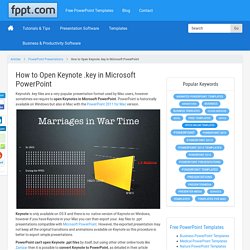
PowerPoint is historically available on Windows but also in Mac with the PowerPoint 2011 for Mac version. Keynote is only available on OS X and there is no native version of Keynote on Windows, however if you have Keynote in your Mac you can then export your .key files to .ppt presentations compatible with Microsoft PowerPoint. However, the exported presentation may not keep all the original transitions and animations available on Keynote so this procedure is better to export simple presentations. PowerPoint can’t open Keynote .ppt files by itself, but using other other online tools like Zamzar then it is possible to convert Keynote to PowerPoint, as detailed in their article supporting Keynote conversion to PowerPoint presentations. . (1 votes, average: 5.00 out of 5) Loading...
Free Video Converter, Compressor, Webcam Recorder. Emaze - Online Presentation Software – Create Amazing Presentations.