
15 Examples To Master Linux Command Line History. When you are using Linux command line frequently, using the history effectively can be a major productivity boost. In fact, once you have mastered the 15 examples that I’ve provided here, you’ll find using command line more enjoyable and fun. 1. Display timestamp using HISTTIMEFORMAT Typically when you type history from command line, it displays the command# and the command. For auditing purpose, it may be beneficial to display the timepstamp along with the command as shown below. # export HISTTIMEFORMAT='%F %T ' # history | more 1 2008-08-05 19:02:39 service network restart 2 2008-08-05 19:02:39 exit 3 2008-08-05 19:02:39 id 4 2008-08-05 19:02:39 cat /etc/redhat-release 2. I strongly believe, this may be your most frequently used feature of history.
Sometimes you want to edit a command from history before executing it. 3. Sometime you may end up repeating the previous commands for various reasons. Use the up arrow to view the previous command and press enter to execute it.Type !! 10 Steps to Beautiful Shell Scripts. Linux gurus don’t use cut , awk , and sed when they want to replace or strip out a portion if a variable. They use parameter substitution. You can learn parameter substitution in less than 2 minutes. Here is the ten things you need to know: Shell variables can be specified like $var or this ${var}. $ var='a.ads,fssd2342%asd234#@. echo ${var} a.ads,fssd2342%asd234#@. ${#var} is the length of the variable. $ echo ${#var} 2342%asd234#@. ${var#pattern} strips pattern from the front or left hand side of the variable. . $ echo ${var#*,} fssd2342%asd234#@. $ echo ${var##*,} sdfgsdfgas4352 ${var%pattern} strips pattern from the back or right hand side of the variable. . $ echo ${var%,*} a.ads,fssd2342%asd234#@ $ echo ${var%%,*} a.ads ${var/pattern/replacement} replaces pattern with replacement once. $ echo ${var/a/A} A.ads,fssd2342%asd234#@.
${var//pattern/replacement} replaces pattern with replacement globally. $ echo ${var//a/A} A.Ads,fssd2342%Asd234#@. Linux Professional Institute (LPI) exam prep : LPIC-1 exams. Learn Linux, 101: A roadmap for LPIC-1. About this series This series of articles helps you learn Linux system administration tasks.
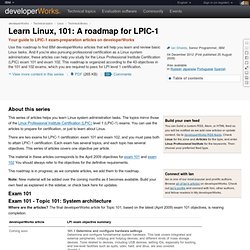
The topics mirror those of the Linux Professional Institute Certification (LPIC) level 1 (LPIC-1) exams. You can use the articles to prepare for certification, or just to learn about Linux. There are two exams for LPIC-1 certification: exam 101 and exam 102, and you must pass both to attain LPIC-1 certification. Each exam has several topics, and each topic has several objectives. The material in these articles corresponds to the April 2009 objectives for exam 101 and exam 102 You should always refer to the objectives for the definitive requirements. This roadmap is in progress; as we complete articles, we add them to the roadmap. Note: New material will be added over the coming months as it becomes available. Exam 101 Exam 101 - Topic 101: System architecture Where are the articles? Back to top Exam 101 - Topic 102: Linux installation and package management Exam 101 - Topic 103: GNU and UNIX commands.