
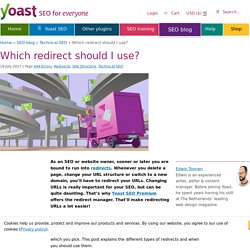
Which redirect should I use? Edwin Toonen Edwin is an experienced writer, editor & content manager.
Before joining Yoast, he spent years honing his skill at The Netherlands’ leading web design magazine. How to Find Every Orphan Page on Your Website. How do you find pages that have no links?
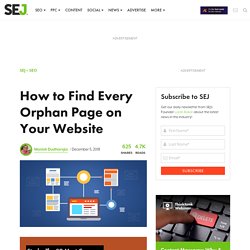
It’s nearly impossible. If you have pages on your website that users and search engines can’t reach, you have a problem you need to fix. Fast. Pagination & SEO: best practices. Joost de Valk Joost de Valk is the founder and CEO of Yoast.

He's a WordPress / Web developer, SEO and an Open Source fanatic. Paginated archives have long been a topic of discussion in the SEO community. Over time, best practices for optimization have evolved, and we now have pretty clear definitions. This post explains what these best practices are. How To 301 Redirect Images During a Website Redesign or CMS Migration - The Most Forgotten Step When Changing URLs. Mapping 301 redirects for SEO-friendly site migrations. Although there are many different elements to a successful SEO migration strategy, for those changing domains or URL structure, a comprehensive redirect plan is essential.
If you’re lucky, mapping these redirects may be fairly trivial. Simple changes to URL structure, for instance, can often be achieved through the usage of redirect rules — but this isn’t always possible. On many large ecommerce platforms, such as ATG, unique ID’s are appended onto the URL stems of specific page types — categories, products, etc – which makes things much more difficult. The allocation of these IDs is primarily dictated by the order in which categories and/or products are added; if you’re merging or re-designing sites it is unlikely that these will end up being the same, which means that you’ll probably have to get your hands dirty mapping redirects. Planning Your Approach To keep this at a reasonable size, untick Images, CSS, JavaScript, and SWF (Configuration > Spider). I’d also recommend: Data Collection. Mapping 301 Redirects for SEO-Friendly Site Migrations.
2. Prepare a URL mapping - Search Console Help. Move a site with URL changes Make it easy to configure redirects between URLs It's important to map your old site's URLs to the URLs for the new site.
This section describes a number of general approaches you can take to correctly assess the URLs on your two sites and facilitate mapping. The exact details of how you generate this mapping will vary depending on your current website infrastructure and the details of the site move. How To Create A 301 Redirect Map. How To Audit Redirects In A Site Migration Using The SEO Spider. Google Groupes. 404s Are Not A Signal Of Low Quality, Says Google. For years and years, Google has been trying to communicate that 404s, page not found results, are a normal part of the web.
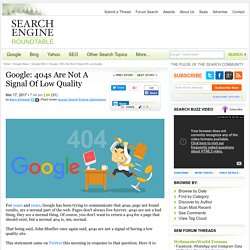
Pages don't always live forever. 404s are not a bad thing, they are a normal thing. Of course, you don't want to return a 404 for a page that should exist, but a normal 404 is, um, normal. That being said, John Mueller once again said, 404s are not a signal of having a low quality site. 404 Errors in Search Console - SEO Spam. Not found errors (404) due to being hacked. Crawl Errors report (websites) - Search Console Help. The Crawl Errors report for websites provides details about the site URLs that Google could not successfully crawl or that returned an HTTP error code.
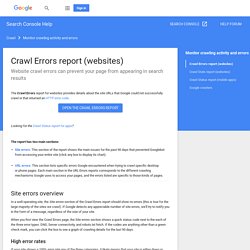
Open the crawl errors report Looking for the Crawl Status report for apps? The report has two main sections: View-all in search results. Webmaster level: Intermediate to Advanced User testing has taught us that searchers much prefer the view-all, single-page version of content over a component page containing only a portion of the same information with arbitrary page breaks (which cause the user to click “next” and load another URL).
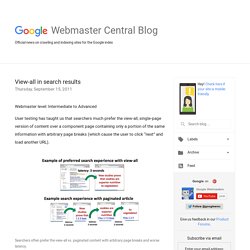
Searchers often prefer the view-all vs. paginated content with arbitrary page breaks and worse latency. Therefore, to improve the user experience, when we detect that a content series (e.g. page-1.html, page-2.html, etc.) also contains a single-page version (e.g. page-all.html), we’re now making a larger effort to return the single-page version in search results. If your site has a view-all option, there’s nothing you need to do; we’ll work to do it on your behalf. Rel=”canonical” can specify the superset of content (i.e. the view-all page, in this case page-all.html) from the same information in a series of URLs.Why does this work? Convert your spreadsheet into a tab-delimited text file - Google Merchant Center Help. Consolidate duplicate URLs - Search Console Help.
How To Audit Redirects In A Site Migration Using The SEO Spider. How To Create A 301 Redirect Map. View-all in search results. Canonical URLs in Yoast SEO - Yoast Knowledge Base. Yoast SEO adds canonical URLs to most pages in your WordPress install.
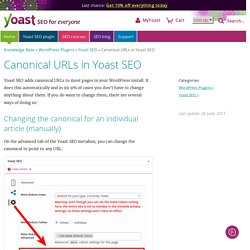
It does this automatically and in 99.9% of cases you don’t have to change anything about them. If you do want to change them, there are several ways of doing so: Changing the canonical for an individual article (manually) On the advanced tab of the Yoast SEO metabox, you can change the canonical to point to any URL: Canonical elements for paginated archives A common misconception is that the canonical on a paginated page should always point to page 1 in the series. Of course, you can change the canonical element of a category, tag or other taxonomy archive to point at another page. Filter the canonical element programmatically If you want, you can also filter the output of the canonical programmatically.
How to change your WordPress Permalink Structure. In the past we frequently recommend people change their permalink structure.
In this post, we’ll explain why you should consider changing your permalink structure and how to go about it. Why change your WordPress permalink structure? A common thing we see in permalink structures are the usage of dates. For websites that post content that is related to current events, such as news sites, this makes perfect sense. However, for most blogs, the content is usually “timeless” as it tends to cover subjects that doesn’t relate to a specific date in time. Permalink-helper. Duplicate content on subdomains. 301 Redirects Rules Change: What You Need to Know for SEO. 301 Redirects Rules Change: What You Need to Know for SEO. Accidental SEO Tests: How 301 Redirects Are Likely Impacting Your Brand.
At Wayfair.com, we conduct a lot of SEO tests. We're constantly measuring and evaluating our strategies, some of which were shared in our last post for YouMoz, Accidental SEO Tests: When On-Page Optimization Ceases to Matter. Sometimes, however, we stumble across what we call "accidental SEO tests. " This typically happens when a bad code deploy unintentionally hurts our SEO, and we end up learning something useful from our mistake. Tens of thousands of 301 redirects One of our accidental tests involved regularly 301-redirecting large batches (i.e., tens of thousands) of product pages. In the past, Google has said a small amount of PageRank is lost through a 301 redirect, which is the same as through a link. Structure of an accidental SEO test Like any good SEO team, our product pages were set to use the name of the product in the URL. This process of updating product names was being implemented across dozens of different product classes, with multiple updates per month.
What it means.