
Tips, Resources and Patterns for Responsive Web Design. Be The Superstar Responsive Website Builder – A Tutorial For The Insatiable Designer Inside You. Allow me to begin by congratulating you on having found your way till here.

No doubts, you are on an expedition to a guide that will enable you to create a responsive website. It has become the buzz word – ‘responsive websites’. The best and the most talked about websites are all going responsive, that is, if they are already not! 30 Useful Responsive Web Design Tutorials. So we’ve reached the end of our “Responsive Web Design week”, tonight’s post will be the last of the series.
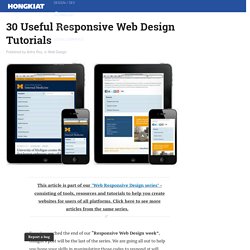
We are going all out to help you hone your skills in manipulating those codes to respond at will when displayed on different devices. And to do this, we are featuring 30 Responsive Web Design Tutorials found online. This list is not meant to be an exhaustive one but it will get you started on understanding the basics of designing an adaptive website that will cater to all sorts of screen sizes. We’ll start off with introductory tutorials in ‘Breaking the Ice’, something like an RWD: 101 class you should attend to get the hang of the concept before we move on to ‘Start Building’ exercises.
Lastly we’ll end with a ‘Do More’ section in which we’ll feature tutorials that play with horizontal layouts, ‘elastic’ videos, drop-down menus and slide-to-top accordion navigations, thumbnails and the sticky issue with tables. But first… Mobile web content adaptation techniques. Introduction This article will help you pick from amongst the many techniques for building a mobile website.
It doesn't describe how to do it, rather it instead tries to help you to pick the right approach. Before we begin it's worth clarifying exactly what the goal of the exercise is. Generally speaking, people who are looking to build a mobile site fall into two categories. They're either: Responsive web development with WordPress — a case study. By Rachel McCollin Responsive web design is maturing.

Many of us have moved on from thinking about media queries and responsive layout towards addressing the challenges of responsive images, navigation, UX and more. Content and planning are important too. Even if you're not adopting a Mobile First strategy, it's important to consider the mobile experience when planning any responsive site. This includes thinking about content, user experience, design, performance and more.
In this article I'll look at some of these considerations in the light of a specific case study — a responsive WordPress site I developed to support the campaign for an elected mayor in Birmingham, England (we'll say nothing more about whether it worked — the result was a 'no' vote — but building the site was fun anyway!) Planning the site The site in question — What's a mayor for? Nouveau site de l’agence Nealite : retour d’expérience sur le responsive design. Le challenge Refondre son site web est toujours un défi pour une agence web.
Notre précédent site fêtant son 3ème anniversaire, il n’était plus très en phase, ni avec notre discours, ni avec nos méthodologies et commençait à être technologiquement obsolète. Avec l’arrivée du HTML5, des CSS3 (media queries, @font-face, multi-columns, animations…) et l’expansion du javascript (à travers jQuery ou Mootools…), nous possédons désormais les outils nécessaires pour pouvoir mettre en ligne simplement des sites à la fois agréables, accessibles, rapides et portables. Avec cette refonte, nous avons voulu construire un site qui soit en phase avec notre image, nos méthodes de travail et notre vision du Web. Au-delà de notre satisfaction d’avoir sorti un site dont nous sommes particulièrement fiers, nous avons voulu partager notre retour d’expérience sur la refonte de notre site en responsive design. Faire les bons choix. Media Queries Tutorial - Convert Burnstudio into a Responsive Website. Howdy Folks!

If you’re following the series, we have converted Burnstudio Design Agency from PSD to working HTML/CSS. We have discussed how we will markup the HTML and how we will style it using CSS. Now, in this tutorial I will teach you how to make it Responsive by using Media Queries. Media Queries will change the look of the website depending on the screen resolution of the device: desktop to a mobile resolution by tweaking the CSS for a variety of viewports. Responsive Web Development as a Standard, Step-by-Step. For each and every new client, and new project, it seems that the request for compatibility among mobile devices is rising.

Smartphones are at their peak in popularity, and the popularity of devices like iPads, Kindles, and other medium-sized handheld devices are nearly there too. We don't need to stress the importance of mobile-friendly websites, and how responsive design can help solve the problem anymore; that's a given. Responsive web design: Présentation et Tutoriel. I.

Techniques in responsive web design. We’ve talked a lot about responsive design here on Webdesigner Depot, and shared a lot of valuable resources.
Today we’re sharing another valuable resource: at the end of this article are details for getting a discount on Chris Converse’s responsive design course on MightyDeals. CSS3 media queries allow us to dynamically alter the design and layout of a web page in order to deliver an optimal user experience from a single set of HTML and CSS markup. The techniques in this article explain how we can leverage this powerful capability of CSS to also change imagery, alter the navigation on hand-held devices, and set up default CSS for compatibility older browsers. Creating different images When altering your design for different devices, consider creating multiple versions of your graphics. The example below shows the different sizing, and cropping choices, in addition to the varying amounts of compression that are applied to each set of images.
Understanding the Elements of Responsive Web Design. Beginner’s Guide to Responsive Web Design. Whether you’re a beginner or a seasoned web professional, creating responsive designs can be confusing at first, mostly because of the radical change in thinking that’s required.
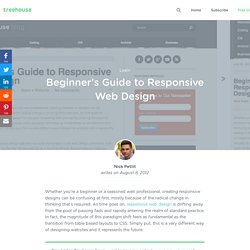
As time goes on, responsive web design is drifting away from the pool of passing fads and rapidly entering the realm of standard practice. In fact, the magnitude of this paradigm shift feels as fundamental as the transition from table based layouts to CSS. Simply put, this is a very different way of designing websites and it represents the future. Free trial on Treehouse: Do you want to learn more about responsive web design? Try a free trial on Treehouse. Over the past year, responsive design has become quite the hot topic in the web design community. Responsive Design with CSS3 Media Queries. Screen resolution nowsaday ranges from 320px (iPhone) to 2560px (large monitor) or even higher. Users no longer just browse the web with desktop computers. Users now use mobile phones, small notebooks, tablet devices such as iPad or Playbook to access the web. So the traditional fixed width design doesn't work any more.
Web design needs to be adaptive. The layout needs to be automatically adjusted to fit all display resolution and devices. Responsive Web Design: What It Is and How To Use It. Advertisement Almost every new client these days wants a mobile version of their website. It’s practically essential after all: one design for the BlackBerry, another for the iPhone, the iPad, netbook, Kindle — and all screen resolutions must be compatible, too. In the next five years, we’ll likely need to design for a number of additional inventions. When will the madness stop? It won’t, of course. In the field of Web design and development, we’re quickly getting to the point of being unable to keep up with the endless new resolutions and devices.
Lets create Responsive Web Page [Tutorial] How to Design a Mobile Responsive Website. To build a mobile site or not to build a mobile site; this is a question at the forefront of many a discussion. There is, however, another option: responsive web design. When, why, and how should you go about designing a responsive website? With mobile internet users set to surpass desktop internet users in the US by 2015, with tablets becoming more popular, and even with TV internet usage increasing, it’s important for companies to provide a great user experience for all their visitors no matter what device they’re on. How does responsive design help us do this? Well, by allowing us to create one website solution that is flexible for different screen widths. Build a Responsive Website in a Week — Paul Robert Lloyd. Since returning from San Francisco, much of my spare time has been spent writing a tutorial for .net magazine.
Published as part of their ‘Responsive Week’, this is for developers who want to learn about responsive web design but don’t know where to start. It’s also an opportunity to summarise the current discussion around responsive design, and describe how it fits into broader themes like progressive enhancement, mobile first and the universal nature of the web. The tutorial is split into five parts: These follow the development of a simple media gallery, the finished example of which can be found here: The distinction between design and development is becoming increasingly blurred, so I start by illustrating how one might design a website that could have infinite layouts. While this breaks down the approach into easily digestible parts, it has the unfortunate effect of suggesting a linear process. I somewhat underestimated the enormity of this project.