
50 Photoshop And Illustrator Tutorials For Creating Text Effect.
PS_manipulation. Digital Photography Tutorial: Histogram. [ Print-friendly ] "Goldilocks and the Three Histograms" More and more consumer digital cameras are now including a histogram display either during the Record mode or in the Playback mode.
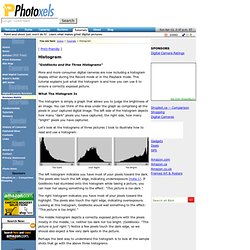
This tutorial explains just what the histogram is and how you can use it to ensure a correctly exposed picture. What The Histogram Is The histogram is simply a graph that allows you to judge the brightness of an image. Let's look at the histograms of three pictures I took to illustrate how to read and use a histogram: The left histogram indicates you have most of your pixels toward the dark. The right histogram indicates you have most of your pixels toward the highlight.
The middle histogram depicts a correctly exposed picture with the pixels mostly in the middle, i.e. neither too dark nor too bright. Perhaps the best way to understand the histogram is to look at the sample shots that go with the above three histograms. Too Dark Shutter Speed 1/180 sec., Aperture F2.8, ISO 50. 10 Top Photography Composition Rules.
There are no fixed rules in photography, but there are guidelines which can often help you to enhance the impact of your photos.
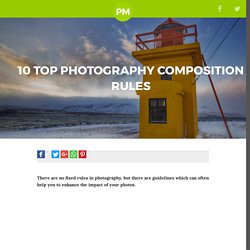
It may sound clichéd, but the only rule in photography is that there are no rules. However, there are are number of established composition guidelines which can be applied in almost any situation, to enhance the impact of a scene. These guidelines will help you take more compelling photographs, lending them a natural balance, drawing attention to the important parts of the scene, or leading the viewer's eye through the image. Once you are familiar with these composition tips, you'll be surprised at just how universal most of them are. You'll spot them everywhere, and you'll find it easy to see why some photos "work" while others feel like simple snapshots. Rule of Thirds Imagine that your image is divided into 9 equal segments by 2 vertical and 2 horizontal lines. Doing so will add balance and interest to your photo. Tutorials. Fan Extra : Take The Tour. Must Have Tutorials for Photographers - Photo Manipulation Home » Uncategorized » Must Have Tutorials for Photographers – Photo Manipulation Adobe Photoshop is the first choice of every designer when he was going to make some creative editing in any image.
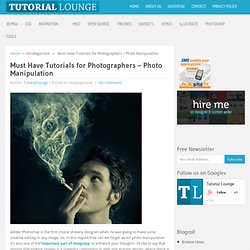
So, in this regard how can we forget about photo manipulation it’s also one of the“important part of designing“ to enhance your thoughts. I’d like to say that display fine-looking images is a powerful component in web and graphic design, where there is a smaller amount worry for readability and further potential for using images in an artistic manner.
Here I am going to present you a sufficient tutorial of photo manipulation. The Making of Mystic. Comparateur de prix pour les tirages photo. Lorsque l’on souhaite développer ses photos, on se retrouve vite face à une multitude de laboratoires en ligne et le choix se révèle difficile avec plusieurs dizaines de prestataires qui proposent leurs offres spéciales et tarifs au rabais.
Pour faire simple, quels que soient le laboratoire et les conditions d’impression des photographies, la qualité est au souvent au rendez-vous, si bien que la majorité des photographes occasionnels que nous sommes n’y verra aucune différence d’un laboratoire à l’autre. C’est dans cette optique que je vous propose ce comparateur de prix pour les tirages photo, vous permettant de comparer en un clic de nombreux site de développement photo! Mais BonPlanPhoto, vous propose également un comparateur pour: PhotoFunia. 70 tutoriels photoshop pour la retouche de la beauté. Useful Photoshop Tools and Techniques For Your Workflow. Productivity is a crucial asset of professional designers.
Photoshop is an extremely powerful application for photo processing and image manipulation, and we can make it even more powerful by using handy tools, actions, plugins and templates to save time for solving mundane regular tasks. The better our professional tool set is, the more time we can spend to focus on the actual design process rather than the tool we are using to implement it on screen. Here at Smashing Magazine, we’re continuously searching for recent time-saving, useful Photoshop resources for our readers, to make the search of these ever-growing techniques easier.
We hope that these techniques will help you improve your design skills as well as your professional workflow when using Adobe Photoshop. A sincere thanks to all designers and developers whose articles are featured in this roundup. Useful Photoshop Tools Link Mr. Further Resources Link Useful References and Articles Link Freebies, Goodies Link. Configurator. Create custom panels for Photoshop and InDesign without code Recent Updates July 25, 2013 — This release provides compatibility with Photoshop CC and several other enhancements.
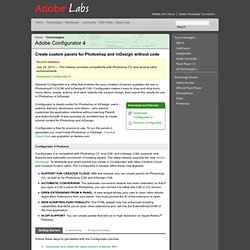
Download Configurator 4 Adobe® Configurator is a utility that enables the easy creation of panels (palettes) for use in Photoshop® CC/CS6 and InDesign® CS6. Configurator makes it easy to drag and drop tools, menu items, scripts, actions, and other objects into a panel design, then export the results for use in Photoshop or InDesign. Configurator is ideally suited for Photoshop or InDesign users – authors, trainers, developers and others – who want to customize the application interface without learning Flash® and ActionScript®.
PS_Plugin. PS_Tuto. PS_Scripts. PS_Actions.