
Want To Open A Website In Another Browser? Just Drag And Drop It. This is one of the things that makes you go uh if you read about it or find out about it on your own.

I know many computer users who run multiple web browsers on the same PC. On my PC I have Chrome, Firefox, Opera and Internet Explorer installed. And while that may be the exemption unless you are a webmaster or web developer yourself, chance is that you have multiple browsers installed or available on your system. Most users who have that I know do the following when they want to open a link or a website that is displayed in one browser in another: They click in the address bar field of the browser and mark all of the address. Advanced users may use the shortcut Ctrl-a after clicking for the same effect.
That's a lot of work for a very simple operation. This works with all browsers that I have tested. To drag you move the mouse over the favicon of the website or the link in question, click and hold the left-mouse button and drag the address into the other web browser. Download latest stable Chromium binaries (64-bit and 32-bit) Google Chrome. The Pale Moon Project homepage. Add-ons for Pale Moon. Pale Moon - portable! You can now take Pale Moon anywhere with you!
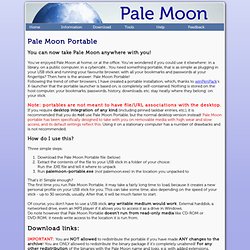
You've enjoyed Pale Moon at home, or at the office. You've wondered if you could use it elsewhere: in a library, on a public computer, in a cybercafé... You need something portable, that is as simple as plugging in your USB stick and running your favourite browser, with all your bookmarks and passwords at your fingertips? Then here is the answer: Pale Moon Portable! Following the trend of other browsers, I have created a portable installation, which, thanks to winPenPack's X-launcher that the portable launcher is based on, is completely self-contained. Note: portables are not meant to have file/URL associations with the desktop.
How do I use this? Three simple steps: Download the Pale Moon Portable file (below) Extract the contents of the file to your USB stick in a folder of your choice:Run the .EXE file and tell it where to unpack Run palemoon-portable.exe (not palemoon.exe) in the location you unpacked to That's it! Chromium (web browser)
Chromium is the open source web browser project from which Google Chrome draws its source code.[3] The browsers share the majority of code and features, though there are some minor differences in features and they have different licensing.
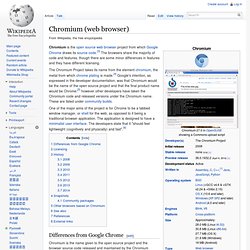
Chromium is the name given to the open source project and the browser source code released and maintained by the Chromium Project.[7] It is possible to download the source code and build it manually on many platforms. To create Chrome from Chromium, Google takes this source code and adds:[8] By default, Chromium only supports Vorbis, Theora and WebM codecs for the HTML5 audio and video tags. Google Chrome supports these as well as the patent-encumbered AAC and MP3 codecs. The Google-authored portion of Chromium is released under the BSD license,[18] with other parts being subject to a variety of different open-source licenses, including the MIT License, the LGPL, the Ms-PL and an MPL/GPL/LGPL tri-license.[19] Acid3 test results on Chromium 7. The Chromium Projects. Download Chromium. Chromium Blog. Chromium Portable.