
Tutorials. Art/tutorials. Planet Photoshop: Masking with Channels - Layers Magazine. 30 Photo Manipulation Tutorials for Photoshop. With Photoshop, amazing results are possible for photo manipulations.

In this post we’ll feature 30 tutorials for creating your own photo manipulation. The tutorials shown here will teach a wide variety of techniques and will work towards end results of all kinds. Looking for hosting? WPEngine offers secure managed WordPress hosting. You’ll get expert WordPress support, automatic backups, and caching for fast page loads. Removing the Background - Photoshop Channel Mask. Removing the Background Photoshop Channel Mask Removing the Background > Adobe Photoshop It may seem like a real challenge to pull the fireworks out of this image.
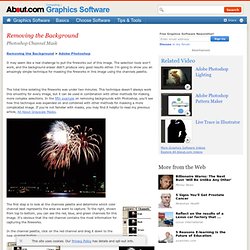
The selection tools won't work, and the background eraser didn't produce very good results either. I'm going to show you an amazingly simple technique for masking the fireworks in this image using the channels palette. The total time isolating the fireworks was under two minutes. Masking with Channels Effects Tools Tutorial Photoshop CS5 How to Create a Severed Arm in Photoshop.
InDesign Files - How to Set Up Business Card Layout Design for Press. This is a simple exercise to demonstrate how to produce press-ready Adobe InDesign files by creating a basic business card layout design and preparing it for press.

We'll create both spot color and 4 color process versions. The logo I'm using for this exercise is one that I put together in Illustrator (see the Create Vector Logo exercise) to demonstrate how to create both spot color and four color process vector graphic files.