
10+ Excellent Open Source Web Based File Explorer Applications to Manage and Share Files. Looking for a file sharing software?

We have a list of best web based file sharing tools for web masters. With the increase in the use of applications over the internet, a system to conveniently manage the data is inevitable. As a solution, web based file managers can be used to manage the files and folders with ease through a web browser such as Internet Explorer, Firefox, Chrome, Safari etc. File sharing is essential for schools, universities and businesses.
Established businesses can afford to host commercial file server, however others may prefer to stay with Free or open source file browser options. File sharing on web can also be a useful tool for managing personal media such as images, videos and music. Additionally documents can also be shared with other users. Below is a lowdown on the top open source web-based file sharing software: HTTP Commander HTTP Commander is a web based file sharing software for Microsoft servers (developed using ASP.NET). eXtplorer AjaXplorer QuiXplorer Relay. HFS ~ HTTP File Server. Sending Files in Chunks with MTOM Web Services and .NET 2.0. Download source for web service, Windows client and class library - 495.9 KB Introduction In trying to keep up to speed with .NET 2.0, I decided to do a .NET 2.0 version of my Code Project article DIME Buffered Upload, which uses the DIME standard to transfer binary data over web services.

The DIME approach is reasonably efficient, but the code is quite complex and I was keen to explore what .NET 2.0 had to offer. In this article, I use version 3.0 of the WSE (Web Service Enhancements), which is available for .NET 2.0 as an add-in, to provide a simpler and faster method of sending binary data in small chunks over HTTP web services. Background Just a re-cap on why you may need to send data in small chunks at all: if you have a large file and you want to send it across a web service, you must understand the way it all fits together between IIS, .NET and the web service call.
The solution outlined here is to send chunks of the file one-by-one and append them to the file on the server. History. HFS ~ HTTP File Server. What is it?
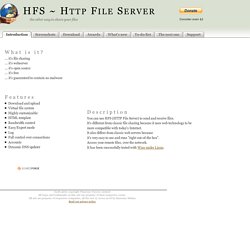
... it's file sharing ... it's webserver ... it's open source ... it's free ... it's guaranteed to contain no malware Features Download and upload Virtual file system Highly customizable HTML template Bandwidth control Easy/Expert mode Log Full control over connections Accounts Dynamic DNS updater.