
10 Fun Tools To Easily Make Your Own Infographics. People love to learn by examining visual representations of data. That’s been proven time and time again by the popularity of both infographics and Pinterest. So what if you could make your own infographics ? What would you make it of? It’s actually easier than you think… even if you have zero design skills whatsoever. Below are my two favorite infographic-making web 2.0 tools that I highly recommend. Create Presentations in HTML5 With EWC Presenter. There was a time when only limited options were available for making your presentations effective and attention grabbing.

But with the advancement in technology and increase in the number of tools and software brought many creative ideas with them and ultimately changed the definition of present day presentations, which are not longer limited to platforms like PowerPoint or Keynote. Now you can create presentations in HTML5 with EWC presenter, a tool which is efficient enough in creating simple presentations, banners, mockups and even infographics. Since, it is an HTML 5 WYSIWYG so it will highlight even the minutest change done by you instantly. Earlier, people had to plan their budget before introducing multimedia in their presentation because it cost heavily but now things are changing with web apps like EWC presenter. It has now become easier to prepare attractive presentations which not only contains animations but also infographics and banners that are quite easy to prepare.
Educational Technology and Mobile Learning: 40+ Tools to Create Infographics with Your Students. Here is a comprehensive list of some very good tools for making infographics.

The list features more than 40 applications so you have a wide variety of options to choose from.While some of these tools are pretty basic and you can use them without any complications, others do require some advanced tech knowledge and design know-how. As a teacher and educator, my favourite infographic making tools are Google Draw and Pictochart. I invite you to read this step by step visual guide to learn more about how you can easily set up your infographic using Google Draw.
Also bear in mind that most of these tools require a sign-up and some of them are fremium: they have, besides the basic free version, a pro version that offers more advanced features. Create Interactive Presentations, Animations and infographics - HTML5 Presenter by Easy WebContent. Easel Créer de belles infographies facilement. 5 Tips to Help Make Super Infographics. When I think of an infographic I immediately think of this super stunning visual graphic that tells some kind of story.

What separates those average infographics from the truly exceptional ones boils down to the narrative. You can have the most visually stunning graphic, but if the data fails to engage the reader all that effort in dressing it up will be in vain. 20+ Tools to Create Your Own Infographics.
A picture is worth a thousand words – based on this, infographics would carry hundreds of thousands of words, yet if you let a reader choose between a full-length 1000-word article and an infographic that needs a few scroll-downs, they’d probably prefer absorbing information straight from the infographic. Créer votre propre #infographie. The 3 Phases of Infographic Design. Créer vos propres infographies. Le domaine de l'infographie est habituellement réservé aux professionnels.

Avec le développement des technologies numériques, un certain nombre de services en ligne "grand public" émergent, confirmant si besoin est, la forte tendance à représenter graphiquement l'information même si certaines représentations ne sont pas exemptes de reproches comme nous avons pu le voir récemment. Après Getabout.me et Visual.ly fortement axés sur les activités menées sur les réseaux sociaux, découvrons un nouveau venu sur le marché de l'infographie personnalisée, à savoir Easel.ly. PhD in Googling [Interactive Infographic] Créer des infographies en ligne : outils et bonnes pratiques. La visualisation des données offre aux professionnels une manière innovante de communiquer des informations.
Éditeurs web et journalistes, services de communication d'entreprise, spécialistes du marketing -et plus généralement les professionnels amenés à faire des présentations publiques- recourent aux infographies pour mettre en valeur l'information, la vulgariser et la contextualiser. Si la création d'infographie est avant tout un métier, elle est aujourd'hui également accessible aux non-initiés. Outils de visualisation. Jean-louis zimmermann / Stock Photos Nos stratégies d'apprentissage s'élaborent en interaction permanente avec notre environnement.
Et celui-ci, surtout si l'on considère sa composante numérique, est actuellement saturé d'images. Freevisualtools.wikispaces. Créer des infographies en ligne : outils et bonnes pratiques. 10 sites pour créer une infographie. 6 outils pour créer vos infographies facilement via.
Les infographies ont du succès, peut être souhaitez-vous créer les vôtres ?
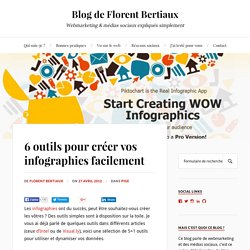
Des outils simples sont à disposition sur la toile. Je vous ai déjà parlé de quelques outils dans différents articles (ceux d’Intel ou de Visual.ly), voici une sélection de 5+1 outils pour utiliser et dynamiser vos données. Pick to chart. [Boîte à outils] 5 applications pour créer sa propre infographie Esthétiques, claires, efficaces et surtout très virales, les infographies en tous genres envahissent la toile.
![[Boîte à outils] 5 applications pour créer sa propre infographie](http://cdn.pearltrees.com/s/pic/th/applications-infographie-43062586)
Très sollicitées pour mettre en avant les chiffres clefs d’une études, les principales tendances d’un marché, elles sont utilisées par un panel d’acteurs : agences, cabinet d’études, blogueurs, médias, etc. Surfant sur cette tendance, plusieurs startups ont mis au point des web applications permettant à n’importe quel internaute de créer tout seul une infographie en ligne, en y insérant ses propres données. Pour l’heure, une majorité de ces services (en anglais) sont encore en version bêta et donc perfectibles. A moyen terme, ces plateformes pourraient néanmoins venir concurrencer les métiers de web designers ou tout au moins réinventer certaines collaborations. 10 points pour créer des infographies à succès via. Après avoir vu avec quels outils créer vos infographies, un point essentiel est à aborder : quelles sont les bonnes pratiques en terme d’affichage d’informations sur ce support ?
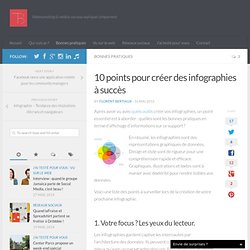
En résumé, les infographies sont des représentations graphiques de données. Design et style sont de rigueur pour une compréhension rapide et efficace. Graphiques, illustrations et textes sont à manier avec dextérité pour rendre lisibles vos données. Créer affiches interactives. Glogsten pour créer des affiches interactives appelées aussi des glogs.
Ce sont des images multimédias avec le contenu desquelles on peut facilement interagir. Ce site met à votre disposition tous les moyens susceptibles de vous aider à concevoir de belles images interactives pour mieux toucher vos élèves. Le site Web : C'est un vrai réseau éducatif qui crée un environnement de création et d'interaction, vous serez en mesure d'ajouter aussi bien des images, texte, photos, vidéos que des effets spéciaux.
Espresso. Internet déborde d’informations. En un jour, nous consommons l'équivalent de 168 millions de DVD, nous écrivons 2 millions de posts sur les blogues et téléchargeons 864 000 heures de vidéos sur Youtube (source: Mashable). Et trop d’informations tuent (parfois) l’information. Comment se démarquer de ses concurrents, être visible, et développer une notoriété? Create Stunning Infographic With These Great Tips And Tutorials. Infographics is where data and information meets design. These graphic visual representations are able to quickly and effectively share knowledge with your audience. In Today’s post, you will learn how to create stunning infographic with these very useful tutorials and articles. Exemple Anatomie / anatomy. #flowchart #infographic. Create and share visual ideas online.
Infogram : créer de beaux graphiques et les exporter sur son site. Une belle image vaut mieux que mille discours, surtout lorsqu’on communique par le biais d’un support aussi peu adapté à la lecture que les écrans de nos ordinateurs. Et pour présenter certaines informations, certaines données, rien ne vaut finalement une belle infographie ou un beau graphique. Infogr.am. Infogr.am: Une application pour créer des infographies en ligne. Create and share visual ideas online. Infographics & Data Visualizations.
Infographie: les applications qui ont changé le monde. Softonic a 15 ans aujourd’hui ! Knoema. Moteur de recherche d’infographies. Knoema est un outil unique pour trouver des representations graphiques, de données brutes, des cartes et des datas sur une foule de sujets. Une sorte d’encyclopédie enrichie par ses usagers qui fait la part belle au data, nouvelle tendance forte de l’information sur le Web. Knoema fonctionne à la manière d’un moteur de recherche. Vous pouvez parcourir les données présentes soit par catégories, soit par mots clés, soit en faisant une recherche par mots. Vous pouvez ensuite affiner les résultats par pays, par période. Tous les representations graphiques dans Knoema sont téléchargeables. Knoema - Home. Glogster - join the visual communication network.
4 Online Infographics Generators. How to Make an Infographic with Snagit. Alex Sherman TechSmith customer Alex Sherman recently shared an infographic he made with Snagit, over on our Facebook page. We’re huge fans of infographics—they’re a great way to communicate a ton of info in a small space, with social sharing appeal built in! —so we just had to find out more about how Alex did it. Check out Alex’s superb infographic, then scroll down for our interview… Alex also generously offered to share the .Snag file for his infographic. You can download the file and open it in Snagit (Windows) to see how it’s put together and even use it as a template for your own infographic! Tell us a little about yourself…and ProductCamp I’m currently a product manager for a small company called Tarkenton Companies. The infographic I made was for ProductCamp Atlanta, where I recently volunteered to help out with marketing.
Why make an infographic? I love infographics, and they are a great tool for displaying sometimes overlooked useful information in a creative and unique way. Faites vos infographies vous-même avec Piktochart.com. On n'est jamais mieux servi que par soi-même ! Nombreux sont les graphistes qui vont s'arracher les cheveux avec ce nouvel outil, et nombreux les professionnels du web qui vont se réjouir. Piktochart.com permet de réaliser-vous-même vos propres infographies en ligne.