
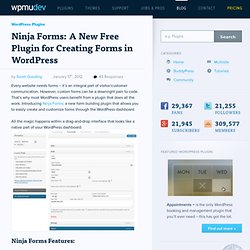
Ninja Forms: A New Free Plugin for Creating Forms in WordPress. Every website needs forms – it’s an integral part of visitor/customer communication.
However, custom forms can be a downright pain to code. WordPress Plugin: Easily Add Notes for Clients or Backend Users. Ever have WordPress clients who were confused about how to do something?

Ever have backend users who needed reminders about X, Y, or Z set up in strategic places? If so, then you’re not alone. And the Admin Dashboard Site Notes plugin might be just what you need. This site notes plugin lets you set up notes or instructions to be placed in various spots in your site’s administrative area – on the post-new page (where new posts are made), on the edit page (where a user views all posts), on the dashboard, etc. You can also control who sees individual notes by user roles (administrators, editors, authors, contributors, subscribers). PrettyPhoto Zoom Plugin Adds Image Zooming to WordPress.
Certain kinds of websites really need the flexibility of being able to show a larger version of images posted on click.

This is especially important for photography, e-commerce, and portfolio sites that tend to have more detailed images. Daily Tip: Show Your Latest Pins with the Pinterest RSS Widget... The 22 Most Popular WordPress Plugins Ever. If you’ve ever wonder what the most popular WordPress plugins were, the following list gives you a rundown.

All of the following plugins have been downloaded over 1 million times. Of course that measurement of popularity can be quibbled with because some of these plugins have been around for quite a long time, but for the purposes of this post, we’ve made the 1 million mark the cut-off point. In any case, you can be sure that with so many downloads, these plugin have been put through their paces. WordPress Question: Upgrading The Visual Text Editor. Add a Sub Footer Widget to Your Site with this WordPress Plugin.
When widgetized footers took off a few years ago, many theme designers began incorporating them in some very creative ways.

Suddenly your footer became a much more important part of your site. That was a good thing. But the downside to this was that it caused “the footer” to disappear. By that I mean what we used to think of as footers – the very bottom of the page where often necessary but not immediately vital information was placed: copyright information, disclaimers, links to privacy policies, etc. With new widgetized footers, this “necessary but not immediately vital information” now often gets placed on the same level as information that IS more vital, such as category links, sales messages, and recent posts.
Add a Sub Footer The solution to this problem is to bring back the old-styled “footer,” and yet keep the new more useful footer at the same time. What Do You Do With a WordPress Plugin That’s No Longer... The latest installment of our WordPress Q & A Sessions is about older plugins and what you should do with them.

Today’s question comes from Katrina, a WPMU reader and owner of the site Kat’s Cafe. She asks . . . How Can You Easily Add Custom Typefaces to Your WordPress Site? We’ve got another question for you all WordPress magicians out there in the WPMU community.

A reader of this blog by the name of Rick has sent us this query, as part of our WordPress Q & A Sessions. He asks: Is there a solid, easy-to-use plugin for adding custom typefaces to a WordPress site? No More Passwords: Log Into WordPress with a QR Code. Imagine logging in to your WordPress site simply by scanning a QR code.

WordPress Plugins to Let Your Users Subscribe to Category RSS Feeds. If you have a varied site, your visitors may only want updates from certain categories but not others.

Finding the category feed on a WordPress site is pretty easy for those who know the trick: just add feed/ to the end of the category URL, for example … www.example.com/category/music/feed/ But, of course, many of your visitors will probably not know that trick. So this is where the Category Specific RSS Feed Subscription plugin comes in handy. More than 40 Keyboard Shortcuts to Use in the WordPress Editor. If you’re like me, once you get used to a keyboard shortcut, you never go back.

WordPress has a number of keyboard shortcuts that you can use when writing your posts. The majority of them are conveniently placed in the help section on the editor itself. Just click the Help icon, and then go to the Hotkeys tab. Get Anti-spam Protection for WordPress Without CAPTCHAs Using Keypic. Web form security is an important part of your web presence but it doesn’t have to be an inconvenience. Rather than having illegible or nonsensical words, trick questions or robotic voices, we are pleased to feature Keypic, a CAPTCHA-free way to protect your site’s forms, registration, comments and forums from bots, while also protecting your users from spam and annoyance.
Keypic also looks much nicer than those ugly CAPTCHAs, and best of all, it’s a totally free service. How to Create Your Own Super Simple WordPress Plugins. Recently I realized I had a problem. I’ve been coming across a lot of very useful bits of code that you can put into your theme’s functions file. That may not sound like a problem, but it is.
Because these files are tied to your theme, if you ever want to use them again on a different theme, you have to go digging around for the bits of code and then manually add them again to your new theme. The answer, it seemed, was to turn these bits of code into simple plugins that I could easily install on any site, and of course, with any theme. How Hard is it to Make a Plugin? I am no coder. In fact, let me repeat it: I am no coder. Daily Tip: Add a PayPal Payment or Donation Widget to WordPress. We’re always on the hunt for quick and easy solutions for common things that websites require, such as the ability to take quick payments or donations online. WP Paypal Simple Donation Widget provides a very easy-to-use widget for that purpose.
Take Control of Your WordPress Login Page with the New Log In... One sure fire way to get a message across to your users is to present it to them when they log into your website. We’ve just released a very useful plugin called Log In Message that allows you to create custom messages on your login page. WordPress Multisite network admins can activate this plugin sitewide to display a custom seasonal greeting, announcement, special instructions, links to help pages, or anything else.
It also includes the ability to add a custom login footer message. Bonus Feature: Add WordPress Widgets to Pages or Posts + Dynamic About Pages. Have you ever been writing a post or a page and caught yourself thinking, “Man, I wish I could just pop a widget into this spot right here.” OK, maybe you haven’t. But consider the possibilities – all the wild and wonderful things you can get widgets to do, yet getting them to do those things inside of individual posts or pages.
Dynamic Content. Introducing Snapshot: A Database Backup and Restore Solution for... Your WordPress site is your most valuable online possession, often the accumulation of years of posts, links, users, comments, media – your entire virtual presence. WordPress as a CMS: Add Categories and Tags for PAGES (Not just Posts) SEO Every Single Image on Your WordPress Site without Lifting a Finger. Making sure your images are optimized for search engines is important. Events and Bookings: A Powerful New Events Management Plugin for... WordPress CMS Quest: How to Put Child Page Excerpts on a Parent Page. Google+ Plugin now with BuddyPress and Post Format Support. Yes, that’s right, you did read the title of that post correctly – the WPMU DEV Google+ plugin now supports Post Formats and BuddyPress. I know that sounds awesome, but what does it mean? Post Format Support A few weeks back we announced that our Google+ plugin would now be integrated with Google Pages. Since then, followers of me on Google+ have noticed me posting some random posts to test our plugin.
These included hashtags. The hint was in the #hashtag. Because I have no imagination I used the name of the post format for the hashtag but you can use whatever hashtag you want.